
AppLovin Ads: Features, Pricing & Mobile App Advertising
TL;DR:
- What it is: AppLovin Ads is a performance advertising platform powered by its Axon AI engine, helping consumer brands and app companies reach more than 1 billion daily mobile game players through full-screen video ads across games and apps.
- What it does: Because you pick a goal (ROAS, purchases, leads, or in-app events), upload creatives, and set a budget, the platform automates bidding, targeting, and creative selection for you.
- What it costs: No subscription is listed. You pay for ad spend, and campaigns can launch with a budget as low as $10 a day.
- Who it's for: Ecommerce and DTC brands, subscription and app businesses, and agencies looking for a third acquisition channel alongside Google and Meta, especially teams that can produce video at volume.
Google and Meta dominate digital advertising, but rising costs, audience fatigue, and limited room to scale can make finding a new acquisition channel difficult. AppLovin's mobile gaming advertising platform offers a different approach, placing full-screen video ads inside mobile games and apps where users are actively engaged rather than scrolling through a social feed.
Originally built around mobile game advertising, AppLovin expanded its self-serve platform to ecommerce advertisers in 2026, giving brands another way to reach potential customers beyond traditional search and social campaigns. In this guide, we'll break down how AppLovin Ads works, its features and pricing, what makes its AI-powered optimization different, and where the platform may or may not fit your marketing strategy. We'll also cover what it takes to launch, measure, and scale an AppLovin campaign effectively.
What Is AppLovin Ads and What Does It Do?
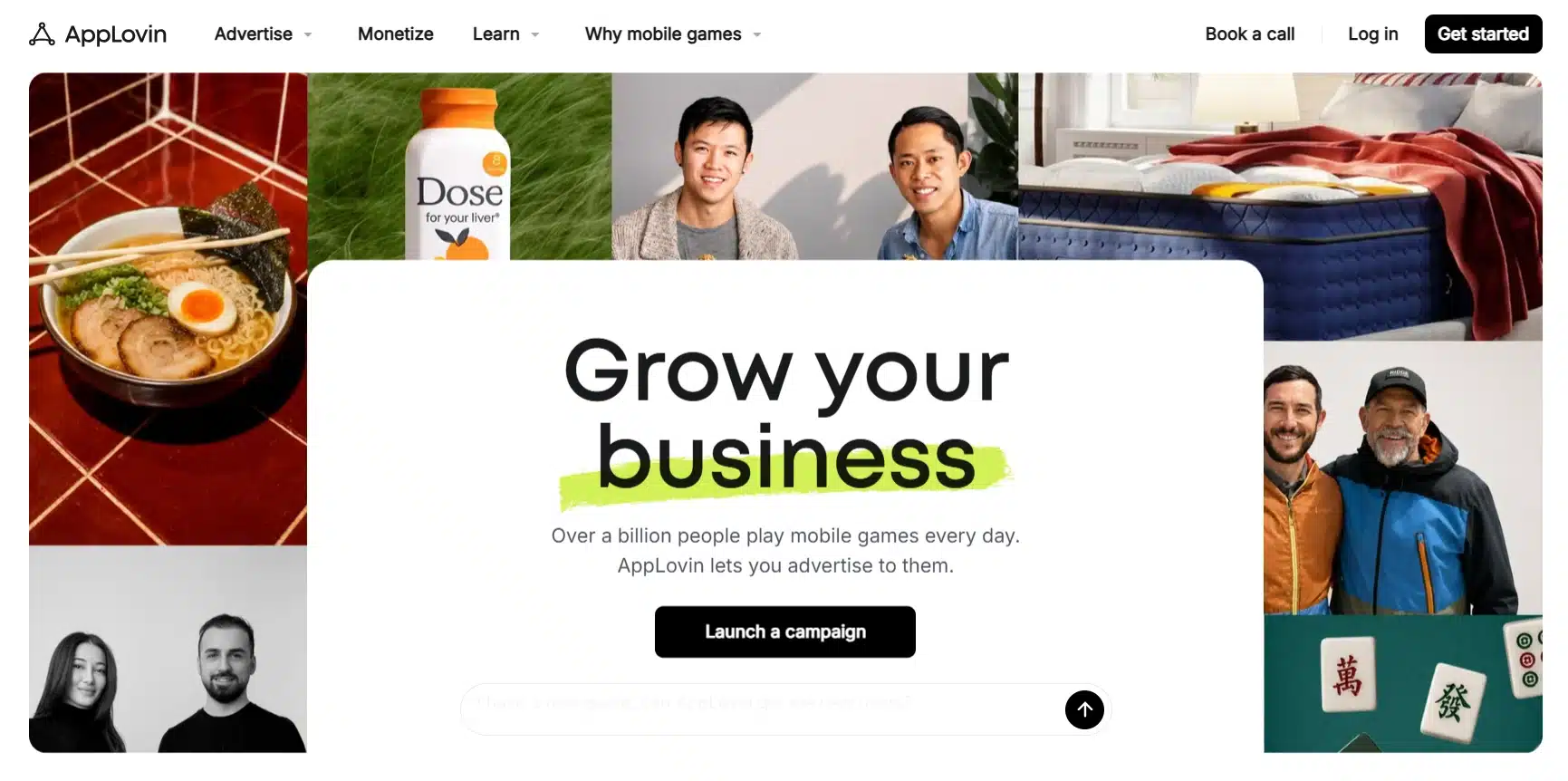
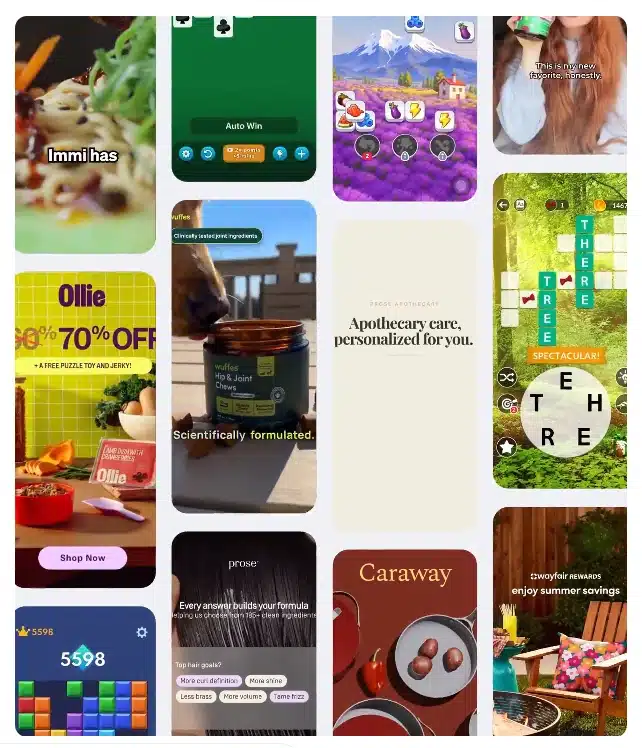
AppLovin Ads for consumer brands is a performance advertising platform that places full-screen video ads inside mobile games and apps. The ads appear between levels or as opt-in rewarded ads, where a player chooses to watch in exchange for an in-game reward. Behind the scenes, AppLovin's Axon engine uses AI to decide who sees your ad, how much to bid, and which of your creatives to show for each impression.
Here's what AppLovin Ads does:
- Places ads inside top mobile games: Ads run in titles including Subway Surfers, Candy Crush, Sudoku, Solitaire, and Words With Friends
- Reaches a massive daily audience: According to AppLovin, more than 1 billion people play mobile games every day
- Captures real attention: AppLovin reports a median engagement of 35 seconds per ad, since the full-screen format has no feed competing for attention
- Supports multiple product types: You can advertise physical ecommerce products, digital products, subscriptions, and services across both web and app businesses
- Automates bidding and targeting: Once you set a goal and budget, the Axon engine handles who sees each ad and how much to bid for the impression
- Selects creative automatically: The system tests your uploaded creatives against each other and serves the best performer for each impression
In short, AppLovin Ads gives brands a way to reach people in a focused, full-attention moment rather than competing for a scroll in a crowded feed, then automates most of the campaign management work behind that placement.
How AppLovin Ads Helps Your Business: Built for a Specific Kind of Advertiser
Whether you're an ecommerce brand looking for a third acquisition channel, an app company optimizing for in-app events, or an agency testing new channels for clients, AppLovin's full-screen video ads are designed around one core strength: reaching people in a captive, full-screen moment. As a result, its combination of automated optimization and broad reach works best for teams that can keep a steady pipeline of video creative flowing.
AppLovin Ads for ecommerce and DTC brands: a third channel beyond Meta and Google
Brands already spending on Meta and Google often look for a channel that reaches different people at a different moment. AppLovin connects to your store through a pixel, including a Shopify App Store integration, so it can sit alongside your existing ecommerce PPC services as a prospecting channel.
AppLovin Ads for mobile app companies: optimize for in-app events
App advertisers integrate their mobile measurement partner (MMP) and can optimize toward in-app events, such as sign-ups or purchases inside the app, rather than only installs.
AppLovin Ads for subscription and lead-gen businesses: beyond online stores
The platform includes a lead objective built to reach people most likely to become qualified prospects, so AppLovin isn't limited to businesses selling directly online.
AppLovin Ads for agencies and performance marketers: another channel to test
Teams managing multiple accounts get another channel to test for clients who have outgrown the limits of search and social, and AppLovin also runs an agency program for partners managing campaigns at scale.
AppLovin Ads Features: Tools to Target, Bid, and Optimize
AppLovin Ads features are organized around campaign objectives, audience targeting, automated optimization, and creative tools.
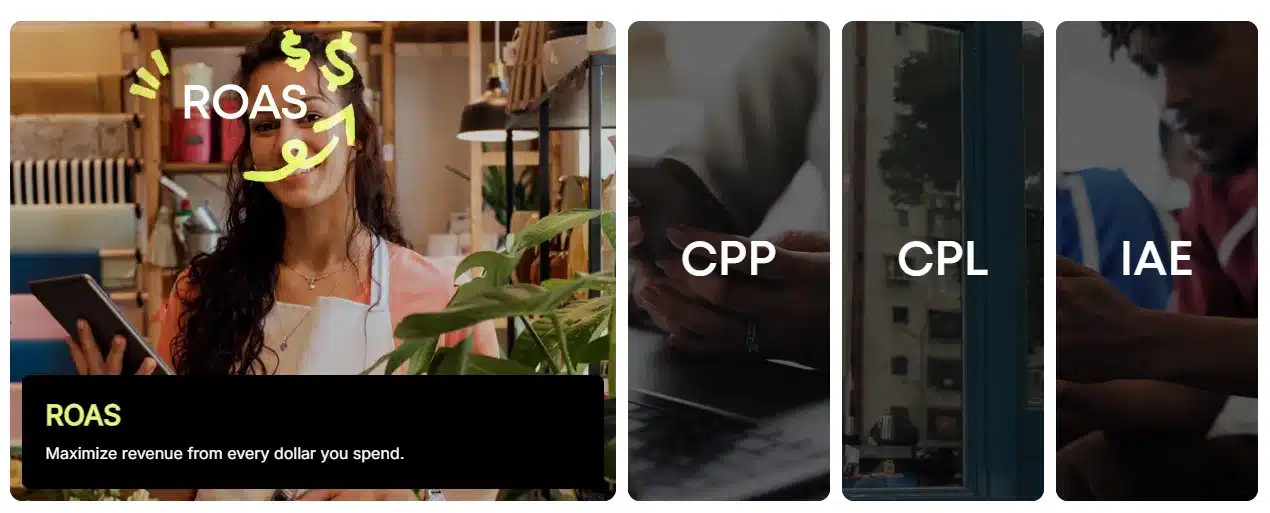
- Four campaign objectives: ROAS (maximize revenue per dollar), Purchases (drive purchases at or below a target cost), Leads (reach likely qualified prospects), and In-App Events (optimize for actions inside an app)
- Three audience options: Universal (all customer types), Prospecting (net-new customers), and Discovery (people who have never visited your site)
- AI-driven optimization: Bidding, targeting, and creative selection are automated once you set your goals and budget
- Flexible creative formats: Videos, statics, and playable ads, with AI ad generation tools available to build additional assets
- Pixel and MMP integrations: The AppLovin Pixel installs through the Shopify App Store or Google Tag Manager for web; app advertisers connect their MMP instead
- Self-serve Ads Manager: Direct control over campaigns, budgets, and creative sets, with bulk creative upload support
Together, these features let advertisers set a clear goal and audience, then rely on the Axon engine to handle the ongoing work of bidding and creative rotation rather than managing every variable manually.
How to Use AppLovin Ads: A Simple Guide to Getting Started
Getting started is designed to be fast, with AppLovin noting most brands can go live in under an hour after the AppLovin Ads signup page.
- Create your account on AppLovin: Sign up through the AppLovin Ads signup page
- Connect your business: Install the AppLovin Pixel through the Shopify App Store or Google Tag Manager for web, or integrate your MMP for an app
- Upload your creatives: Bring in the videos and images you already use. More creative variety gives the engine more to test, so AppLovin recommends uploading as many as you can
- Choose your goal and audience: Pick ROAS, Purchases, Leads, or In-App Events, then select Universal, Prospecting, or Discovery
- Set a budget and launch: Most brands can go live in under an hour, with automated optimization taking over from there
- Review results and refresh creative: Keep feeding the platform new videos as performance data comes in, since creative volume is one of the biggest levers on the platform
By following these steps, advertisers can move from signup to a live, AI-optimized campaign within a single session, though ongoing creative production is what keeps performance improving afterward.
AppLovin Ads Pricing: No Subscription, Pay for Spend
AppLovin Ads pricing model doesn't include a published subscription price. Instead, you pay for ad spend directly, and the platform says you can launch with a budget as low as $10 per day and scale from there as results come in. Here's what to expect across the main cost areas:
| Cost item | What to expect |
|---|---|
| Platform fee | No subscription is listed on AppLovin's consumer brands page; costs come entirely from ad spend |
| Minimum budget | As low as $10/day to start testing |
| Creative production | Often the real cost center. The platform rewards a steady supply of video, so budget for production or AI-assisted creative generation |
| Agency management | Optional, separate from ad spend, and varies by provider if you choose to work with one |
A low minimum budget lets you test cheaply, but the engine needs enough spend and enough creative variety to actually learn. A tiny test trickling in $10 a day may not tell you much, so plan the test with a clear budget rather than treating it as a passive experiment.
AppLovin also cites its own performance figures:
| Figure | What AppLovin reports |
|---|---|
| 80% | Share of web conversions happening within 24 hours of a click |
| $100K+ | Daily ad spend reached within days of launch by some advertisers |
| 70% | Share of web brands seeing higher customer lifetime value than on other platforms, based on a 2025 analysis of 95 brands |
See AppLovin Ads Pricing and Setup →
AppLovin Ads Creative Strategy: What Actually Works
Why creative strategy matters more on AppLovin than elsewhere
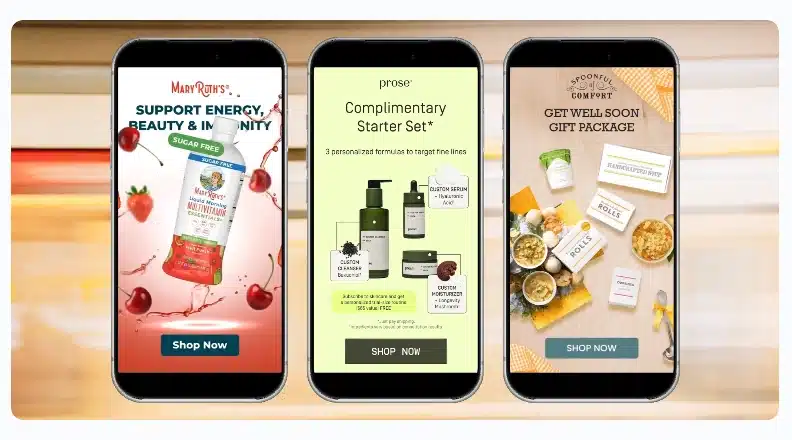
This is the part that trips up most new advertisers. The ads are full screen and unskippable for at least the first few seconds, which makes the experience closer to TV than to a social feed. As a result, creative that works well on Meta or TikTok doesn't always translate directly to AppLovin Ads creative formats.
Vertical video, longer formats, and volume
Vertical video is the core format, since it fills the screen the way the platform intends. Longer videos can actually win here: because the viewer is captive early on, a video that gives enough context to make the click feel obvious often beats a short, clipped social ad. Volume matters too, since the engine tests creatives against each other, so a steady pipeline of new videos helps more than one polished hero ad.
AI-made video isn't a guaranteed win
A survey of 30 ecommerce advertisers reported by a third-party review found that among those who tried AI-generated video, only a minority saw better ROAS. Good creative also depends on a landing page that actually converts the traffic it earns, so creative and post-click experience need to work together. Our conversion rate optimization work covers that post-click experience.
Creative strategy in action: feeding the engine consistently
Because the Axon engine relies on creative variety to keep testing and improving, advertisers who treat creative production as an ongoing process, not a one-time upload, tend to get more out of the platform over time.
AppLovin Ads Measurement: Why You Shouldn't Judge It Like Meta
Why measurement approach matters on AppLovin
AppLovin Ads reporting is click-based and doesn't count view-through conversions, so it's more conservative than platforms that include views by default. That's a point in its favor, but it doesn't make the numbers proof that ads caused the sale.
What independent reviewers point out
Platform-reported results are still self-attribution, published incrementality tests have been mixed, and there can be overlap with Meta. Earlier reviews also noted reporting gaps, such as limited custom metrics in the manager, so it's worth confirming what you can actually see in the current interface before relying on it heavily.
How to measure it properly
- Judge it on new customers: Look beyond blended ROAS
- Compare against your own revenue data: Don't rely only on the platform dashboard
- Run an incrementality or holdout test: Do this before scaling spend aggressively
Measurement in action: trust, but verify
Setting up tracking you can trust matters more, not less, when you add a new channel like AppLovin to an existing media mix, since overlapping attribution between platforms can otherwise make results look better than they really are. Setting up that tracking is a core part of our Google Analytics services.
How DiscoverMyBusiness Onboards Your App or Brand
If you'd rather not set this up alone, here is how we work with new AppLovin advertisers:
- Fit check: We review your product, margins, and current channels to decide whether AppLovin makes sense for you right now
- Tracking setup: We install the AppLovin Pixel (web) or connect your MMP (app) and confirm the events that matter are firing correctly
- Creative plan: We help you plan and produce the volume of vertical video the platform needs
- Launch: We set objectives, audiences, and budgets, and go live
- Measure and refine: We track results against your own revenue data, refresh creative, and report on what's working
This sits inside our broader lead generation services and paid social work, so AppLovin doesn't become a disconnected experiment.
Want AppLovin Campaigns Set Up Right From Day One?
Tell us about your brand or app and we'll tell you honestly whether AppLovin is worth testing for you now, and how we'd structure the first campaigns, creative, and tracking.
AppLovin Ads Alternatives: Exploring Other Advertising Channels
When exploring advertising channels beyond AppLovin, it's natural to compare how AppLovin Ads compares against the platforms most advertisers already use. Each channel plays a different role, so AppLovin tends to work best as an addition rather than a replacement.
| Channel | Its strength | Where AppLovin differs |
|---|---|---|
| Google Ads | Captures people actively searching with high purchase intent | AppLovin reaches people who aren't searching yet, which makes it a prospecting channel rather than an intent channel, suited to building awareness before someone starts actively looking |
| Meta (Facebook and Instagram) | Mature targeting, huge reach, and a familiar feed format | Full-screen, in-game placement with a different attention pattern, plus click-based reporting that runs more conservatively than Meta's default attribution |
| TikTok Ads | Short-form video discovery with strong creator-style creative | AppLovin favors fuller, longer videos in a captive full-screen moment, which calls for a different creative approach than what typically performs on TikTok |
| Other mobile ad networks | Generally strong for app install volume specifically | AppLovin's Axon engine is expanding that same AI approach to web purchases and leads, not just installs, giving it a broader use case than a typical install-focused network |
If you already run Meta, our Facebook advertising agency team can help you decide how much budget should shift to a new channel and how to avoid double-counting overlap between them.
Is AppLovin Ads Worth Testing?
AppLovin Ads gaming advertising platform is worth testing if your brand can produce a steady stream of vertical video and you're looking for a new customer acquisition channel beyond Google and Meta. Its full-screen mobile placements, AI-powered optimization, and prospecting focus make it an interesting option for ecommerce, DTC, subscription, and app businesses. However, AppLovin advertising isn't a perfect fit for every brand. If you need detailed manual audience controls, have limited video creative, or want the level of reporting you're used to on Meta, you may find the platform restrictive. The best approach is to treat AppLovin Ads as a controlled test: set a clear budget, define your success metrics and stopping point, then compare results against your own revenue data before scaling.
Key Takeaways
- A prospecting channel, not a replacement: AppLovin works best alongside search and social, not instead of them
- Creative volume is the biggest lever: Vertical video, uploaded consistently, drives the engine's performance
- Platform numbers aren't proof of incrementality: Test against your own revenue data before scaling spend
- Low barrier to entry: You can start from $10/day, but a meaningful test needs enough spend and creative variety to actually learn
Frequently Asked Questions
1. What is AppLovin Ads?
It's a performance advertising platform that shows full-screen video ads inside mobile games and apps, using its Axon AI engine to automate bidding, targeting, and creative selection for brands and app companies.
2. How much does it cost to advertise on AppLovin?
AppLovin lists no subscription fee. You pay for ad spend, and you can launch with a budget as low as $10 per day. Creative production and optional agency management are separate costs.
3. What can I advertise on AppLovin?
Physical ecommerce products, digital products, subscriptions, and services, across both web and app businesses.
4. What do I need to get started?
For web, install the AppLovin Pixel through the Shopify App Store or Google Tag Manager. For an app, integrate your mobile measurement partner. Then set a goal and budget and upload creatives.
5. Where do my ads appear?
In mobile games and apps, including titles such as Subway Surfers, Candy Crush, Sudoku, Solitaire, and Words With Friends, as full-screen video between levels or as opt-in rewarded ads.
6. Can I reuse creatives from Meta or TikTok?
Yes, you can upload existing videos and images. AppLovin recommends uploading as many as possible, since variety gives the engine more to test.
7. Is AppLovin only for mobile gaming companies?
No. It began with game advertising, but it now serves ecommerce, subscription, and app advertisers, with public self-serve access for ecommerce opening in 2026.
8. How should I measure AppLovin performance?
Use click-based platform reporting as one input, then compare against your own revenue data and run an incrementality or holdout test before scaling. Platform dashboards alone can't prove the ads caused the sales.
9. Does AppLovin include view-through conversions in its reporting?
No, AppLovin reporting is click-based and doesn't count view-through conversions, which makes it more conservative than platforms that include views by default.
10. Is AppLovin suitable for agencies managing multiple client accounts?
Yes, AppLovin runs an agency program for partners, giving teams managing multiple accounts another channel to test for clients who have outgrown the limits of search and social.
11. Can DiscoverMyBusiness manage my AppLovin campaigns?
Yes. We can handle setup, tracking, creative planning, launch, and reporting. Contact DiscoverMyBusiness for details on scope and pricing.
Ready to test a prospecting channel beyond Google and Meta?
Explore how AppLovin can help your brand reach a captive, full-screen audience of more than a billion daily mobile game players. Create your account through our partner link or talk to us first and we'll help you decide whether and how to test it.
Start Advertising on AppLovin →
(877) 522-7738
Blogs
Enterprise SEO: How Large Websites Can Scale Rankings Effectively
Large websites don’t win by fixing pages one at a time. Learn how enterprise SEO scales rankings through crawl control, template fixes, safe content scaling and AI search readiness.
How to Customize Sales Popups on Shopify to Match Your Brand
Learn how to customize sales popups on Shopify to match your brand, from colors, fonts, and position to message text, timing, and mobile testing.
How Shopify Sales Notifications Help Build Social Proof and Increase Sales
Learn how Shopify sales notifications build social proof, reduce shopper hesitation, and support sales, plus best practices and how to add them to your store.
Franchise SEO Challenges and How Multi-Location Brands Can Overcome Them
Franchise SEO is mostly a coordination problem. See the 10 challenges multi-location brands face, from duplicate location pages and listing drift to profile ownership and AI search, and how to fix each one at scale.
Google Ads Benchmarks 2026: What the Numbers Actually Mean for Your Account
Google Ads Search averages for 2026 are a 6.64% CTR, $5.42 CPC, 8.18% conversion rate and $66.69 cost per lead. Learn how to find your break-even CPL and which metric is holding your account back.
Best Shopify Sales Popup Apps to Boost Customer Trust and Conversions
Compare seven Shopify sales popup apps on features, customization, pricing, and ease of use, and learn how to pick one that builds trust without guesswork.
Franchise vs Enterprise Digital Marketing: Key Differences & Best Practices
Franchise and enterprise marketing both manage many locations under one brand, but they run on different rules. See who controls the budget, brand and data in each model, and the best practices that work for both.
How to Add a Shopify Sales Popup: Step-by-Step Guide
Learn how to add a Shopify sales popup in seven steps. Pick an app, set display rules, test on mobile, and track whether it works, with no coding needed.
Google Partner Rewards Store Not Working? We Hit a Redirect Loop, and Here’s What to Do
Stuck in a Google Partner Rewards Store redirect loop? Discover the exact causes behind the login bug and practical troubleshooting steps to redeem your partner points.
GloriaFood Is Shutting Down: Your 7-Step Plan and a Replacement to Try
With Oracle discontinuing GloriaFood, restaurants must plan ahead: explore a 7-step migration blueprint, data export tips, and top online ordering replacements.
Best Shopify Image Optimization Apps: How to Choose the Right Tool for Your Store
Learn what to look for in a Shopify image optimization app, the main types of tools, how to compare apps fairly, and the mistakes to avoid when choosing the right one.
Shopify Image Optimization Checklist: What to Do Before and After Uploading Product Photos
Use this Shopify image optimization checklist to prepare product photos before you upload, finish the job after, avoid common mistakes, and handle large catalogs in bulk.
Beehiiv Newsletter Platform: Pricing, Features, and Monetization Tools
Explore the beehiiv newsletter platform to streamline your communication and engage with your audience effectively.
Shopify Core Web Vitals and Images: How to Find and Fix Image-Related Speed Issues
Learn how images affect Shopify Core Web Vitals, how to find image-related speed issues, the most common mistakes, and how to fix them, including for large product catalogs.
Shopify Fake Cart Bot Attack: What Stopped 500+ Fake Carts an Hour (and a Script We Can’t Rule Out)
A client’s Shopify store was hit with 500+ fake carts an hour, and captchas, rate limits and bot apps didn’t stop it. Here’s why the traffic bypassed our security, the one fix that worked, and a third-party script lead we’re still tracing.
Getting information about your case and your options is your FIRST move. Get a FREE case evaluation now…
Find Yourself a Marketing Expert Near You!
(877) 522-7738