
Best Shopify Image Optimization Apps: How to Choose the Right Tool for Your Store
TL;DR:
- What it is: Shopify image optimization apps automate compressing, renaming, and describing images. As a result, quality stays consistent as your catalog grows.
- What to look for: Check compression, alt text, renaming, bulk processing, automation, pricing and image limits, and ease of use.
- What it can’t do: An app can support speed, accessibility, and discoverability. However, it can’t guarantee rankings or sales.
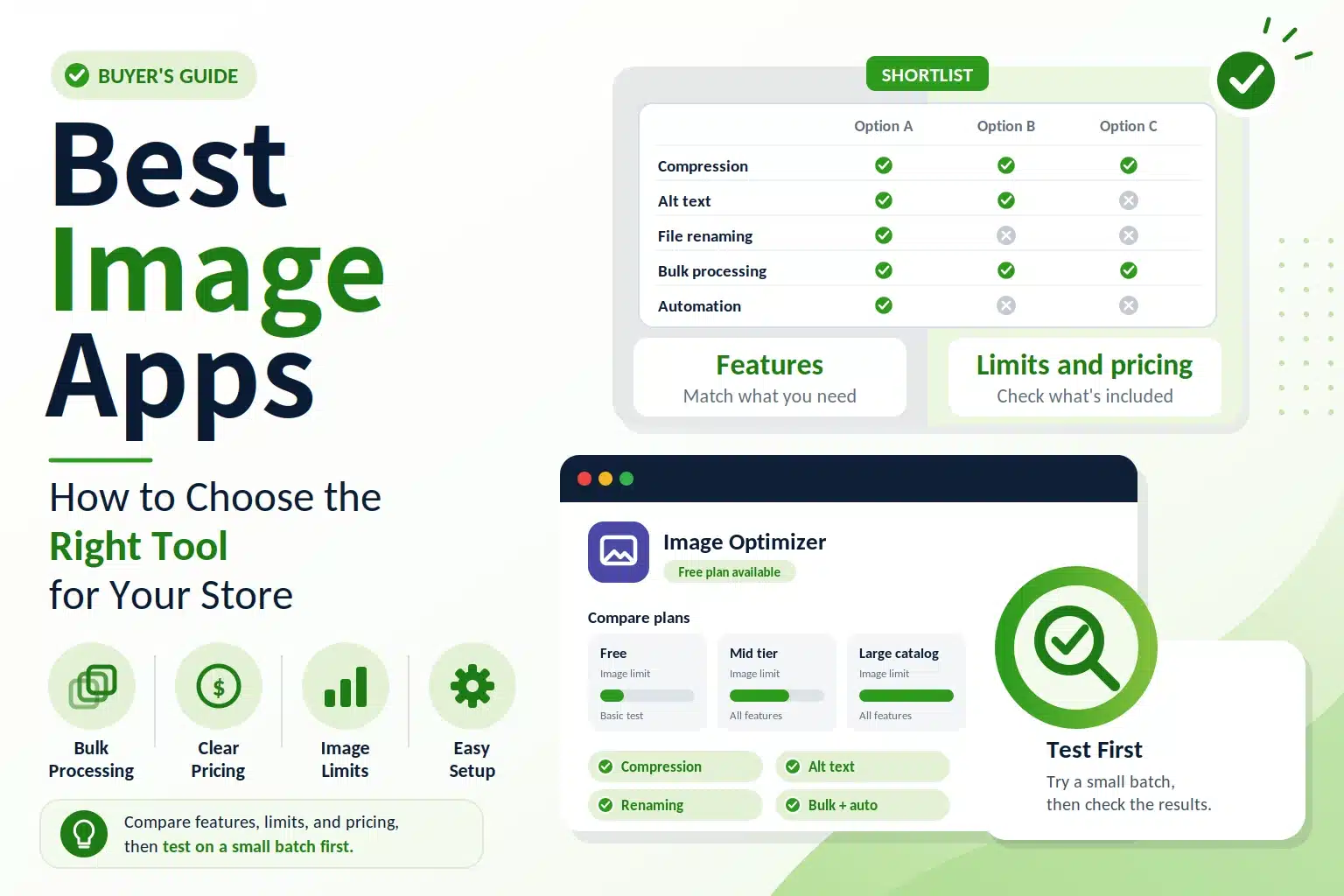
- How to choose: Compare a few apps side by side, then test each on a small batch. Also, SEO Image Optimizer by DMB offers a free plan for up to 500 images, which is a low-risk way to start.
Unoptimized product images are one of the most common reasons a Shopify store feels slow. Oversized files weigh pages down, missing alt text leaves screen reader users and search engines guessing, and generic filenames like IMG_1234.jpg say nothing about the product. Each problem is easy to fix once. The trouble is fixing it across hundreds or thousands of images and keeping up with every new upload.
That’s where image optimization apps come in. They automate the repetitive work of compressing, renaming, and describing images, so quality stays consistent as your catalog grows.
Not every app does the same things, though, and the right choice depends on your catalog size, your SEO needs, and your budget. This guide explains what to look for, the main types of tools, how to compare them fairly, and the mistakes to avoid. An app can support speed, accessibility, and discoverability, but it can’t guarantee rankings or sales.
What to Look for in a Shopify Image Optimization App
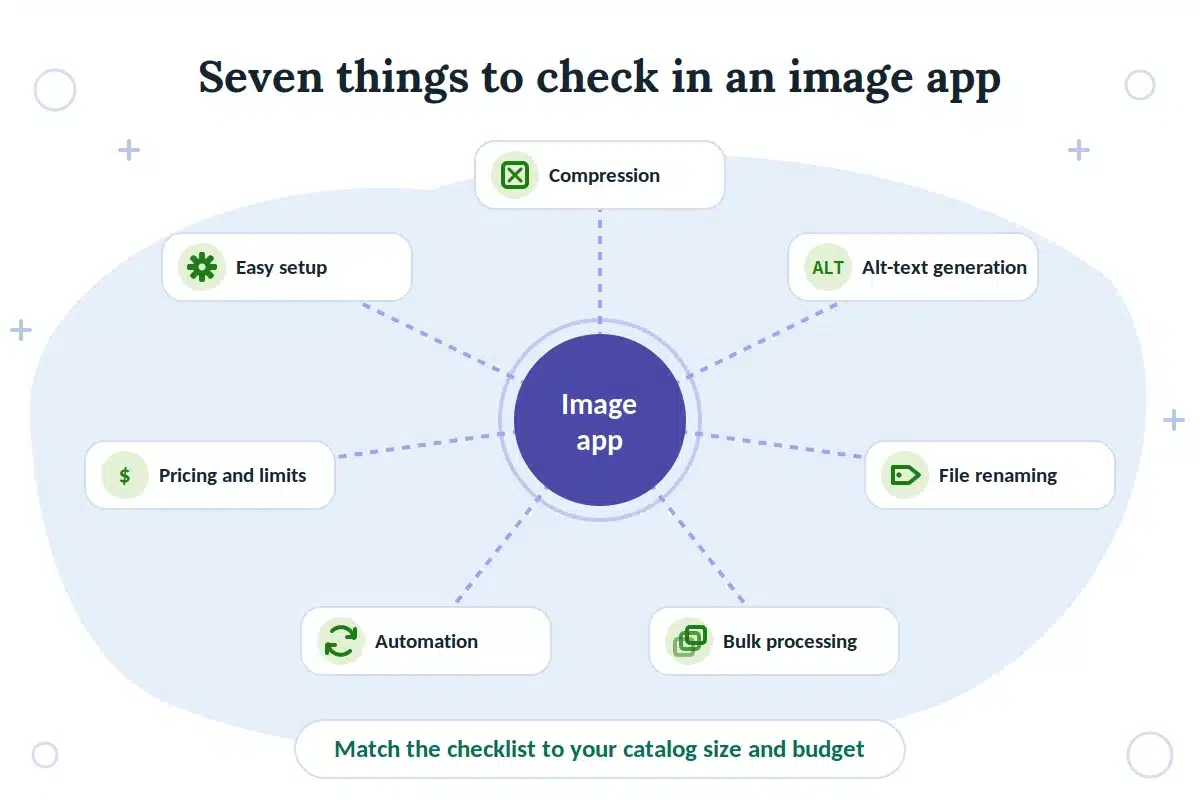
Seven features, in short, separate a useful app from a basic one. Our technical SEO services team uses a similar list when it reviews stores.
- Image compression: The app should reduce file sizes while keeping images looking right. Also check how it handles quality.
- Alt-text optimization: Look for generation of descriptive alt text, because it supports accessibility and image SEO. Then plan to review what it writes.
- SEO-friendly file renaming: The ability to create descriptive filenames from product information, ideally while using templates you control.
- Bulk optimization: You shouldn’t have to edit images one by one. Instead, check that it supports bulk image optimization across an existing catalog in batches.
- Automation: Ongoing handling of new uploads therefore keeps your catalog consistent without extra work.
- Pricing and image limits: Also compare free plans, paid tiers, and how many images each plan covers. Limits matter more than headline prices.
- Ease of use and compatibility: Simple setup, clear controls, and good compatibility with your theme save time, and they also prevent surprises. Support options matter too.
Types of Shopify Image Optimization Tools
Image tools fall into three main types. Choosing between them is easier when you know your main problem. A store-wide review from our Shopify SEO services team can also help.
Image compression and format conversion tools
These focus on file size: compressing images and, in some cases, converting formats, such as JPEG, PNG, and WebP. They suit stores whose main problem is page weight, since those stores already handle alt text and naming themselves.
Image SEO tools for alt text and filenames
These focus on metadata: generating alt text and renaming files. They suit stores with decent image sizes but missing or generic descriptions.
All-in-one apps
These combine compression, SEO metadata, and bulk automation. As a result, they suit stores that want one tool to cover the basics and keep up with new uploads.
Which type suits you?
A small store with a few dozen products may be fine with a focused tool or manual work. However, a growing or large catalog usually benefits from an all-in-one app with bulk and automatic processing. Match the tool to your real bottleneck rather than to the longest feature list.
How to Compare Shopify Image Optimization Apps
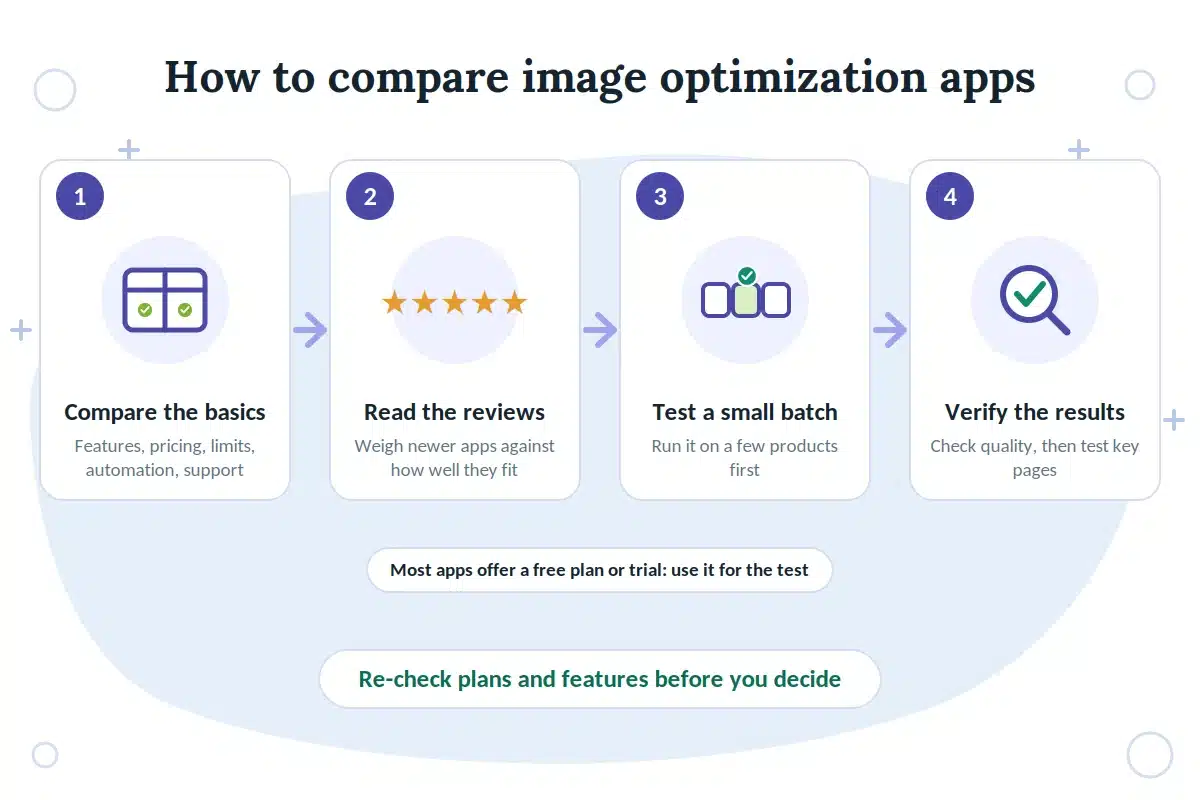
A fair comparison takes four steps. Follow them in order, so you compare apps on facts rather than marketing.
- Compare the basics side by side. Look at features, pricing, image limits, automation, and support options, since they vary widely. Use the app listings and their documentation, and re-check them before you decide, since plans change.
- Read App Store reviews and ratings. They show how an app behaves for real stores, so they add useful context. However, a newer app may have few reviews, so weigh that against how well it fits your needs.
- Test on a small selection of images. Run any app on a handful of products before the full catalog, then review each one against a Shopify image optimization checklist.
- Verify quality and measure performance. Zoom in on optimized images, then test key pages in Google PageSpeed Insights and compare your Core Web Vitals before and after. A review from our SEO audit services team can also confirm the results.
Is SEO Image Optimizer by DMB the Right Choice?
SEO Image Optimizer by DMB is an all-in-one option. Its listing describes:
- Image compression that reduces file sizes while keeping quality visibly intact
- Smart alt text that auto-generates descriptive tags, so accessibility and search both benefit
- SEO image renaming that uses custom templates, as well as dynamic variables
- Auto-pilot processing of your existing catalog in bulk, then automatic syncing of new uploads
Plans are based on image count, while every plan includes all features:
| Plan | Price | Images |
|---|---|---|
| Free | $0 | Up to 500 |
| Silver | $8.99/month | Up to 5,000 |
| Gold | $19.99/month | Up to 15,000 |
SEO Image Optimizer by DMB makes Shopify image optimization easier with automated compression, SEO-friendly file renaming, alt-text generation, and bulk processing. The Silver and Gold plans include dedicated support and a free onboarding call, helping you get started with confidence. Not sure if it’s right for your store? Start with the free plan for up to 500 images, test the workflow on a small batch, and scale up as your catalog grows.
Explore SEO Image Optimizer by DMB Free on Shopify →
Common Mistakes When Choosing an Image Optimization App
These four mistakes cost stores the most. Planning your wider budget with ecommerce marketing services support also helps you avoid the first two.
- Choosing on price alone. The cheapest plan may cover too few images or lack features you need, so compare value instead.
- Ignoring image limits and recurring charges. Check how many images each plan covers and what happens when your catalog grows.
- Assuming optimization guarantees higher rankings. Optimized images support speed and discoverability. However, they don’t promise rankings.
- Overlooking backups, rollback, and existing metadata. Find out whether the app keeps copies of originals. Also check whether changes can be undone, and how it treats alt text and filenames you’ve already written.
Frequently Asked Questions
1. What is the best image optimization app for Shopify?
There’s no single best app. The right one depends on your catalog size, the features you need, your budget, and how it performs in your own test. Therefore, compare a few against the criteria above and try each on a small batch.
2. Do Shopify image optimization apps improve page speed?
They can, mainly by reducing image file sizes, so mobile shoppers benefit most. However, speed also depends on scripts, apps, fonts, and theme code. Also, our Shopify web design services team can review the theme side. Measure before and after to see the actual effect.
3. Can Shopify apps optimize images in bulk?
Yes, many can. Look for bulk processing of your existing catalog, as well as automatic handling of new uploads. SEO Image Optimizer by DMB lists both. Test on a small batch first, then review the results.
4. Are free Shopify image optimization apps worth using?
Often, yes, especially for smaller catalogs or for testing. Also check the image limit and which features are included. For example, DMB’s free plan covers up to 500 images, which can be enough to evaluate the app.
5. Can image optimization apps improve Google Image Search visibility?
They can support it. Descriptive alt text and filenames give Google better context about your images. Also, faster loading helps the experience. However, visibility depends on many factors, and no app can guarantee it.
Conclusion: Choose the Right Shopify Image Optimization Tool
In short, the selection criteria are straightforward: compression, alt-text generation, file renaming, bulk processing, automation, clear pricing and image limits, and a setup that fits your store. Match those to your catalog size, your SEO needs, and your budget, then test before you commit.
When you want an all-in-one option to try, SEO Image Optimizer by DMB offers a free plan you can test on a small batch. Faster, clearer images also support conversion rate optimization goals.
Key Takeaways
- Match the tool to your bottleneck: Page weight, metadata, and catalog size each point to a different type of app, so choose accordingly
- Check the essentials: Compression, alt text, renaming, bulk processing, automation, and clear image limits
- Test before you commit: Try any app on a small batch, then measure with PageSpeed Insights
- Ask about safety: Find out whether the app keeps originals, then check rollback and existing metadata
- Keep expectations realistic: An app supports speed and discoverability, but it can’t guarantee rankings or sales
(877) 522-7738
Blogs
Enterprise SEO: How Large Websites Can Scale Rankings Effectively
Large websites don’t win by fixing pages one at a time. Learn how enterprise SEO scales rankings through crawl control, template fixes, safe content scaling and AI search readiness.
How to Customize Sales Popups on Shopify to Match Your Brand
Learn how to customize sales popups on Shopify to match your brand, from colors, fonts, and position to message text, timing, and mobile testing.
How Shopify Sales Notifications Help Build Social Proof and Increase Sales
Learn how Shopify sales notifications build social proof, reduce shopper hesitation, and support sales, plus best practices and how to add them to your store.
Franchise SEO Challenges and How Multi-Location Brands Can Overcome Them
Franchise SEO is mostly a coordination problem. See the 10 challenges multi-location brands face, from duplicate location pages and listing drift to profile ownership and AI search, and how to fix each one at scale.
Google Ads Benchmarks 2026: What the Numbers Actually Mean for Your Account
Google Ads Search averages for 2026 are a 6.64% CTR, $5.42 CPC, 8.18% conversion rate and $66.69 cost per lead. Learn how to find your break-even CPL and which metric is holding your account back.
Best Shopify Sales Popup Apps to Boost Customer Trust and Conversions
Compare seven Shopify sales popup apps on features, customization, pricing, and ease of use, and learn how to pick one that builds trust without guesswork.
Franchise vs Enterprise Digital Marketing: Key Differences & Best Practices
Franchise and enterprise marketing both manage many locations under one brand, but they run on different rules. See who controls the budget, brand and data in each model, and the best practices that work for both.
How to Add a Shopify Sales Popup: Step-by-Step Guide
Learn how to add a Shopify sales popup in seven steps. Pick an app, set display rules, test on mobile, and track whether it works, with no coding needed.
Google Partner Rewards Store Not Working? We Hit a Redirect Loop, and Here’s What to Do
Stuck in a Google Partner Rewards Store redirect loop? Discover the exact causes behind the login bug and practical troubleshooting steps to redeem your partner points.
GloriaFood Is Shutting Down: Your 7-Step Plan and a Replacement to Try
With Oracle discontinuing GloriaFood, restaurants must plan ahead: explore a 7-step migration blueprint, data export tips, and top online ordering replacements.
Shopify Image Optimization Checklist: What to Do Before and After Uploading Product Photos
Use this Shopify image optimization checklist to prepare product photos before you upload, finish the job after, avoid common mistakes, and handle large catalogs in bulk.
Beehiiv Newsletter Platform: Pricing, Features, and Monetization Tools
Explore the beehiiv newsletter platform to streamline your communication and engage with your audience effectively.
Shopify Core Web Vitals and Images: How to Find and Fix Image-Related Speed Issues
Learn how images affect Shopify Core Web Vitals, how to find image-related speed issues, the most common mistakes, and how to fix them, including for large product catalogs.
Shopify Fake Cart Bot Attack: What Stopped 500+ Fake Carts an Hour (and a Script We Can’t Rule Out)
A client’s Shopify store was hit with 500+ fake carts an hour, and captchas, rate limits and bot apps didn’t stop it. Here’s why the traffic bypassed our security, the one fix that worked, and a third-party script lead we’re still tracing.
JPEG vs. PNG vs. WebP: Which Image Format Is Best for Shopify Stores?
Compare JPEG, PNG, and WebP for Shopify stores, see which format suits each image type, and learn if WebP speeds up your store and how to optimize images without losing quality.
Getting information about your case and your options is your FIRST move. Get a FREE case evaluation now…
Find Yourself a Marketing Expert Near You!
(877) 522-7738