
How to Optimize Thousands of Shopify Product Images Without Editing Them One by One
TL;DR:
- What it is: Bulk Shopify image optimization means handling compression, alt text, and filenames across a whole catalog in batches. It replaces editing files one by one.
- What to do: Audit your images, write simple rules, and test on a small batch. Then process the rest in batches and set up a routine for new uploads.
- What it can’t do: Optimized images support a faster, clearer, more accessible store. However, they don’t guarantee rankings, speed scores, or sales.
- How to scale it: SEO Image Optimizer by DMB automates bulk optimization, compression, alt text, renaming, and new uploads. Also, its free plan covers up to 500 images.
Optimizing images one at a time works fine for a store with twenty products. At two thousand, it stops being realistic. That’s where bulk Shopify image optimization comes in: handling compression, alt text, and filenames across a whole catalog in batches, not file by file.
The usual problems pile up quietly as a catalog grows: oversized files that slow pages down, alt text that’s missing or copied across images, and generic filenames like IMG_1234.jpg. None of them is hard to fix on its own. The difficulty is volume and consistency.
This guide explains why manual optimization breaks down, what bulk optimization actually involves, and how to work through thousands of images in a clear, repeatable order. It also covers how automation can keep new uploads from undoing your work, and the mistakes to avoid along the way.
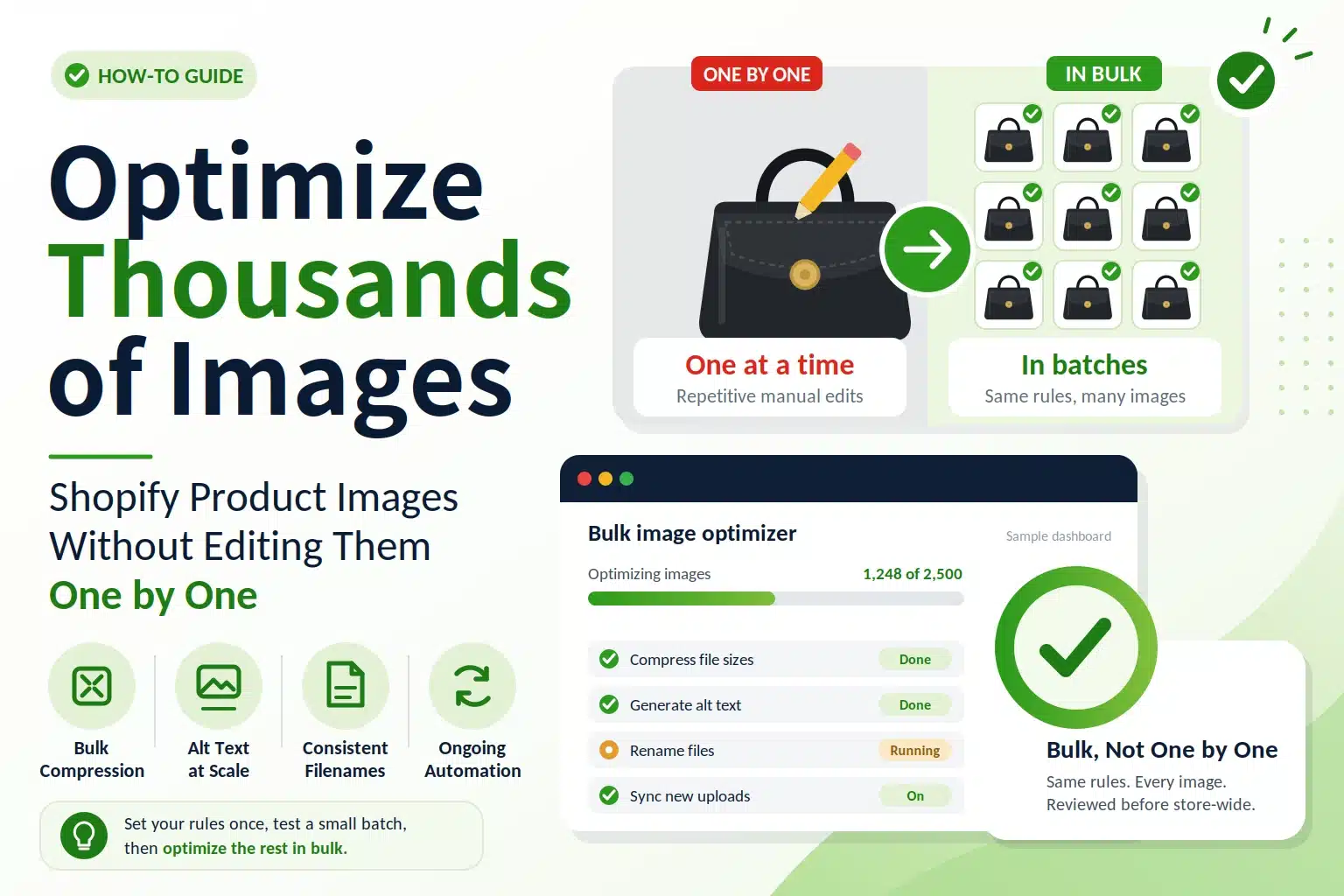
Why Manual Shopify Image Optimization Becomes Difficult
Manual image work breaks down for predictable reasons. As a result, it helps to name them before you pick a fix. An experienced team offering ecommerce optimization services can also help you prioritize.
Managing hundreds or thousands of product images
A store with 500 products and five images each has 2,500 images. Opening each one to rename, resize, and describe it therefore takes days. Moreover, any interruption leaves the catalog half done.
Maintaining consistent alt text and filenames
When several people edit over months, naming and alt text drift. For example, one person writes full descriptions, another leaves the field blank, and a third pastes the product title everywhere.
Reducing image sizes without compromising quality
Compressing by hand means judging each image separately, then re-uploading it. Doing that at scale is slow. In addition, it’s easy to be too aggressive on some images and too gentle on others.
Keeping newly uploaded images optimized
Even if you clear the backlog, every new product adds unoptimized images. Therefore, without a process for new uploads, the problem comes back.
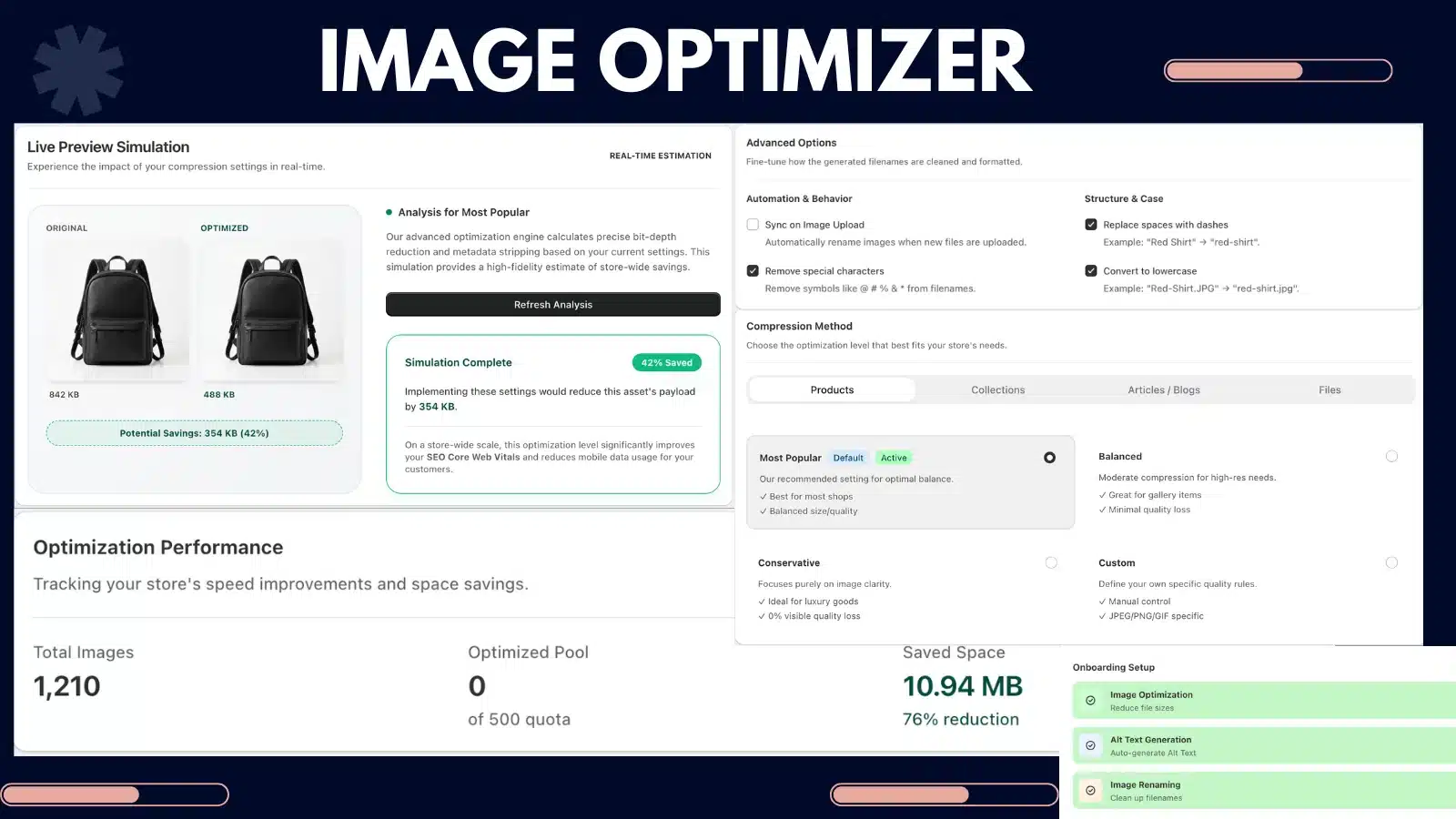
What Is Bulk Shopify Image Optimization?
How bulk image processing works
Bulk optimization applies the same set of rules to many images in one run. Specifically, those rules cover compression, a filename template, and alt text generation. As a result, you don’t edit each image separately. This kind of consistency is also a quiet part of good technical SEO services work.
Manual edits vs. automated optimization
Manual edits give you total control over each image, which suits a handful of hero photos. In contrast, automated optimization trades some of that per-image control for speed and consistency. That trade suits large catalogs.
Which images can benefit
Product images are the obvious candidates. However, collection images and images in blog content use the same signals, so they can benefit too. If you use an app, confirm which of these it covers.
How to Optimize Thousands of Shopify Images Efficiently
A clear order of work keeps a big project under control, so follow these steps. Also test each one on a small batch first.
Audit existing images to identify optimization needs
Start by finding out what you actually have. For example, count how many images lack alt text, note which filenames are generic, and find the largest files. Then prioritize best sellers and high-traffic pages. A structured review, such as our SEO audit services, can speed this up.
Compress images to reduce file sizes
Resize oversized images, then compress. For product photos, a moderate setting usually keeps detail intact, so start there. Still, check a sample before you apply it widely.
Generate descriptive alt text
Alt text should describe what’s actually in each image. Automated generation can also give you a consistent first pass. Then you can edit the images where precision matters, such as flagship products. Clear, human wording, like that from SEO content writing services, helps there.
Rename files using consistent, SEO-friendly rules
Choose one pattern, for example product type, material, then color, and apply it with a template. Use lowercase words separated by hyphens. Naming rules also fit naturally into a wider Shopify SEO services plan.
Review changes and check important product pages
Spot-check your top product and collection pages on desktop and mobile. Specifically, look for sharpness, loading behavior, and anything that looks off.
Here is a practical workflow that ties it together:
- Audit what you have and note the biggest gaps.
- Then write your filename and alt text rules.
- After that, test on a small batch of products.
- Review those pages, then adjust the rules.
- Because the rules now work, process the rest of the catalog in batches.
- Also turn on a process for new uploads.
- Recheck on a regular schedule.
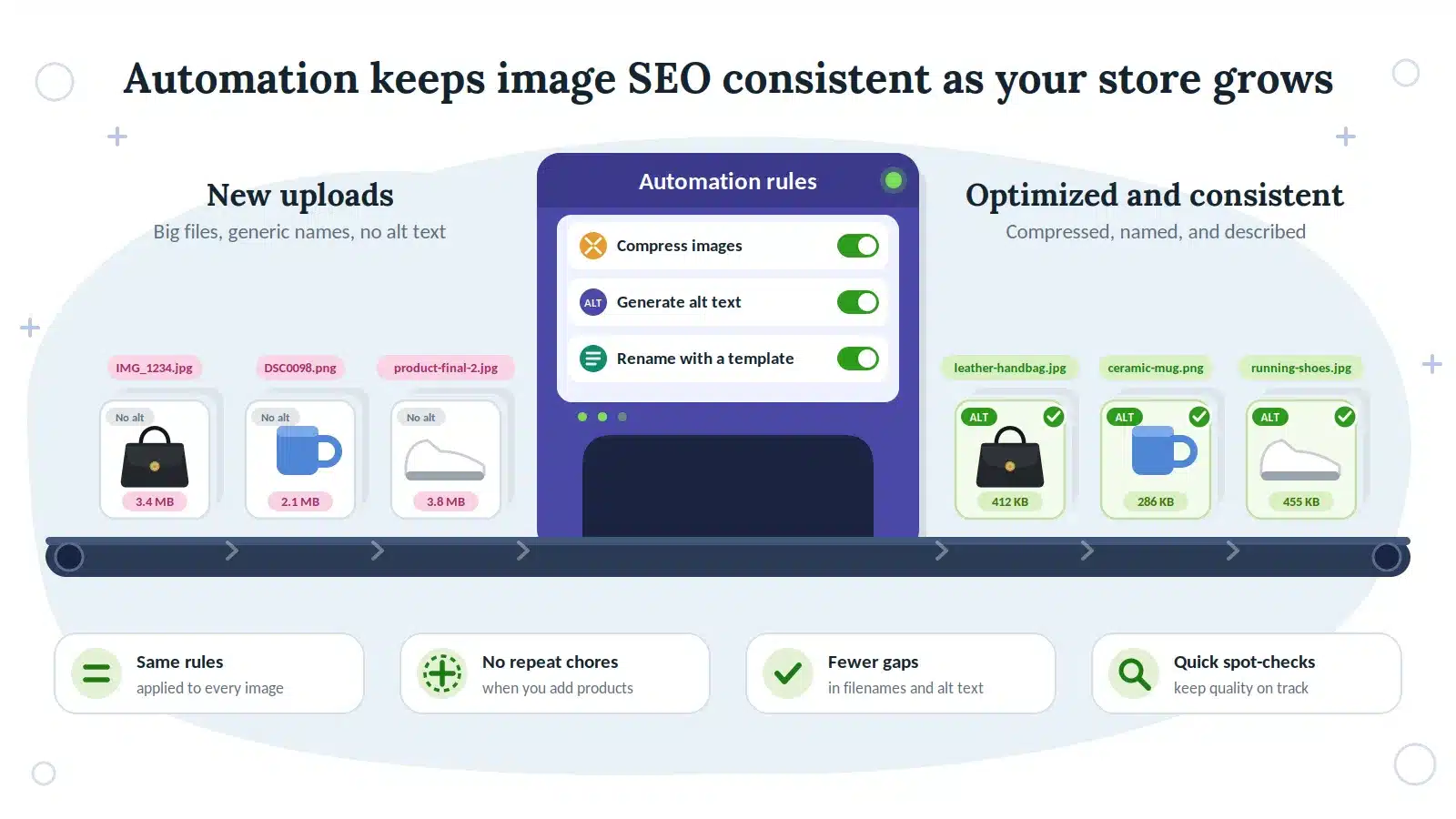
How Automation Helps Maintain Image SEO as Your Store Grows
Automation keeps your results steady as the store grows. Ongoing website maintenance services can also add a human check on top.
Apply consistent optimization rules across your catalog
Automation applies the same rules to every image. As a result, you don’t get one style in last year’s products and another in this year’s.
Reduce repetitive work when adding new products
If new uploads are optimized as they arrive, adding products doesn’t also mean adding image chores.
Minimize inconsistent filenames and missing alt text
Most gaps come from people skipping a step. Therefore, a process that runs by itself leaves fewer gaps to find later.
Combine automation with periodic quality checks
Automation is a starting point rather than a substitute for judgment. Review a sample every so often, especially after changing your naming rules. Then fix anything that doesn’t read right.
Optimize Shopify Images in Bulk with SEO Image Optimizer by DMB
If you’d rather not build this process by hand, SEO Image Optimizer by DMB is a Shopify app aimed at exactly this kind of repetitive work. Its listing describes:
- Bulk optimization: Processes your existing catalog in one pass, so you skip file-by-file edits
- Image compression: Reduces file sizes without a visible drop in quality, so pages load faster
- Automated alt text: Generates descriptive alt text, so accessibility and search both benefit
- SEO-friendly renaming: Updates filenames while using custom templates and dynamic variables
- Automation for new uploads: Syncs and optimizes new images, then keeps them consistent after the initial run
The point of these features is to cut manual effort. At the same time, they keep optimization more consistent from the first image to the last. Plans are based on image count:
| Plan | Price | Images |
|---|---|---|
| Free | $0 | Up to 500 |
| Silver | $8.99/month | Up to 5,000 |
| Gold | $19.99/month | Up to 15,000 |
Watch: Set Up Bulk Image Optimization and Automation in Shopify (Video Tutorial)
Prefer to see it in action? This walkthrough shows how to install SEO Image Optimizer by DMB and set up compression, alt text generation, and image renaming. It also covers global settings, automation for new uploads, and the pricing plans.
Explore SEO Image Optimizer by DMB on Shopify →
Common Mistakes to Avoid When Optimizing Images in Bulk
Bulk work makes small mistakes big, because they repeat across thousands of images. Therefore, watch for these five. Checking mobile display with responsive web design in mind also catches many of them.
- Identical alt text on unrelated images: One description can’t fit a front view, a detail shot, and a lifestyle photo, so write separate ones.
- Repetitive or keyword-stuffed filenames: Short, readable names beat strings of repeated terms, because stuffing hurts clarity.
- Compressing without checking quality: Always zoom in on a sample, especially on detail-heavy products.
- Changing assets without reviewing the storefront: Check galleries, zoom, and mobile display after a run, since errors repeat at scale.
- Assuming automation guarantees results: It saves time and improves consistency. However, it doesn’t guarantee better rankings or faster pages.
Frequently Asked Questions
1. Can Shopify product images be optimized in bulk?
Yes. You can process many images at once by applying consistent rules for compression, filenames, and alt text. Use an app or a structured manual workflow. Test on a small batch first, then review the results before running the whole catalog.
2. How do I add alt text to multiple Shopify images?
Shopify’s admin lets you edit alt text per image, which is slow at scale. However, for many images, an app can generate descriptive alt text in bulk. Then review a sample afterward and refine key products by hand.
3. Can I rename Shopify product images automatically?
Yes, with an app that supports renaming. SEO Image Optimizer by DMB, for example, lists SEO image renaming using custom templates and dynamic variables. Define one naming pattern, test it on a few products, then apply it.
4. Does bulk image compression improve Shopify page speed?
It can, since smaller files download faster, especially on mobile. However, speed also depends on apps, scripts, fonts, and theme code. So compression helps most when images are a large part of the problem. Measure before and after with Google Analytics services.
5. How often should I optimize my Shopify product images?
Optimize new images when you upload them. Also audit the whole catalog now and then, perhaps a few times a year or after a theme change. An automated process for new uploads, therefore, makes this much easier.
Final Thoughts: Save Time with Automated Shopify Image Optimization
Bulk processing, consistent metadata, and ongoing optimization are what keep a large image library healthy. The goal isn’t perfection on every image. Instead, it’s a repeatable process that stops problems from piling up again.
Start by auditing the images you already have. Then write simple filename and alt text rules, test them on a small batch, and scale up. Finally, set up a routine for new uploads. Faster, clearer pages also support conversion rate optimization goals.
When you want to automate the heavy lifting, SEO Image Optimizer by DMB can handle compression, alt text, renaming, and new uploads.
Key Takeaways
- Manual work doesn’t scale: Volume and consistency are the real problems rather than any single fix
- Rules come first: One filename pattern and one alt text approach make bulk work possible, so write them first
- Test small, then scale: Review a small batch before you process the rest in batches
- Automate new uploads: A routine for new images keeps the backlog from returning, so it stays small
- Keep expectations realistic: Automation saves time and improves consistency, but it can’t guarantee rankings, speed scores, or sales
(877) 522-7738
Blogs
Enterprise SEO: How Large Websites Can Scale Rankings Effectively
Large websites don’t win by fixing pages one at a time. Learn how enterprise SEO scales rankings through crawl control, template fixes, safe content scaling and AI search readiness.
How to Customize Sales Popups on Shopify to Match Your Brand
Learn how to customize sales popups on Shopify to match your brand, from colors, fonts, and position to message text, timing, and mobile testing.
How Shopify Sales Notifications Help Build Social Proof and Increase Sales
Learn how Shopify sales notifications build social proof, reduce shopper hesitation, and support sales, plus best practices and how to add them to your store.
Franchise SEO Challenges and How Multi-Location Brands Can Overcome Them
Franchise SEO is mostly a coordination problem. See the 10 challenges multi-location brands face, from duplicate location pages and listing drift to profile ownership and AI search, and how to fix each one at scale.
Google Ads Benchmarks 2026: What the Numbers Actually Mean for Your Account
Google Ads Search averages for 2026 are a 6.64% CTR, $5.42 CPC, 8.18% conversion rate and $66.69 cost per lead. Learn how to find your break-even CPL and which metric is holding your account back.
Best Shopify Sales Popup Apps to Boost Customer Trust and Conversions
Compare seven Shopify sales popup apps on features, customization, pricing, and ease of use, and learn how to pick one that builds trust without guesswork.
Franchise vs Enterprise Digital Marketing: Key Differences & Best Practices
Franchise and enterprise marketing both manage many locations under one brand, but they run on different rules. See who controls the budget, brand and data in each model, and the best practices that work for both.
How to Add a Shopify Sales Popup: Step-by-Step Guide
Learn how to add a Shopify sales popup in seven steps. Pick an app, set display rules, test on mobile, and track whether it works, with no coding needed.
Google Partner Rewards Store Not Working? We Hit a Redirect Loop, and Here’s What to Do
Stuck in a Google Partner Rewards Store redirect loop? Discover the exact causes behind the login bug and practical troubleshooting steps to redeem your partner points.
GloriaFood Is Shutting Down: Your 7-Step Plan and a Replacement to Try
With Oracle discontinuing GloriaFood, restaurants must plan ahead: explore a 7-step migration blueprint, data export tips, and top online ordering replacements.
Best Shopify Image Optimization Apps: How to Choose the Right Tool for Your Store
Learn what to look for in a Shopify image optimization app, the main types of tools, how to compare apps fairly, and the mistakes to avoid when choosing the right one.
Shopify Image Optimization Checklist: What to Do Before and After Uploading Product Photos
Use this Shopify image optimization checklist to prepare product photos before you upload, finish the job after, avoid common mistakes, and handle large catalogs in bulk.
Beehiiv Newsletter Platform: Pricing, Features, and Monetization Tools
Explore the beehiiv newsletter platform to streamline your communication and engage with your audience effectively.
Shopify Core Web Vitals and Images: How to Find and Fix Image-Related Speed Issues
Learn how images affect Shopify Core Web Vitals, how to find image-related speed issues, the most common mistakes, and how to fix them, including for large product catalogs.
Shopify Fake Cart Bot Attack: What Stopped 500+ Fake Carts an Hour (and a Script We Can’t Rule Out)
A client’s Shopify store was hit with 500+ fake carts an hour, and captchas, rate limits and bot apps didn’t stop it. Here’s why the traffic bypassed our security, the one fix that worked, and a third-party script lead we’re still tracing.
Getting information about your case and your options is your FIRST move. Get a FREE case evaluation now…
Find Yourself a Marketing Expert Near You!
(877) 522-7738