
Gusto | The All-in-One Payroll and HR Platform for Growing Businesses
TL;DR
Gusto is an all-in-one payroll, HR, and benefits platform designed to help small and mid-sized businesses manage their workforce with ease. It automates payroll processing, handles tax filings, simplifies employee onboarding, and offers integrated benefits and time tracking tools in a single system. With its user-friendly interface, scalable pricing plans, and strong integrations, Gusto reduces manual work and helps businesses stay compliant while focusing on growth.
Gusto is an all-in-one payroll and people platform designed to simplify how businesses pay, manage, and support their teams. It offers everything from payroll processing and tax filing to benefits administration, hiring, and employee onboarding. By combining these tools into a single platform, Gusto empowers businesses to streamline operations, stay compliant, and focus on growth. Primarily serving small and medium-sized businesses, Gusto provides accessible, user-friendly solutions without enterprise-level complexity. Its transparent pricing, automated workflows, and versatile features make it especially valuable for startups, remote teams, service providers, and growing companies that want a reliable platform to manage both payroll and HR operations.
Table of Contents
- What Is Gusto and What Does It Do?
- Gusto Can Help Your Business: Simplifying Payroll, HR, and Team Management
- Gusto Features: The Tools That Power Payroll, Benefits, and Onboarding
- How to Use Gusto: Step-by-Step Setup for Payroll and HR Success
- Gusto Pricing: Flexible Plans That Scale With Your Business
- Gusto Full-Service Payroll: Automated Payroll That Handles Taxes and Compliance
- Why Payroll Automation Matters for Business Success
- Gusto Employee Benefits: Comprehensive Benefits to Attract and Retain Talent
- Why Employee Benefits Matter for Business Growth
- Gusto Time Tracking: Accurate Time and Attendance Management in One Place
- Why Time Tracking is Important for Payroll Accuracy
- Gusto Hiring and Onboarding: Streamlined Hiring and Seamless Employee Setup
- Why Efficient Hiring and Onboarding Matters
- Gusto Alternatives: Comparing Top Payroll and HR Platforms
- Gusto Is It Worth It: Evaluating Value, Features, and Overall Performance
- Key Takeaways
- Frequently Asked Questions: Gusto Explained
What Is Gusto and What Does It Do?
Gusto is a payroll and HR platform for businesses to manage their workforce efficiently in one place. It is especially popular with small and medium-sized businesses, startups, and service-based companies that want a simple, affordable way to handle payroll, benefits, and HR without complicated setups.
Here is what Gusto does
- Payroll Automation: Gusto calculates wages, withholds taxes, and automatically files federal, state, and local payroll taxes on behalf of businesses. It ensures employees and contractors are paid accurately and on time, reducing the risk of costly errors and compliance issues
- Benefits Administration: Gusto provides access to health insurance, retirement plans, and financial wellness tools for employees. All deductions and contributions are automatically managed through the payroll system, simplifying benefits management and improving employee satisfaction
- Hiring and Onboarding: Gusto allows businesses to onboard new employees digitally, complete required tax forms, and manage employment documents efficiently. This helps teams save time and provide a smooth experience for new hires
- Employee Self-Service: Employees can access pay stubs, tax documents, benefits information, and time-off requests directly through their own dashboards. This reduces administrative workload and empowers employees to manage their own information
- Time Tracking and PTO Management: Gusto includes time tracking tools that allow teams to track hours, request paid time off, and manage attendance seamlessly. Payroll integrates these hours automatically to calculate payments accurately
- Integrations: Gusto connects with popular platforms like QuickBooks, Xero, Shopify, and Zapier, enabling businesses to streamline accounting, HR, and operational workflows without disruption
In short Gusto gives businesses a complete toolkit for payroll, HR, and benefits management helping them focus less on administrative tasks and more on growth
Gusto Can Help Your Business: Simplifying Payroll, HR, and Team Management
Whether you are a small startup, a growing marketing team, or a company managing multiple employees, Gusto is designed to support businesses at every stage. Its combination of payroll, HR, and benefits features allows companies to save time, reduce errors, and scale efficiently.
Here is how Gusto delivers value across different business sizes and roles
- Gusto for Small Businesses Payroll and HR Without Complexity
Small teams can automate payroll, manage taxes, onboard employees, and track benefits without expensive software or complex setups. It is ideal for local businesses and startups wanting to simplify HR and payroll processes - Gusto for Mid-Size Teams Scale HR and Payroll with Confidence
As teams grow, Gusto provides advanced features like benefits management, time tracking, and compliance tools. Detailed reporting and employee dashboards help mid-size businesses stay organized and maintain operational efficiency - Gusto for HR and Operations Managers Simplify Workforce Management
HR teams can onboard employees, track time-off requests, manage benefits, and generate payroll reports all from a single platform. This centralizes HR functions and reduces administrative burden - Gusto for Finance Teams Streamline Payroll and Tax Compliance
Finance professionals can rely on Gusto to calculate wages accurately, file taxes automatically, and reconcile payroll with accounting systems. This reduces errors, ensures compliance, and saves significant time - Gusto for Employees Access Information Easily
Employees can view pay stubs, tax forms, benefits, and request time off through an intuitive self-service portal. This empowers employees and reduces repetitive HR tasks - Gusto for Business Owners Focus on Growth
By automating payroll, benefits, and HR processes, Gusto allows owners to spend less time on administrative work and more time on strategic growth initiatives
Gusto Features: The Tools That Power Payroll, Benefits, and Onboarding
Gusto offers a comprehensive set of features designed to simplify payroll, HR, and benefits management for businesses.
These features include
- Payroll Automation: Gusto automatically calculates employee and contractor payments, withholds taxes, and files federal, state, and local payroll taxes. This reduces the risk of errors and ensures employees are paid on time
- Benefits Administration: Businesses can provide health insurance, retirement plans, and financial wellness tools. Gusto integrates deductions and contributions directly with payroll, making benefits management seamless and accurate
- Employee Onboarding: Gusto allows new hires to complete tax forms, submit personal information, and access company policies online. This simplifies the onboarding process and ensures compliance with labor regulations
- Time Tracking and PTO Management: Employees can log hours, request paid time off, and track attendance. Managers can approve requests and integrate hours into payroll automatically for accurate payments
- Employee Self-Service Portal: Employees can access pay stubs, tax documents, benefits, and personal information through their own dashboards. This reduces administrative tasks and improves transparency
- Integrations: Gusto connects with accounting software, e-commerce platforms, and business tools to streamline workflows. Popular integrations include QuickBooks, Xero, Shopify, and Zapier
- Compliance and Reporting: Gusto provides tools to manage labor law compliance, generate payroll reports, and track HR metrics. This helps businesses stay compliant and make data-driven decisions
These features empower businesses to save time, reduce errors, and provide a better experience for employees and managers.
How to Use Gusto: Step-by-Step Setup for Payroll and HR Success
Using Gusto is simple and intuitive, allowing businesses to manage payroll, HR, and benefits efficiently.
Here is a step-by-step overview
- Create an Account: Sign up for Gusto and enter basic company information to get started. This sets up your business profile and prepares the platform for payroll and HR management
- Add Employees: Enter employee details including tax information, pay rates, and benefits eligibility. Gusto allows new hires to submit their own information digitally, simplifying onboarding
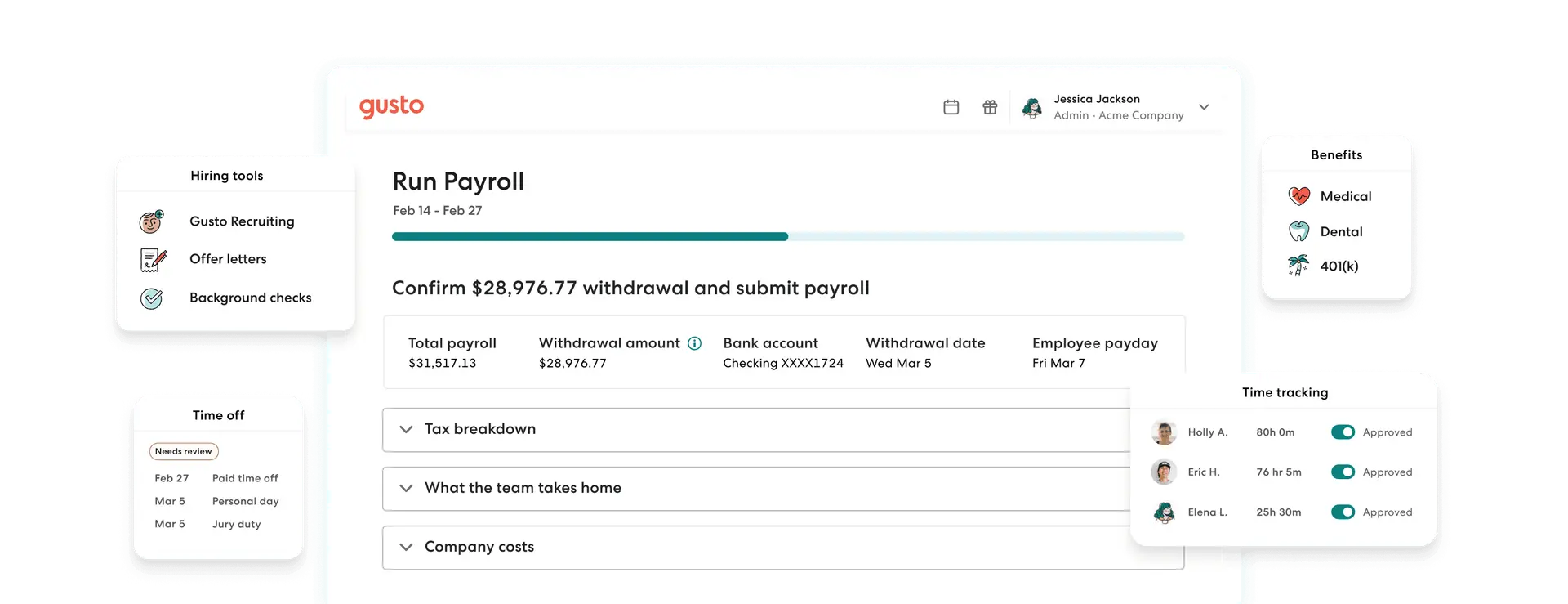
- Set Up Payroll: Configure payroll schedules, payment methods, and tax filing preferences. Gusto automatically calculates wages, deducts taxes, and files payroll taxes accurately
- Manage Benefits: Choose employee benefits such as health insurance and retirement plans. Gusto integrates these options with payroll to manage deductions and contributions automatically
- Track Time and PTO: Enable time tracking and paid time off management. Employees can submit hours worked and request time off while managers approve and integrate this into payroll
- Run Payroll: Initiate payroll with a single click. Gusto calculates net pay, withholds taxes, and deposits salaries directly to employee accounts
- Access Reports: Generate payroll, tax, and HR reports to monitor business performance, compliance, and employee data
By following these steps Gusto helps businesses streamline HR and payroll operations, reduce errors, and focus on growing their teams efficiently.
Gusto Pricing: Flexible Plans That Scale With Your Business
Gusto pricing plans are designed to suit businesses of different sizes, from solopreneurs and small teams to growing and scaling organizations.
Below is a detailed breakdown of Gusto’s pricing plans:
| Plan | Price (USD) | Best For | Key Features |
|---|---|---|---|
| Simple | $49/month + $6 per person/month | Small businesses operating in a single state | Single-state payroll, unlimited payroll runs per month, tax filings and payments, basic PTO policies and holiday pay, employee self-service tools |
| Plus | $80/month + $12 per person/month | Growing businesses needing advanced payroll and HR tools | Multi-state payroll, next-day direct deposit, time tracking, benefits administration, advanced HR tools and reporting |
| Premium | $180/month + $22 per person/month | Scaling businesses needing full-service payroll and dedicated support | Dedicated service advisor, access to certified HR experts, performance and compensation management, custom reports, priority support, payroll migration and account setup |
| Contractor Only | $35/month + $6 per person/month | Businesses working only with contractors | Unlimited contractor payments, automatic tax filings, contractor onboarding, basic payroll reporting |
| Pay Myself Solo | $49/month + $6 per person/month | Solopreneurs and S corp owners managing their own payroll | Compliant self-pay with tax filing, reasonable salary calculator, S corp compliance support, Solo 401(k), health benefits, bill pay and invoicing tools |
Gusto Full-Service Payroll: Automated Payroll That Handles Taxes and Compliance
Why Payroll Automation Matters for Business Success
Gusto’s full-service payroll is designed to simplify one of the most critical and time-consuming business operations. By automating payroll calculations, tax filings, and payments, Gusto helps businesses avoid manual errors and stay compliant with federal, state, and local regulations. This ensures employees and contractors are paid accurately and on time while reducing administrative burden on business owners and finance teams.
Automated Tax Filing and Payments: Stay Compliant Without the Hassle
Gusto automatically calculates payroll taxes, files them with the appropriate authorities, and ensures payments are made on schedule. This eliminates the need for manual tax management and reduces the risk of penalties or compliance issues.
Unlimited Payroll Runs: Flexibility for Any Schedule
Businesses can run payroll as often as needed without extra costs. Whether it is scheduled payroll, off-cycle payments, or bonuses, Gusto provides the flexibility to handle different payment scenarios with ease.
Seamless Integration with Time and HR Tools: Connected Workforce Management
Payroll integrates directly with time tracking, benefits, and HR data, ensuring that employee hours, deductions, and benefits contributions are accurately reflected in each payroll cycle.
Gusto Employee Benefits: Comprehensive Benefits to Attract and Retain Talent
Why Employee Benefits Matter for Business Growth
Offering competitive benefits is essential for attracting skilled talent and improving employee retention. Gusto employee benefits simplifies administration by integrating health insurance, retirement plans, and financial wellness tools into a single platform.
Health, Dental, and Vision Insurance: Competitive Coverage Options
Gusto helps businesses offer medical, dental, and vision insurance plans to employees, supported by licensed advisors who assist in selecting and managing the right coverage options.
Retirement Plans and Financial Wellness: Support Long-Term Security
Businesses can offer 401(k) retirement plans along with savings and financial tools that help employees plan for the future and improve financial stability.
Automated Benefits Administration: Integrated with Payroll
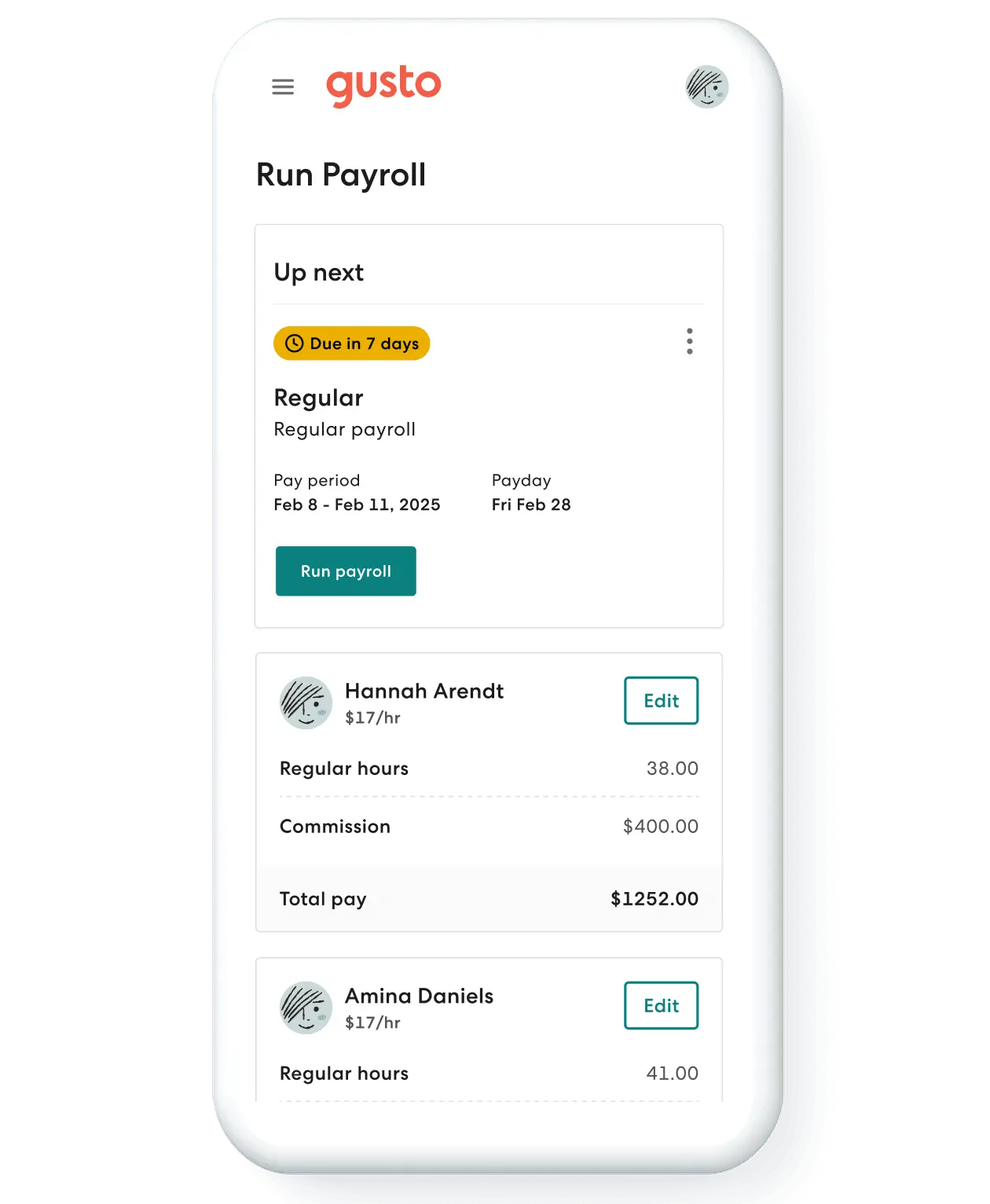
All benefits contributions and deductions are automatically calculated and applied during payroll processing. This ensures accuracy, reduces manual effort, and keeps records organized in one place.

Gusto Time Tracking: Accurate Time and Attendance Management in One Place
Why Time Tracking is Important for Payroll Accuracy
Accurate time tracking ensures employees are paid correctly for the hours they work while helping businesses manage labor costs and attendance efficiently. Gusto time tracking feature helps manage PTO, and sync data directly with payroll.
Time Tracking Tools: Log Hours with Ease
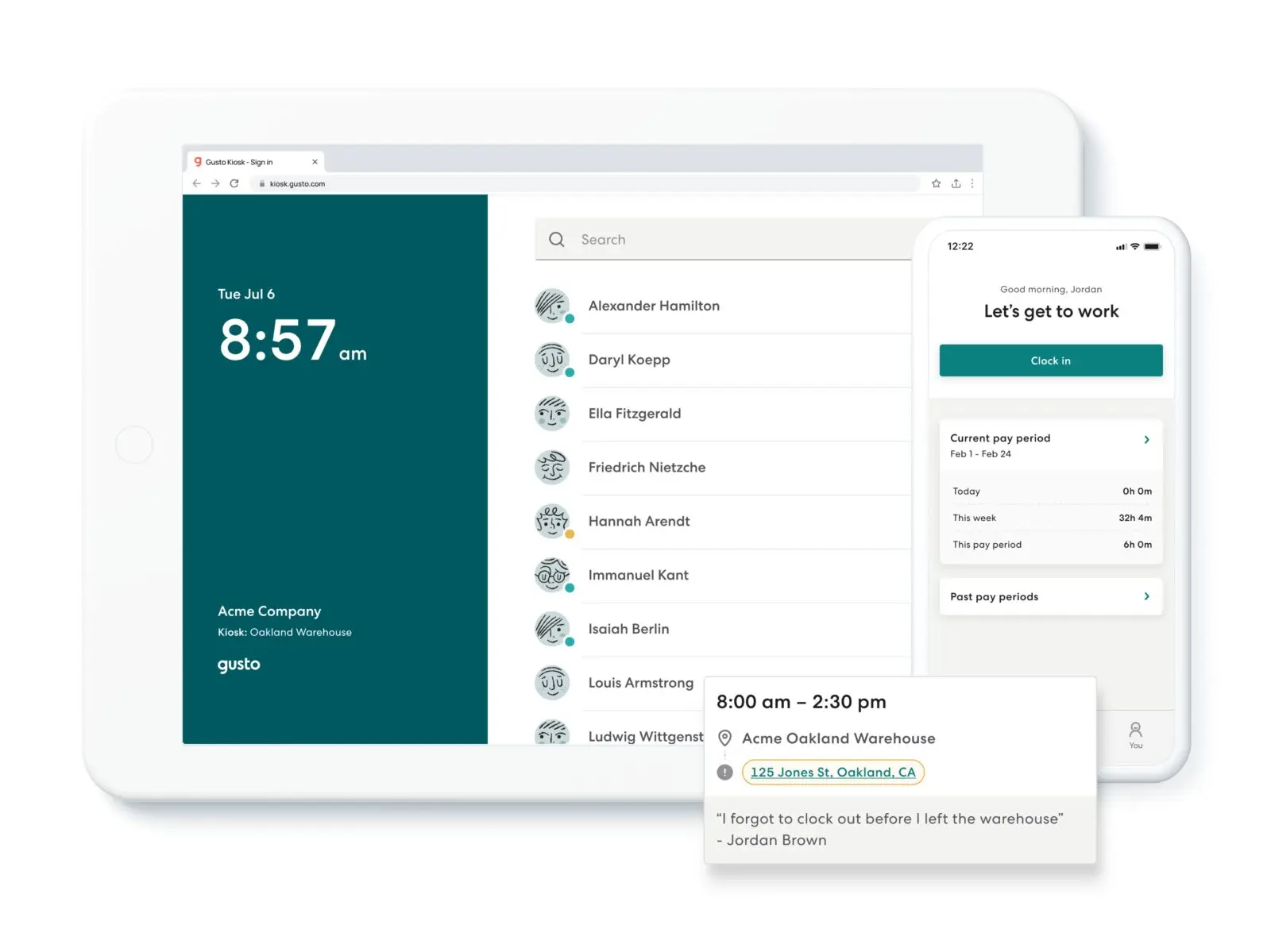
Employees can clock in and out, log hours worked, and track attendance using integrated tools. This data is automatically recorded and prepared for payroll processing.
Paid Time Off Management: Simplified PTO Requests and Approvals
Employees can request vacation, sick leave, and other time off through the platform. Managers can review and approve requests, ensuring clear visibility and proper tracking of leave balances.
Automatic Payroll Sync: Eliminate Manual Data Entry
Tracked hours and PTO data flow directly into payroll, ensuring employees are paid accurately without the need for manual calculations or data transfers.
Gusto Hiring and Onboarding: Streamlined Hiring and Seamless Employee Setup
Why Efficient Hiring and Onboarding Matters
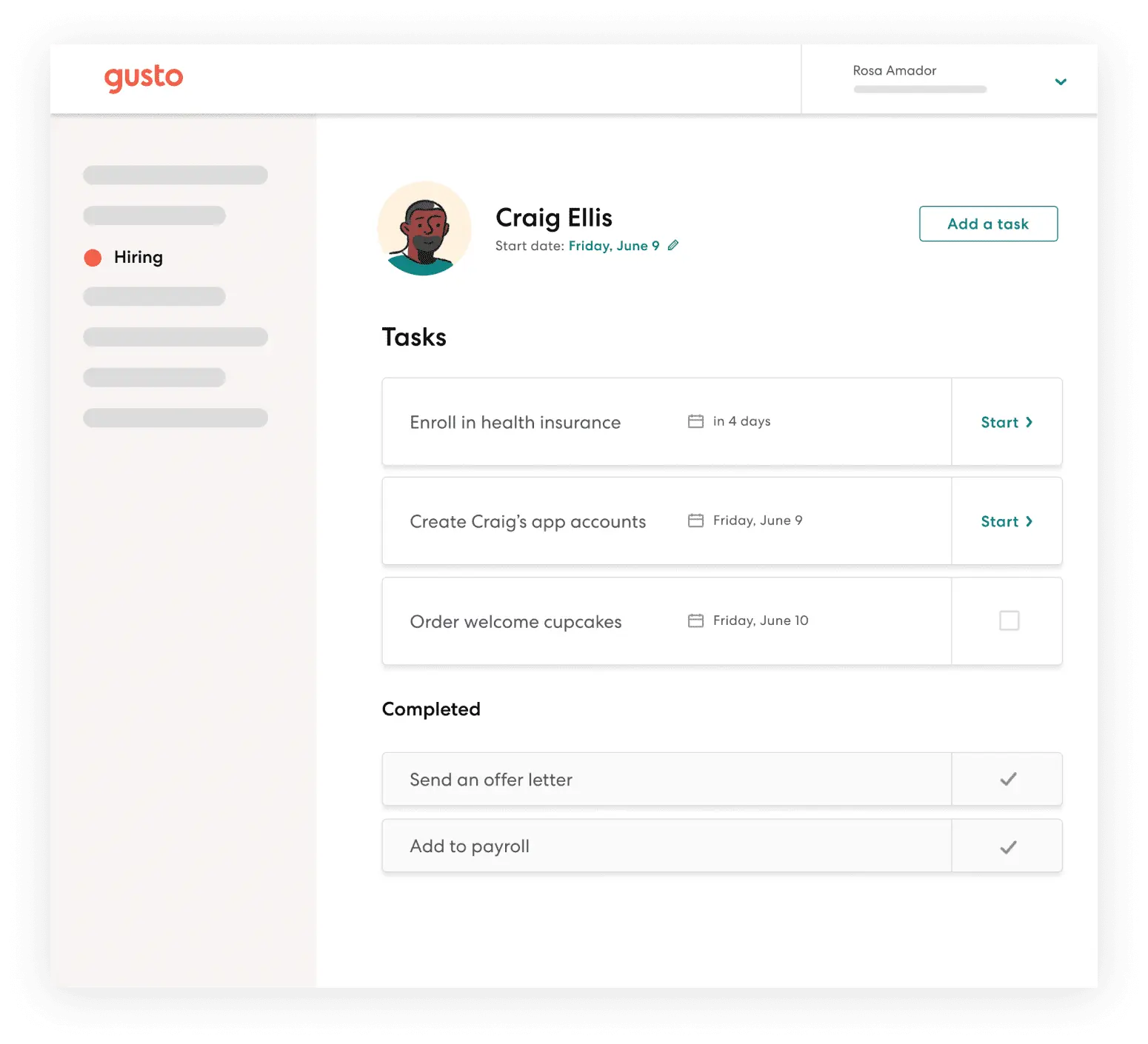
Gusto hiring and onboarding process helps businesses make a strong first impression while ensuring new employees are set up quickly and correctly. Gusto simplifies this process with digital workflows and automated document handling.
Digital Onboarding: Paperless and Efficient Setup
New hires can complete tax forms, provide personal details, and sign required documents online. This reduces paperwork and accelerates the onboarding process.
Custom Onboarding Workflows: Structured and Consistent Experience
Businesses can create onboarding checklists and workflows to guide new employees through each step, ensuring consistency and compliance across all hires.
Employee Self-Setup: Faster Productivity from Day One
New employees can access their own accounts, view documents, and manage their information immediately, helping them become productive quickly while reducing administrative workload for HR teams.
Gusto Alternatives: Comparing Top Payroll and HR Platforms
When exploring payroll and HR platforms, it’s natural to compare Gusto with other popular solutions. While each tool has its strengths, Gusto stands out for its all-in-one payroll, benefits, and HR capabilities, user-friendly interface, and strong automation features.
Here’s how Gusto stacks up against the competition and where each alternative may be a better fit depending on business needs
Gusto vs ADP
ADP is a long-established payroll and HR provider known for its enterprise-grade capabilities, compliance support, and scalability. It offers highly customizable payroll solutions, advanced HR tools, and global payroll services. However, ADP can be more complex and costly, making it better suited for larger organizations rather than small businesses seeking simplicity
Gusto vs Paychex
Paychex provides comprehensive payroll and HR services similar to Gusto, with strong compliance support and dedicated customer service. It is often chosen by businesses that need more personalized support and scalable HR solutions. However, Paychex may involve a steeper learning curve and less intuitive user experience compared to Gusto
Gusto vs Rippling
Rippling combines payroll, HR, IT, and device management into a unified platform. It is highly powerful for businesses that want deeper automation and control across employee systems. While Rippling offers more advanced customization and automation, it can be more complex to set up and manage compared to Gusto’s simpler approach
Gusto vs QuickBooks Payroll
QuickBooks Payroll is ideal for businesses already using QuickBooks for accounting. It integrates seamlessly with financial workflows and provides basic payroll features with tax filing. However, it lacks the depth of HR, onboarding, and benefits management that Gusto offers, making it more suitable for businesses focused primarily on accounting and basic payroll
Gusto Is It Worth It: Evaluating Value, Features, and Overall Performance
Gusto is certainly worth considering for small to mid-sized businesses looking for an easy-to-use, all-in-one payroll and HR platform. It offers a strong combination of payroll automation, benefits administration, time tracking, and onboarding tools, all within a single system that reduces administrative complexity.
Its intuitive interface, automated tax filings, and integrated HR features make it especially valuable for startups and growing teams that want to manage employees efficiently without investing in multiple tools or complex systems. While it may not provide the deep customization or enterprise-level capabilities of some competitors, it delivers excellent value for businesses prioritizing simplicity, automation, and reliability.
Overall, Gusto’s balance of functionality, usability, and scalability makes it a strong choice for businesses that want to streamline payroll and HR operations while focusing on growth.
Key Takeaways
- Gusto is best suited for small to mid-sized businesses that want an all-in-one payroll and HR solution
- It stands out for its ease of use, automation, and integrated benefits management
- Competitors like ADP and Rippling offer more advanced enterprise features but come with added complexity
- Gusto provides strong value for teams that prioritize simplicity, compliance, and efficiency over deep customization
Frequently Asked Questions: Gusto Explained
1. What is Gusto best used for?
Gusto is an all-in-one payroll, HR, and benefits platform designed for small and medium-sized businesses. It is best used for automating payroll processing, managing employee benefits, handling tax filings, onboarding new hires, and tracking employee time in one centralized system.
2. Does Gusto offer a free trial?
Yes, Gusto free trial is available for for new users so businesses can explore its payroll, HR, and benefits features before committing to a paid plan.
3. How much does Gusto cost?
Gusto pricing is structured into multiple plans based on business needs
- Simple Plan starts at $49/month + $6 per person/month
- Plus Plan starts at $80/month + $12 per person/month
- Premium Plan starts at $180/month + $22 per person/month
- Additional plans are available for contractors and solopreneurs
Each plan varies in features such as payroll capabilities, benefits administration, time tracking, and access to HR support.
4. Can I switch plans later?
Yes, Gusto allows businesses to upgrade or downgrade plans at any time. This flexibility ensures that your payroll and HR tools can scale as your business grows without losing existing data or configurations.
5. Does Gusto integrate with other tools?
Yes, Gusto integrates with a wide range of business tools including accounting software, e-commerce platforms, and productivity tools such as QuickBooks, Xero, Shopify, and Zapier. These integrations help streamline workflows across finance, HR, and operations.
6. Is Gusto suitable for small businesses and startups?
Yes, Gusto is specifically designed with small and growing businesses in mind. Its user-friendly interface, automated payroll, and built-in HR features make it easy for startups and small teams to manage employees without needing dedicated HR staff.
7. Does Gusto handle tax filings automatically?
Yes, Gusto automatically calculates, files, and pays federal, state, and local payroll taxes. This helps businesses stay compliant and reduces the risk of errors or penalties associated with manual tax processing.
8. How secure is data on Gusto?
Gusto uses strong security measures including encryption, secure data storage, and regular system monitoring to protect sensitive employee and business information. The platform is designed to maintain high standards of privacy and data protection.
9. Does Gusto support remote teams?
Yes, Gusto is cloud-based and accessible from anywhere, making it well-suited for remote and distributed teams. Employees and managers can manage payroll, benefits, and HR tasks online without being tied to a physical office.
10. Can Gusto handle both employees and contractors?
Yes, Gusto supports both W-2 employees and 1099 contractors. Businesses can manage payments, tax forms, and onboarding for both types of workers within the same platform, making it easier to manage a mixed workforce.
Ready to simplify your payroll and HR processes with Gusto? Explore its all-in-one platform to automate payroll, manage benefits, and streamline onboarding so you can spend less time on administration and more time growing your business.
Disclosure: We are independent Affiliates, not employees. We receive referral payments from this company. The opinions expressed here are our own and are not official statements of the company.
(877) 522-7738
Blogs
Enterprise SEO: How Large Websites Can Scale Rankings Effectively
Large websites don’t win by fixing pages one at a time. Learn how enterprise SEO scales rankings through crawl control, template fixes, safe content scaling and AI search readiness.
How to Customize Sales Popups on Shopify to Match Your Brand
Learn how to customize sales popups on Shopify to match your brand, from colors, fonts, and position to message text, timing, and mobile testing.
How Shopify Sales Notifications Help Build Social Proof and Increase Sales
Learn how Shopify sales notifications build social proof, reduce shopper hesitation, and support sales, plus best practices and how to add them to your store.
Franchise SEO Challenges and How Multi-Location Brands Can Overcome Them
Franchise SEO is mostly a coordination problem. See the 10 challenges multi-location brands face, from duplicate location pages and listing drift to profile ownership and AI search, and how to fix each one at scale.
Google Ads Benchmarks 2026: What the Numbers Actually Mean for Your Account
Google Ads Search averages for 2026 are a 6.64% CTR, $5.42 CPC, 8.18% conversion rate and $66.69 cost per lead. Learn how to find your break-even CPL and which metric is holding your account back.
Best Shopify Sales Popup Apps to Boost Customer Trust and Conversions
Compare seven Shopify sales popup apps on features, customization, pricing, and ease of use, and learn how to pick one that builds trust without guesswork.
Franchise vs Enterprise Digital Marketing: Key Differences & Best Practices
Franchise and enterprise marketing both manage many locations under one brand, but they run on different rules. See who controls the budget, brand and data in each model, and the best practices that work for both.
How to Add a Shopify Sales Popup: Step-by-Step Guide
Learn how to add a Shopify sales popup in seven steps. Pick an app, set display rules, test on mobile, and track whether it works, with no coding needed.
Google Partner Rewards Store Not Working? We Hit a Redirect Loop, and Here’s What to Do
Stuck in a Google Partner Rewards Store redirect loop? Discover the exact causes behind the login bug and practical troubleshooting steps to redeem your partner points.
GloriaFood Is Shutting Down: Your 7-Step Plan and a Replacement to Try
With Oracle discontinuing GloriaFood, restaurants must plan ahead: explore a 7-step migration blueprint, data export tips, and top online ordering replacements.
Best Shopify Image Optimization Apps: How to Choose the Right Tool for Your Store
Learn what to look for in a Shopify image optimization app, the main types of tools, how to compare apps fairly, and the mistakes to avoid when choosing the right one.
Shopify Image Optimization Checklist: What to Do Before and After Uploading Product Photos
Use this Shopify image optimization checklist to prepare product photos before you upload, finish the job after, avoid common mistakes, and handle large catalogs in bulk.
Beehiiv Newsletter Platform: Pricing, Features, and Monetization Tools
Explore the beehiiv newsletter platform to streamline your communication and engage with your audience effectively.
Shopify Core Web Vitals and Images: How to Find and Fix Image-Related Speed Issues
Learn how images affect Shopify Core Web Vitals, how to find image-related speed issues, the most common mistakes, and how to fix them, including for large product catalogs.
Shopify Fake Cart Bot Attack: What Stopped 500+ Fake Carts an Hour (and a Script We Can’t Rule Out)
A client’s Shopify store was hit with 500+ fake carts an hour, and captchas, rate limits and bot apps didn’t stop it. Here’s why the traffic bypassed our security, the one fix that worked, and a third-party script lead we’re still tracing.
Getting information about your case and your options is your FIRST move. Get a FREE case evaluation now…
Find Yourself a Marketing Expert Near You!
(877) 522-7738