
PageFly: Pricing, Features, AI Page Builder & CRO for Shopify
TL;DR:
- What it is: PageFly is an AI page builder and conversion rate optimization (CRO) platform for Shopify that lets merchants build, test, and improve every page type from one app.
- What it does: With FlyMate AI for prompt-based page building, 320+ templates, a drag-and-drop editor, A/B testing, heatmaps, and AI Page Checkup, PageFly helps stores launch pages quickly and then find out what is costing them sales, without juggling separate design and analytics apps.
- What it costs: A free plan is available, with paid plans from $24/month on Builder up to $199/month on Power, plus PageFly Enterprise plans from $299 to $999/month for multi-store and Shopify Plus brands.
- Who it’s for: Founders launching their first store, scaling DTC brands running ads and campaigns, agencies building for clients, and Shopify Plus teams that want priority engineering support.
PageFly is a Shopify-native AI page builder and CRO platform that helps merchants create custom storefront pages without coding. With 320+ templates, AI-powered design tools, heatmaps, analytics, and A/B testing, it helps stores improve page design and conversions. PageFly supports over 230,000 merchants and integrates with 130+ Shopify apps, making it a flexible option for growing online stores.
What Is PageFly and What Does It Do?
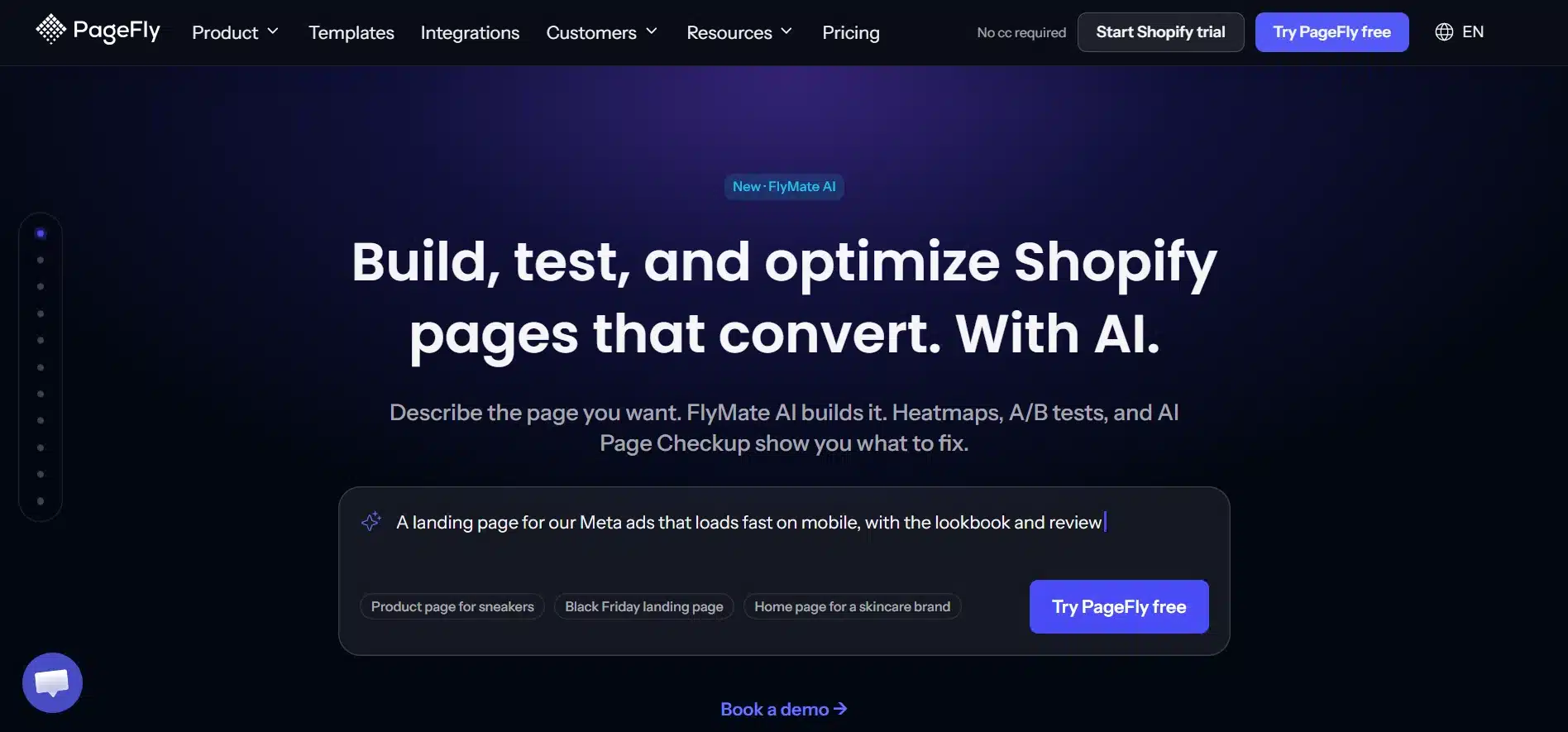
PageFly is a Shopify page builder with built-in AI and CRO tools that lets merchants design, launch, and improve storefront pages without writing code. It’s widely used by first-time founders, scaling direct-to-consumer brands, agencies building client stores, and Shopify Plus teams that need more layout control than a standard theme allows.
Here’s what PageFly does:
- Builds pages with AI: FlyMate AI turns a plain-language description into a full page with layout and copy, and AI can also generate individual sections
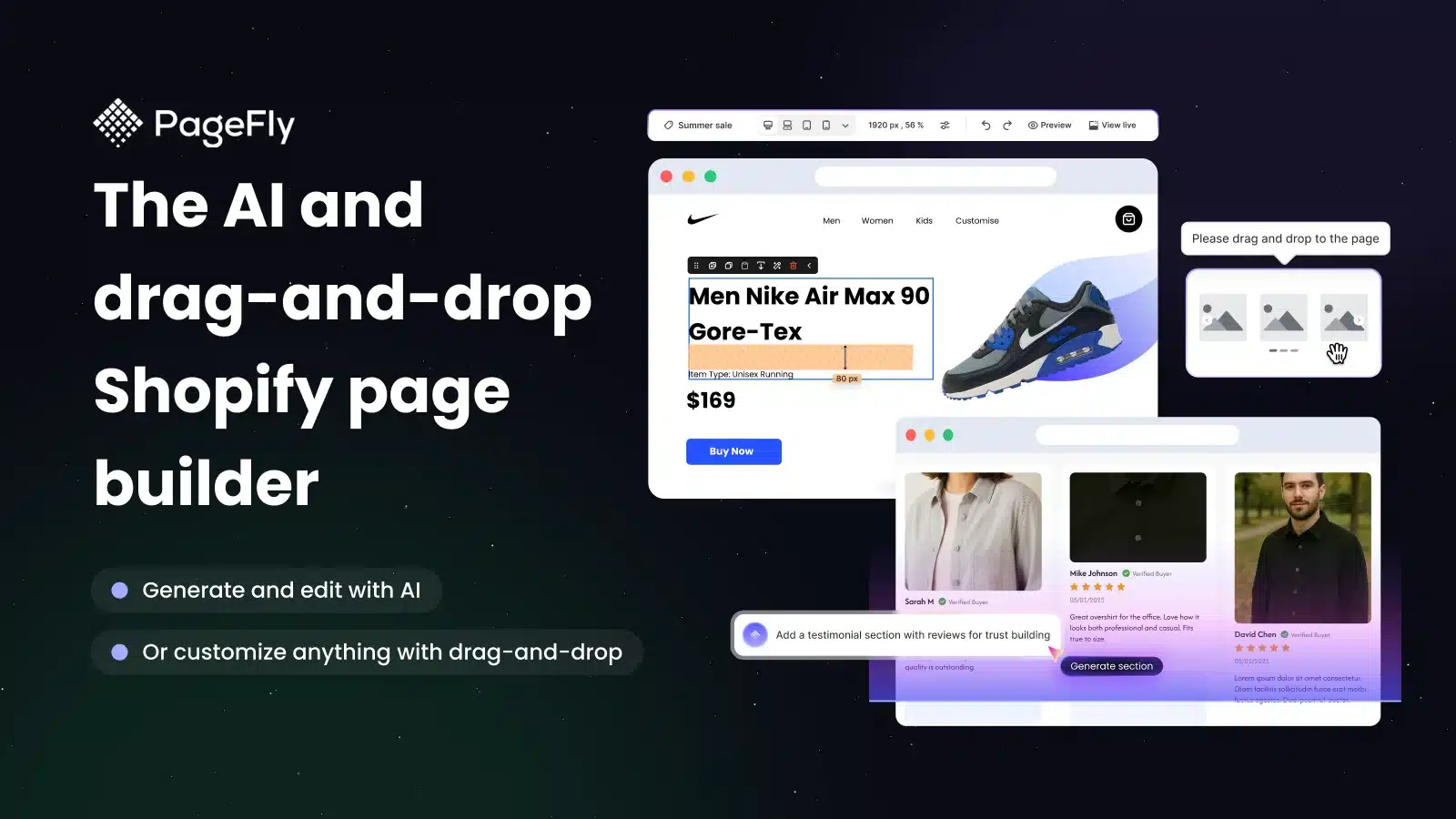
- Offers a visual drag-and-drop editor: Merchants get full design control over every element, with separate mobile and desktop layouts
- Provides 320+ templates: Page and section templates cover product, landing, collection, and home pages across industries like apparel, beauty, home, and electronics
- Shows where visitors click and stop scrolling: Heatmaps and funnel analytics make visitor behavior visible without a separate analytics tool
- Runs A/B tests on any page: Merchants can compare variants and ship the winner before rolling a change out store-wide
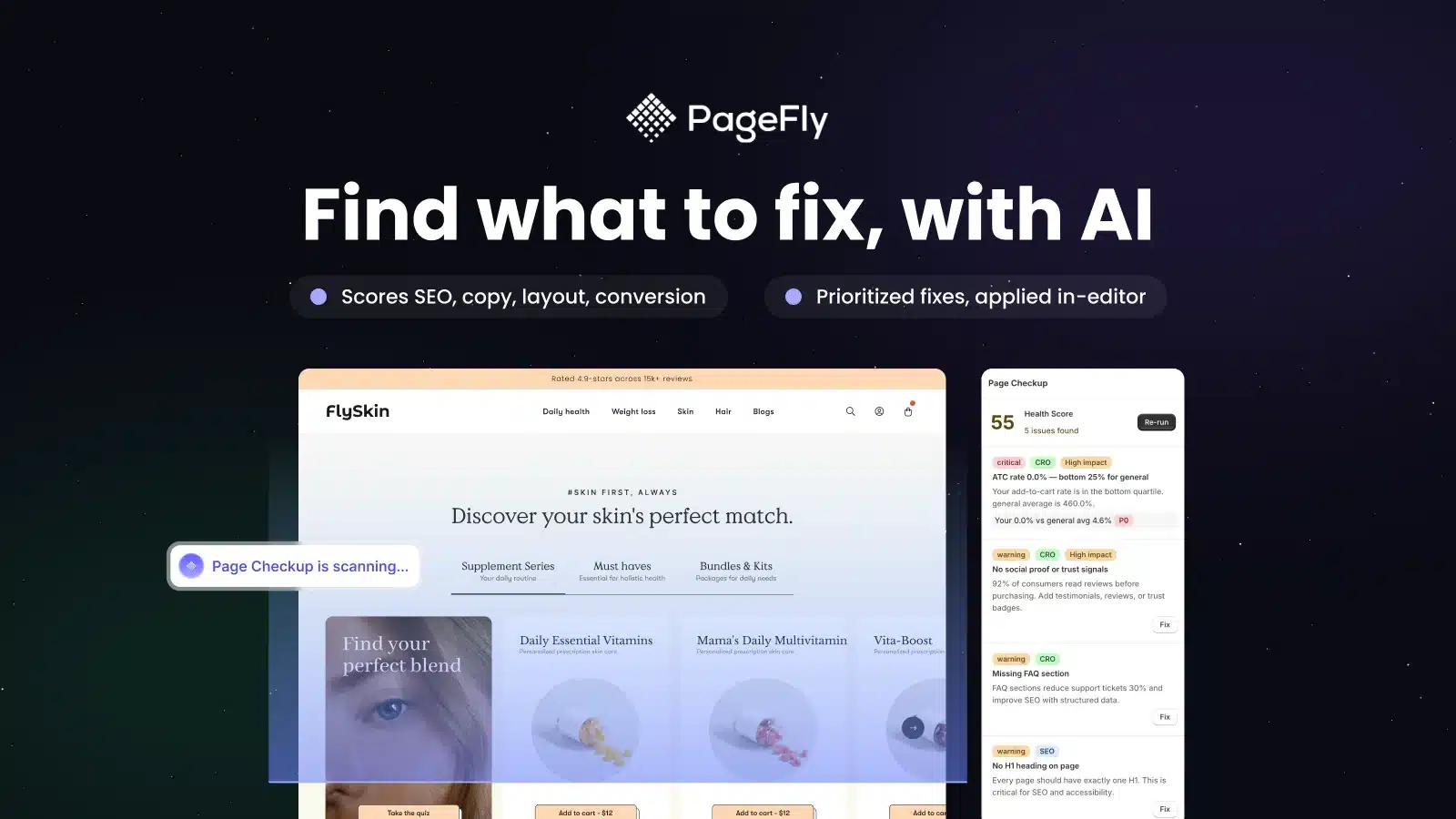
- Audits pages with AI: AI Page Checkup scores each page and flags what may be costing sales, with suggested fixes
- Localizes and translates content: AI Translator converts page content in one click, and Markets (Beta) adapts pages to each Shopify Market
- Works with the tools merchants already use: More than 130 integrations include review apps, email platforms, bundle apps, and analytics pixels
In short, PageFly gives Shopify merchants one platform to build pages, understand how visitors behave on them, and improve them over time, replacing the usual mix of a page builder, a heatmap tool, and a testing app.
How PageFly Helps Your Business: A Better Page for Every Stage of Your Store
Whether you’re launching your first product page, running paid traffic to a campaign landing page, or managing several stores, PageFly is designed to give each page a purpose and then show whether it’s working. Its mix of AI building tools, templates, and testing tools means faster launches and a clearer view of what to fix next.
PageFly for new founders: launch a selling page without a developer
First-time store owners can describe a product to FlyMate AI, get a complete page with copy and layout, and publish it on the free plan with no credit card required. That removes the usual wait on a developer or designer for a first landing page.
PageFly for scaling DTC brands: find what converts, then roll it out
Brands already spending on traffic can use heatmaps, funnel views, and A/B tests to see which sections hold attention and which lose visitors, then ship the winning version. This kind of work pairs naturally with dedicated ecommerce optimization services that decide which pages deserve testing first.
PageFly for agencies and designers: reusable sections and fast client launches
Reusable sections, global styles, and bulk publishing help agencies keep client stores consistent. One merchant on the Shopify App Store specifically praised reusable sections that work across multiple pages, and teams building client stores often combine PageFly with a professional Shopify web design workflow.
PageFly for international and enterprise stores: localized pages and expert support
Stores selling in several countries can use AI Translator and Markets (Beta) to adapt a page’s content and design to each Shopify Market. Shopify Plus and multi-store brands can step up to PageFly Enterprise for priority engineering support.
PageFly Features: Tools to Build, Measure, Test, and Fix
PageFly’s feature set follows a simple loop: build a page, measure what visitors do, test changes, and fix what holds the page back.
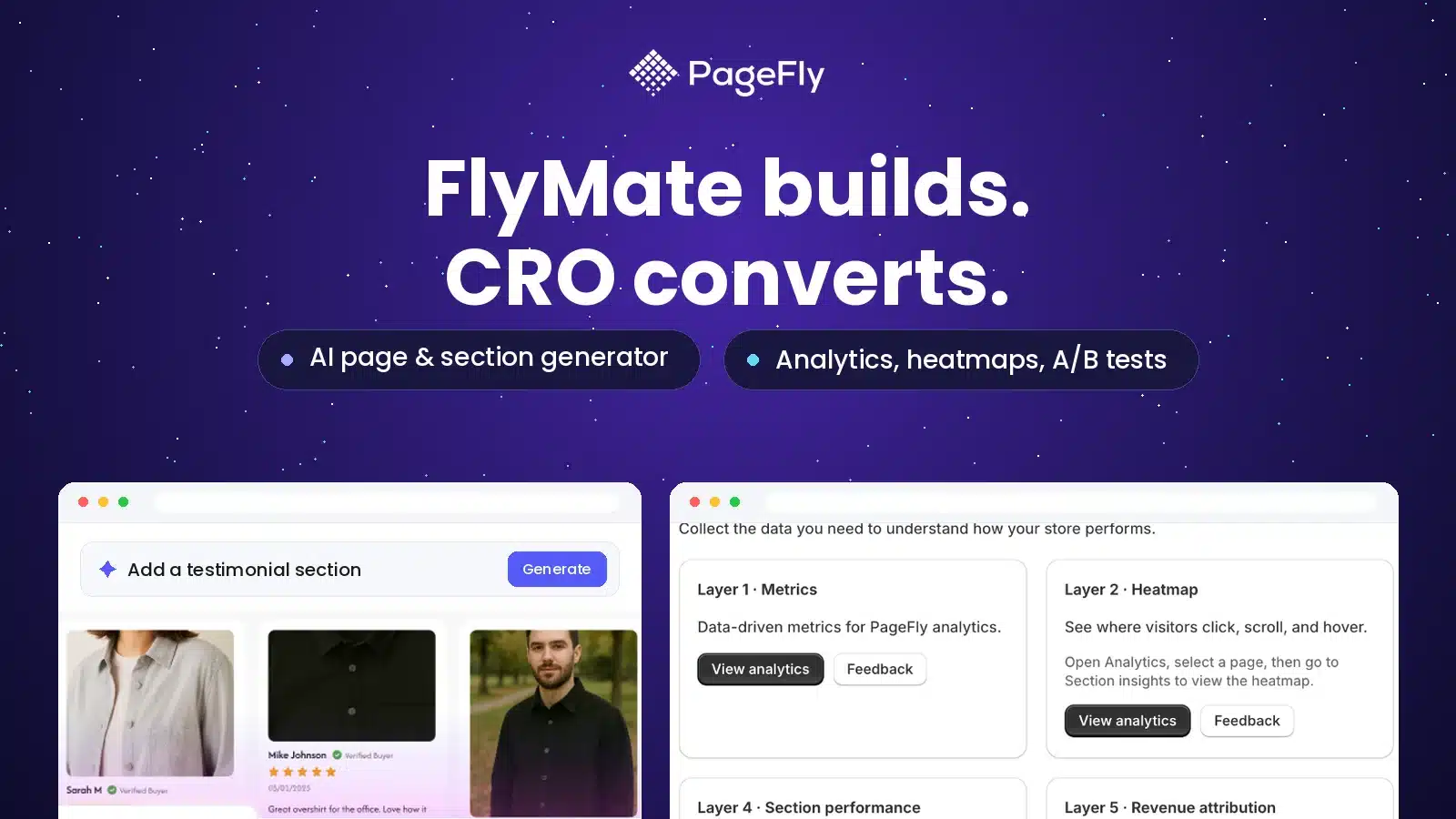
- FlyMate AI Page Builder: Describe the page you want and get a full draft with layout and copy
- Drag-and-Drop Visual Editor: Control every element with separate mobile and desktop design
- 320+ Page and Section Templates: Start from layouts built for home, product, landing, and collection pages
- Page Types for Everything: Build landing, product, collection, home, about, contact, FAQ, thank-you, 404, and custom pages
- Heatmap: See where visitors click and where they stop scrolling
- A/B Testing: Compare page variants and ship the winner
- Sales Funnel Analytics: Track how shoppers move from first click toward checkout
- AI Page Checkup: Score pages with AI and get a prescribed list of fixes
- AI Translator: Localize page content into another language in one click
- Markets Localization (Beta): Adapt page content and design to each Shopify Market
- AEO Optimizer: Structure pages so AI assistants such as ChatGPT, Gemini, and Claude can cite them
- Cart Drawer (Beta): Add upsells, bundles, and shipping goals directly in the cart
- Sidekick and Claude Connectors: Ask Shopify Sidekick or Claude to build a landing or product page inside PageFly
- 130+ Integrations: Connect review, email, subscription, bundle, and analytics apps
These features help merchants run a repeatable improvement cycle on every key page, instead of publishing once and hoping the page performs.
How to Use PageFly: A Simple Guide to Getting Started
Getting started with PageFly is designed to be quick, since the free plan needs no credit card and has no time limit.
- Install PageFly from the Shopify App Store: Add the app to your store and start on the free plan
- Choose how to start: Pick one of 320+ templates, describe your page to FlyMate AI, or start from a blank canvas
- Customize in the visual editor: Edit text, images, products, and layout, and fine-tune the mobile view separately
- Connect your apps: Link reviews, email, bundles, and analytics tools you already use
- Run AI Page Checkup: Let AI score the page and flag issues before you publish
- Publish to your theme: Push the page live on your Shopify store
- Watch visitor behavior: Use heatmaps and funnel analytics to see where shoppers click, scroll, and drop off
- Test and improve: Run an A/B test on the biggest weak spot and ship the winning variant
By following these steps, merchants can move from an idea to a live, measured page and keep improving it with real data.
PageFly Pricing: Plans From Free to Enterprise
PageFly’s pricing plan offers a free plan and four core paid tiers that scale by the number of published pages and monthly AI credits, with the CRO tools unlocking at higher tiers. A separate PageFly Enterprise program covers multi-store and Shopify Plus brands.
| Plan | Price | Built for | Key inclusions |
|---|---|---|---|
| Free | $0/month, no credit card | Trying PageFly and launching a first page | 1 page or section, 10 AI credits/month, 320+ templates, drag-and-drop editor, dashboard analytics, 24/7 support |
| Builder | $24/month | Launching pages that convert | 5 pages or sections, 80 AI credits/month, 320+ templates, drag-and-drop editor, built-in dashboard analytics, 24/7 support, optional extra credit packs |
| Optimize (Most Popular) | $39/month | Testing, learning, and lifting conversions | 20 pages or sections, 140 AI credits/month, everything in Builder, plus sales funnel, AI Page Checkup, AI Translator, and A/B testing |
| Accelerate | $99/month, or $990/year | The full CRO suite for growing stores | Unlimited pages and sections, 400 AI credits/month, everything in Optimize, plus heatmap preview, section performance, and user behavioral trigger (upcoming) |
| Power | $199/month, or $1,990/year | AI running CRO on autopilot | Unlimited pages and sections, 800 AI credits/month, everything in Accelerate, plus AI SmartSeller (upcoming) |
PageFly Enterprise (PFE) is built for Shopify Plus and multi-store brands:
| Plan | Price | Built for | Key inclusions |
|---|---|---|---|
| Scale | $299/month | Stores that just hit Plus and are scaling fast, single store | 1,600 AI credits/month for 1 store, Tech Lead ASAP queue, front-of-queue priority support, 1 Founder’s Office Hours review per month (45-minute async review by email and Loom), PageFly Page Health Monitor |
| Dominate | $499/month | Category leaders with a full add-on stack, up to 3 stores | 1,600 AI credits/month per store in separate pools, up to 3 stores, priority support, 2 Founder’s Office Hours reviews per month, Page Health Monitor, Tech Lead 1:1 named owner (coming soon) |
| Empire | $999/month | Multi-store brands wanting a founder partnership and white-glove service | 45-minute monthly call with PageFly’s co-founder, priority support, custom AI credits package with volume pricing across stores, white-glove onboarding and training (coming soon) |
See PageFly Plans and Pricing →
PageFly FlyMate AI Page Builder: From Prompt to Published Page
Why AI page building matters for stores that move fast
A campaign page that takes two weeks to design is often late for the campaign it was meant to support. PageFly’s FlyMate AI is built to shorten that gap by turning a description into a working page draft.
Describe the page, get the draft
Merchants type what they sell or the page they need, such as a Black Friday landing page with a countdown and a bundle offer. FlyMate returns a multi-section page with copy and layout that can be refined in the visual editor, so the AI handles the first draft and the merchant keeps the final say.
Build from where you already work
PageFly connects to AI tools merchants already use. In Shopify’s Sidekick, merchants can ask PageFly to find templates or build a landing or product page. With the Claude connector, a page can be briefed in chat, built as a draft in PageFly, and then reviewed and published by the merchant. AI Translator can then localize the finished page in one click.
FlyMate in action: more pages, less waiting
Because AI credits are included on every plan, from 10 a month on Free to 800 a month on Power, teams can try more page ideas without opening a design ticket each time. Extra credit packs are available when a launch week needs more.
PageFly CRO Center: Heatmaps, A/B Testing, and AI Page Checkup
Why testing matters more than a prettier page
A well-designed page can still lose sales if visitors miss the key section or hesitate at the wrong step. PageFly’s CRO Center puts measurement inside the builder, so merchants see how a page performs without leaving the tool that built it.
See where visitors click and stop scrolling
Heatmaps show click and scroll behavior on each page, while section performance and funnel analytics show where shoppers move toward checkout and where they drop away. This replaces guesswork with a visual record of real behavior, and it works well alongside broader user behavior analytics if a store wants a deeper read on why visitors act the way they do.
Test a change before rolling it out store-wide
A/B testing lets merchants run two versions of a page and ship the winner. If you want to see how dedicated experimentation platforms approach the same job, our breakdown of Convert.com’s A/B testing platform is a useful comparison. PageFly’s advantage is that testing sits in the same place as the editor, so a winning variant is one step from live.
CRO in action: a free audit that prescribes the fix
AI Page Checkup scores each page and prescribes fixes, so a merchant doesn’t have to interpret raw data alone. PageFly’s own case studies report results such as Syosaku Japan doubling its conversion rate and Keychron reaching roughly 400,000 monthly organic visits with more than 1,200 pages built in PageFly. These are results the company reports, and outcomes will vary by store, traffic, and offer.
PageFly Enterprise: Priority Support for Multi-Store Brands
Why enterprise brands need more than a bigger plan
When a store is running large campaigns across several storefronts, a slow support ticket can cost real revenue. PageFly Enterprise Plan is built for Shopify Plus and multi-store brands that want faster engineering response and closer strategic input.
Three tiers by number of stores and level of access
Scale covers one store with 1,600 AI credits a month, a Tech Lead ASAP queue, and front-of-queue support. Dominate extends to up to three stores with 1,600 credits per store in separate pools. Empire adds a monthly call with PageFly’s co-founder and a custom AI credits package across all stores.
Founder’s Office Hours and daily Page Health Monitoring
Scale includes one 45-minute async review a month and Dominate includes two, each delivered by email and a short Loom video, combining a CRO-trained AI audit with the co-founder’s own review of the store. PageFly notes that capacity is limited to five merchants per week and that requests are reviewed in the order they arrive. PageFly Page Health Monitor checks store health daily on the Scale and Dominate plans.
Enterprise in action: predictable cost and a faster queue
PageFly positions PFE around predictable monthly pricing with no surprise fees, so growing brands can plan their support costs. Some Enterprise extras, such as a named 1:1 Tech Lead and white-glove onboarding, are marked as coming soon, so confirm what is live when you apply.

PageFly Alternatives: Exploring Top Shopify Page Builder Competitors
When exploring Shopify page builders, it’s natural to compare PageFly with other established apps. While each platform has its strengths, PageFly stands out for combining AI page building, a deep template library, and built-in CRO tools like heatmaps and A/B testing in one app.
| Competitor | Their strength | Where PageFly differentiates |
|---|---|---|
| GemPages | A popular page builder with a strong rating and AI tools for building conversion-focused pages and sales funnels | Adds a measurement loop inside the builder, with heatmaps, A/B testing, and AI Page Checkup, plus Sidekick and Claude connectors for building pages from chat |
| Shogun | An established builder for blog posts, product pages, and landing page sections | A larger set of conversion tools bundled into the same app, including AEO Optimizer, Markets localization, and a cart drawer, with a free plan for getting started |
| EComposer | A well-rated builder that carries Shopify’s Built for Shopify badge and covers home, product, and blog pages | Goes further into optimization, with built-in testing, funnel analytics, and an Enterprise support tier with Founder’s Office Hours |
| Instant | A Shopify page-building app that PageFly lists as a direct rival on its comparison pages | A longer-running track record on the App Store since 2017, 320+ templates, and a plan ladder that runs from free up to multi-store Enterprise |
Is PageFly Worth It? A Complete Look at Its Value for Shopify Merchants
PageFly’s AI page builder is worth considering for any Shopify store that wants more control than its theme offers and a clear way to learn what its pages are doing. It combines AI building, 320+ templates, and a visual editor with heatmaps, A/B testing, and AI Page Checkup, all in one app.
Its tiered pricing lets a store start free, move to Builder or Optimize as its page count grows, and unlock the full CRO suite on Accelerate or Power when traffic justifies it. Stores that want organic traffic to land on these pages should also pair the work with Shopify SEO services so the pages they build get found as well as converted. With more than 230,000 merchants, a 4.9 rating across more than 5,900 Shopify App Store reviews, and reviewers who regularly mention fast, hands-on support, PageFly is a credible option for stores of almost any size. In fairness, a small share of reviews mention a learning curve or slower support on specific cases, which is worth knowing before you build your first complex page.
Key Takeaways
- Build, measure, test, and fix in one app: FlyMate AI, templates, heatmaps, A/B testing, and AI Page Checkup share a single platform
- A real free plan: Start with no credit card and no time limit, then scale up as your page count grows
- Full CRO suite from $99/month: Accelerate and Power unlock heatmaps, unlimited pages, and higher AI credit allowances
- Enterprise support when you need it: PFE adds a Tech Lead queue, Founder’s Office Hours, and daily Page Health Monitoring for multi-store brands
Frequently Asked Questions
1. What is PageFly best used for?
PageFly is an AI page builder and CRO platform for Shopify, designed to help merchants build, test, and improve home, product, collection, landing, and custom pages without writing code.
2. Does PageFly offer a free plan?
Yes, PageFly’s Free plan lets you publish one page or section, use 10 AI credits a month, and access 320+ templates with 24/7 support. No credit card is required.
3. How much does PageFly cost?
PageFly’s paid plans are Builder at $24/month, Optimize at $39/month, Accelerate at $99/month (or $990/year), and Power at $199/month (or $1,990/year). PageFly Enterprise plans run from $299 to $999/month.
4. What is the difference between Builder, Optimize, Accelerate, and Power?
The plans scale mainly by published pages and AI credits. Builder gives 5 pages and 80 credits, Optimize gives 20 pages and 140 credits with A/B testing and AI Page Checkup, Accelerate gives unlimited pages and 400 credits with heatmaps, and Power gives unlimited pages and 800 credits.
5. Which plan includes A/B testing?
A/B testing is included from the Optimize plan upward, along with sales funnel analytics, AI Page Checkup, and AI Translator.
6. What is FlyMate AI?
FlyMate AI is PageFly’s AI page builder. You describe the page you want, and it generates a full draft with layout and copy that you can edit in the visual editor.
7. Can I build pages from Shopify Sidekick or Claude?
Yes, PageFly works with Shopify’s Sidekick and offers a Claude connector, so you can brief a landing or product page in chat and have PageFly build the draft for you to review and publish.
8. Does PageFly support multiple languages and Shopify Markets?
Yes, AI Translator localizes page content in one click, and Markets (Beta) adapts page content and design to each Shopify Market. The app itself is available in nine languages.
9. What is PageFly Enterprise?
PageFly Enterprise is a program for Shopify Plus and multi-store brands, with Scale at $299/month, Dominate at $499/month, and Empire at $999/month. It adds priority support, a Tech Lead queue, Founder’s Office Hours, and Page Health Monitoring.
10. Does PageFly work with the apps I already use?
Yes, PageFly works with more than 130 Shopify apps, including review tools like Judge.me and Loox, email platforms like Klaviyo and Omnisend, bundle apps like Kaching Bundles, and tracking tools like Meta Pixel and Google Analytics.
Ready to Build Pages That Actually Convert?
Explore how PageFly can help your Shopify store build, test, and improve every page, starting free with no credit card.
(877) 522-7738
Blogs
Enterprise SEO: How Large Websites Can Scale Rankings Effectively
Large websites don’t win by fixing pages one at a time. Learn how enterprise SEO scales rankings through crawl control, template fixes, safe content scaling and AI search readiness.
How to Customize Sales Popups on Shopify to Match Your Brand
Learn how to customize sales popups on Shopify to match your brand, from colors, fonts, and position to message text, timing, and mobile testing.
How Shopify Sales Notifications Help Build Social Proof and Increase Sales
Learn how Shopify sales notifications build social proof, reduce shopper hesitation, and support sales, plus best practices and how to add them to your store.
Franchise SEO Challenges and How Multi-Location Brands Can Overcome Them
Franchise SEO is mostly a coordination problem. See the 10 challenges multi-location brands face, from duplicate location pages and listing drift to profile ownership and AI search, and how to fix each one at scale.
Google Ads Benchmarks 2026: What the Numbers Actually Mean for Your Account
Google Ads Search averages for 2026 are a 6.64% CTR, $5.42 CPC, 8.18% conversion rate and $66.69 cost per lead. Learn how to find your break-even CPL and which metric is holding your account back.
Best Shopify Sales Popup Apps to Boost Customer Trust and Conversions
Compare seven Shopify sales popup apps on features, customization, pricing, and ease of use, and learn how to pick one that builds trust without guesswork.
Franchise vs Enterprise Digital Marketing: Key Differences & Best Practices
Franchise and enterprise marketing both manage many locations under one brand, but they run on different rules. See who controls the budget, brand and data in each model, and the best practices that work for both.
How to Add a Shopify Sales Popup: Step-by-Step Guide
Learn how to add a Shopify sales popup in seven steps. Pick an app, set display rules, test on mobile, and track whether it works, with no coding needed.
Google Partner Rewards Store Not Working? We Hit a Redirect Loop, and Here’s What to Do
Stuck in a Google Partner Rewards Store redirect loop? Discover the exact causes behind the login bug and practical troubleshooting steps to redeem your partner points.
GloriaFood Is Shutting Down: Your 7-Step Plan and a Replacement to Try
With Oracle discontinuing GloriaFood, restaurants must plan ahead: explore a 7-step migration blueprint, data export tips, and top online ordering replacements.
Best Shopify Image Optimization Apps: How to Choose the Right Tool for Your Store
Learn what to look for in a Shopify image optimization app, the main types of tools, how to compare apps fairly, and the mistakes to avoid when choosing the right one.
Shopify Image Optimization Checklist: What to Do Before and After Uploading Product Photos
Use this Shopify image optimization checklist to prepare product photos before you upload, finish the job after, avoid common mistakes, and handle large catalogs in bulk.
Beehiiv Newsletter Platform: Pricing, Features, and Monetization Tools
Explore the beehiiv newsletter platform to streamline your communication and engage with your audience effectively.
Shopify Core Web Vitals and Images: How to Find and Fix Image-Related Speed Issues
Learn how images affect Shopify Core Web Vitals, how to find image-related speed issues, the most common mistakes, and how to fix them, including for large product catalogs.
Shopify Fake Cart Bot Attack: What Stopped 500+ Fake Carts an Hour (and a Script We Can’t Rule Out)
A client’s Shopify store was hit with 500+ fake carts an hour, and captchas, rate limits and bot apps didn’t stop it. Here’s why the traffic bypassed our security, the one fix that worked, and a third-party script lead we’re still tracing.
Getting information about your case and your options is your FIRST move. Get a FREE case evaluation now…
Find Yourself a Marketing Expert Near You!
(877) 522-7738