
Payoneer | The Global Payment Platform for Borderless Business Growth
TL;DR:
Payoneer is a global payment platform that helps freelancers, online sellers, and businesses receive, manage, and send international payments across 190+ countries and 70+ currencies. It simplifies cross-border transactions through local receiving accounts, marketplace integrations like Amazon and Fiverr, and multi-currency wallets. With flexible pricing based on usage, Payoneer is ideal for anyone earning or operating globally who wants a fast, reliable, and scalable way to manage international money flows without traditional banking complexity.
Payoneer is a global financial services platform designed to simplify how businesses, freelancers, and online sellers receive and manage international payments. It offers everything from cross-border payment solutions and multi-currency accounts to invoicing tools and withdrawal options, helping users operate smoothly in the global digital economy. By combining these services into one unified platform, Payoneer enables individuals and businesses to streamline international transactions, reduce payment barriers, and focus on growing their income and operations. Primarily serving freelancers, eCommerce sellers, agencies, and digital entrepreneurs, Payoneer provides accessible and scalable financial solutions without the complexity of traditional banking systems. Its global reach, flexible payment methods, and marketplace integrations make it especially valuable for users who work with international clients and platforms and need a reliable way to move money across borders.
Table of Contents
- What Is Payoneer and What Does It Do?
- How Payoneer Can Help Your Business: Unlock Global Growth with Seamless Cross-Border Payments
- Payoneer Features: Powerful Tools Built for Global Money Management
- How to Use Payoneer: Simple Steps to Start Receiving International Payments
- Payoneer Pricing: Transparent Costs for Modern Global Businesses
- Payoneer Global Payment Receiving: Get Paid From Clients and Marketplaces Worldwide Without Borders
- Why Global Payment Receiving Matters for Modern Businesses
- Payoneer Multi-Currency Accounts: Hold and Manage 70+ Currencies in One Centralized Wallet
- Why Multi-Currency Management Matters for Global Operations
- Payoneer Marketplace Integrations: Seamless Payouts From Amazon, Fiverr, Upwork, and Leading Platforms
- Why Marketplace Integration is Important for Online Businesses
- Payoneer Mass Payouts: Send Bulk Payments to Freelancers, Contractors, and Global Vendors Efficiently
- Why Mass Payouts Matter for Scaling Businesses
- Payoneer Alternatives: Comparing the Top Global Payment Solutions
- Payoneer Is It Worth It: A Smart Choice for Freelancers and Global Businesses
- Frequently Asked Questions
What Is Payoneer and What Does It Do?
Payoneer is a cross-border payment and financial platform that allows users to send, receive, and manage money globally with ease. It is especially popular with freelancers, online sellers, remote teams, and digital businesses that work with international clients and marketplaces and need a simple way to receive payments across different countries.
Here’s what Payoneer does:
- Accepts Global Payments: Payoneer allows users to receive payments from international clients and marketplaces using local receiving accounts in major currencies like USD, EUR, and GBP. This makes it easier to get paid without needing a foreign bank account.
- Provides Multi-Currency Accounts: Users can hold and manage multiple currencies in a single Payoneer account. This helps reduce conversion friction and gives flexibility when working with clients from different regions.
- Enables Marketplace Integrations: Payoneer integrates with platforms like Amazon, Fiverr, Upwork, and other global marketplaces, allowing users to receive earnings directly into their Payoneer balance.
- Supports Withdrawals to Local Bank Accounts: Funds received in Payoneer can be easily withdrawn to a local bank account in the user’s country, making access to money simple and convenient.
- Offers Payment Requests and Invoicing: Users can create invoices and send payment requests to clients, helping freelancers and businesses manage billing in a professional and organized way.
- Provides a Payoneer Prepaid Card: The Payoneer card allows users to spend their earnings online, in stores, or at ATMs where Mastercard is accepted, giving direct access to funds.
- Facilitates Business-to-Business Payments: Payoneer also supports bulk and supplier payments, making it useful for companies managing international vendors, contractors, or freelancers.
In short, Payoneer provides a complete global payment system that helps users receive, manage, and use international earnings efficiently without relying on traditional banking limitations.
How Payoneer Can Help Your Business: Unlock Global Growth with Seamless Cross-Border Payments
Whether you are a freelancer just starting out, a growing eCommerce seller, or a large agency working with global clients, Payoneer is designed to simplify international payments and help you manage cross-border income with ease. It removes many of the barriers associated with traditional banking and gives businesses a flexible way to operate globally.
Here’s how Payoneer delivers value across different business types and users:
Payoneer for Freelancers: Easy Global Payments Without Borders
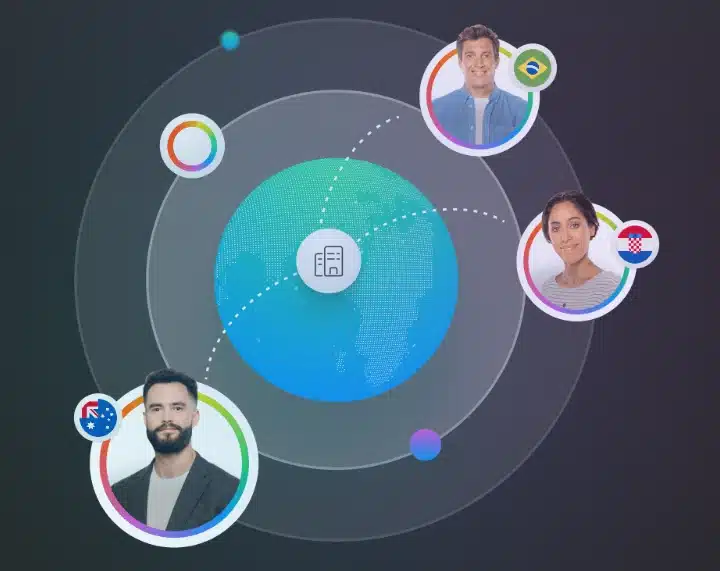
Freelancers can receive payments from international clients without needing foreign bank accounts. Payoneer provides local receiving accounts in multiple currencies, making it simple to get paid from platforms like Upwork or Fiverr and withdraw earnings directly to a local bank account.
Payoneer for eCommerce Sellers: Simplified Marketplace Payouts
Online sellers on platforms like Amazon, Walmart, and Etsy can receive their marketplace earnings directly into Payoneer. This reduces payment delays and helps sellers manage income from multiple platforms in one place.
Payoneer for Agencies: Manage Global Client Payments Efficiently
Agencies working with international clients can use Payoneer for Agencies to collect payments in different currencies, manage multiple transactions, and streamline cash flow. This helps agencies focus more on delivering services rather than handling complex payment logistics.
Payoneer for Remote Teams: Smooth International Payroll
Companies with remote workers can use Payoneer to send payments to team members across different countries. This makes payroll management simpler and more efficient without needing multiple banking systems.
Payoneer for Small Businesses: Scalable Cross-Border Growth
Small businesses looking to expand globally can use Payoneer to accept international payments and work with overseas clients. It provides a cost-effective way to scale operations without heavy financial infrastructure.
Payoneer for Enterprises: Bulk and Vendor Payments
Large organizations can use Payoneer’s mass payout features to pay suppliers, contractors, and partners worldwide. This helps streamline large-scale financial operations and reduces manual payment processing.
Payoneer Features: Powerful Tools Built for Global Money Management
Payoneer offers a wide range of features designed to make global payments simple, flexible, and efficient for businesses and individuals.
- Global Payment Receiving: Payoneer allows users to receive payments from clients and marketplaces around the world. It provides local receiving account details in multiple currencies, making international transactions feel like domestic transfers.
- Multi-Currency Account Management: Users can hold and manage different currencies within a single account. This helps reduce frequent currency conversions and gives more control over international earnings.
- Marketplace Integration Support: Payoneer integrates with major platforms like Amazon, Fiverr, Upwork, and others. This allows users to directly receive earnings from these marketplaces without complicated setup processes.
- Bank Withdrawal Options: Funds in Payoneer can be easily transferred to a local bank account. This gives users quick and convenient access to their money in their home currency.
- Payoneer Prepaid Mastercard: Payoneer provides a prepaid card that allows users to spend their balance online, in stores, or withdraw cash from ATMs. It adds flexibility for everyday business and personal expenses.
- Payoneer Invoice and Payment Request Tools: Users can create and send professional invoices or payment requests directly through Payoneer. This helps freelancers and businesses manage billing and collections efficiently.
How to Use Payoneer: Simple Steps to Start Receiving International Payments
Using Payoneer is simple and designed for users who want a quick setup for receiving international payments.
Here’s a step-by-step guide:
- Create an Account
Start by signing up on Payoneer’s platform. You will need to provide basic personal or business details for verification. Once approved, your account becomes active for receiving payments globally. - Complete Your Profile Verification
After registration, complete identity verification. This step ensures security and compliance with global financial regulations, allowing you to use all Payoneer features without restrictions. - Get Receiving Account Details
Once verified, Payoneer provides you with local receiving accounts in different currencies. These account details allow clients and marketplaces to send you payments as if you had a local bank account. - Start Receiving Payments
You can now receive payments from clients, freelance platforms, or eCommerce marketplaces directly into your Payoneer balance. Funds appear in your account once processed. - Withdraw Funds to Your Bank
You can transfer your earnings from Payoneer to your local bank account whenever needed. This makes accessing your money simple and convenient. - Use Funds with Payoneer Card or Payments
If you have the Payoneer card, you can use your balance for online purchases, in-store payments, or ATM withdrawals. This adds flexibility in how you access your funds. - Send Invoices or Request Payments
For client work, you can create invoices or payment requests directly from Payoneer. This helps maintain professional billing and ensures timely payments.
Payoneer Pricing: Transparent Costs for Modern Global Businesses
Payoneer pricing plans are designed for modern businesses moving money across borders, whether you are a freelancer, an eCommerce seller, or a large enterprise managing global payments. The platform supports cross-border transactions across 190+ countries and territories and 70+ currencies, making it a scalable solution for international money management. Below is a breakdown of Payoneer’s pricing structure based on user type and services.
Freelancers & Individuals
Pricing varies based on transaction type and payment method
The Freelancers & Individuals plan is designed for independent professionals who receive payments from international clients and marketplaces. Account registration is free, and users can receive payments from global clients into their Payoneer account. Fees may apply depending on how funds are received, currency conversion, and withdrawal methods to local bank accounts. Currency conversion fees and ATM or card usage fees may also apply if using the Payoneer card. This plan is ideal for freelancers who want a simple way to manage global income without maintaining multiple foreign bank accounts.
eCommerce Sellers & Marketplaces
Pricing varies based on marketplace and payout method
The eCommerce Sellers & Marketplaces plan is built for sellers on platforms like Amazon, Fiverr, Upwork, and other global marketplaces. Payoneer allows sellers to receive marketplace payouts directly into their account in supported currencies. Receiving payments is often low-cost or included depending on the marketplace integration, while withdrawal and conversion fees may apply when transferring funds to a local bank account. This plan is best suited for online sellers who manage multiple revenue streams from different platforms and need a centralized payout solution.
Businesses & Enterprises
Custom pricing based on volume and payment needs
The Businesses & Enterprises plan is designed for companies that handle large-scale international payments, including vendor payouts, contractor payments, and global supplier transactions. Payoneer offers mass payout tools, API integrations, and multi-currency payment management for enterprise clients. Pricing is customized depending on transaction volume, currency usage, and service requirements. This plan is ideal for companies that need efficient cross-border payment infrastructure with scalable financial operations.
Each plan is tailored to different user needs, from freelancers receiving occasional international payments to enterprises managing high-volume global transactions. Payoneer provides a flexible pricing model where users only pay for specific services used, making it suitable for businesses of all sizes operating in the global marketplace.
Payoneer Global Payment Receiving: Get Paid From Clients and Marketplaces Worldwide Without Borders
Why Global Payment Receiving Matters for Modern Businesses
Payoneer’s global payment receiving feature is designed to remove the barriers of traditional banking and make international payments simple and accessible. It allows freelancers, businesses, and online sellers to receive money from clients and companies across 190+ countries as if they were local transactions. This helps reduce delays, eliminate complex wire transfers, and improve cash flow for global earners.
Receiving Payments from Clients Worldwide: Simplifying Cross-Border Transactions
With Payoneer, users can receive payments from international clients through local receiving accounts in major currencies like USD, EUR, and GBP. Instead of relying on expensive international wire transfers, clients can pay you as if you had a local bank account in their country. This makes the entire payment process faster, smoother, and more cost-efficient.
Marketplace Payments Made Easy: Get Paid Directly From Leading Platforms
Payoneer is widely integrated with global marketplaces such as Amazon, Fiverr, Upwork, and many others. This means earnings from freelance work or eCommerce sales can be automatically deposited into your Payoneer account. It removes the need for multiple payment systems and centralizes all your income in one place.
Global Reach for Freelancers and Businesses: Expanding Without Banking Limitations
Freelancers, agencies, and businesses benefit from Payoneer’s ability to support international clients without requiring foreign bank accounts. This makes it easier to scale globally, take on overseas projects, and expand into new markets without financial restrictions slowing growth.

Payoneer Multi-Currency Accounts: Hold and Manage 70+ Currencies in One Centralized Wallet
Why Multi-Currency Management Matters for Global Operations
Payoneer’s multi-currency account feature allows users to manage international earnings more efficiently by holding multiple currencies in a single account. This reduces the need for constant conversions and helps businesses maintain better control over global cash flow.
Hold Multiple Currencies in One Place: Simplifying Financial Management
Users can store funds in different currencies such as USD, EUR, GBP, and more within one Payoneer account. This makes it easier to work with international clients and marketplaces without worrying about immediate currency conversion after every payment.
Reduce Conversion Hassles: Better Control Over Earnings
Instead of automatically converting payments into local currency, users can choose when and how to convert their funds. This gives better flexibility and helps reduce unnecessary conversion losses caused by fluctuating exchange rates.
Smarter Global Finance Handling: Designed for International Growth
For businesses operating across multiple countries, managing several currencies in one system improves financial organization. It simplifies accounting, budgeting, and international transactions, making global operations more structured and efficient.

Payoneer Marketplace Integrations: Seamless Payouts From Amazon, Fiverr, Upwork, and Leading Platforms
Why Marketplace Integration is Important for Online Businesses
Payoneer’s marketplace integration feature connects directly with major platforms, allowing users to receive earnings without manual payment setups. This reduces administrative work and ensures faster access to income generated from digital platforms.
Direct Integration with Global Marketplaces: Faster Payment Access
Payoneer connects with platforms like Amazon, Fiverr, Upwork, and other freelance and eCommerce marketplaces. Earnings from these platforms are automatically transferred into your Payoneer account, removing the need for separate payment processing systems.
Centralized Income Management: One Account for All Earnings
Instead of managing multiple payout methods across different platforms, Payoneer brings all marketplace income into one centralized account. This makes tracking payments easier and improves financial visibility for freelancers and sellers.
Reliable and Automated Payout System: Less Manual Work, More Efficiency
Once connected, marketplace payouts are processed automatically, reducing delays and manual intervention. This ensures consistent cash flow and allows users to focus more on work and business growth instead of payment handling.
Payoneer Mass Payouts: Send Bulk Payments to Freelancers, Contractors, and Global Vendors Efficiently
Why Mass Payouts Matter for Scaling Businesses
Payoneer’s mass payout feature is designed for businesses that manage large teams, contractors, or suppliers across different countries. It simplifies bulk payments and reduces the complexity of international payroll and vendor management.
Bulk Payment Processing: Pay Multiple Recipients at Once
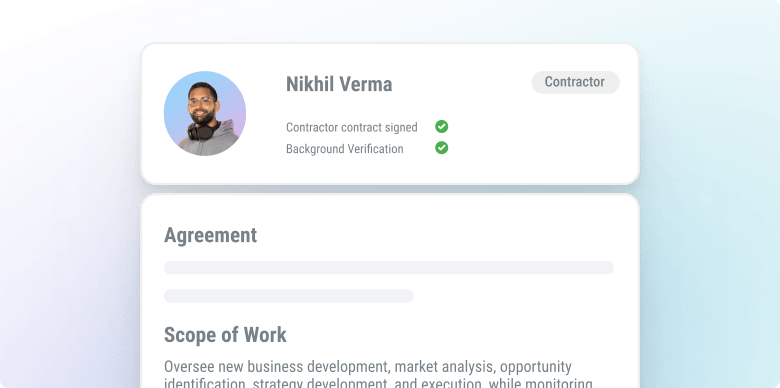
Businesses can send payments to multiple freelancers, contractors, or partners in a single transaction. This eliminates the need for sending individual transfers, saving time and reducing administrative workload.
Global Contractor and Vendor Payments: Simplifying International Operations
Companies working with international teams can easily pay vendors and contractors in their local currencies. This makes global collaboration smoother and ensures timely payments regardless of location.
Efficient Financial Workflow: Designed for High-Volume Transactions
Payoneer’s mass payout system is built for scalability, making it ideal for agencies and enterprises handling large transaction volumes. It streamlines financial operations and improves overall payment efficiency across global teams.
Payoneer Alternatives: Comparing the Top Global Payment Solutions
When exploring global payment platforms and cross-border financial solutions, it’s natural to compare Payoneer with other popular alternatives. While each platform offers its own strengths, Payoneer stands out for its strong marketplace integrations, multi-currency support, and global payment infrastructure across 190+ countries.
Here’s how Payoneer compares with its main competitors and why it continues to be a preferred choice for freelancers, sellers, and global businesses.
Payoneer vs PayPal
PayPal is one of the most widely recognized digital payment platforms, known for its ease of use, fast setup, and global acceptance. It is commonly used for personal payments, online shopping, and small business transactions. However, PayPal can have higher transaction fees and less flexibility for large-scale cross-border business payments compared to Payoneer. Payoneer is often preferred by freelancers and eCommerce sellers who need marketplace payouts and multi-currency receiving accounts.
Payoneer vs Wise
Wise focuses heavily on transparent currency conversion and low-cost international money transfers. It is a strong choice for individuals and businesses that frequently send money across borders with minimal FX fees. While Wise excels in personal and SME transfers, Payoneer offers deeper integration with global marketplaces like Amazon, Fiverr, and Upwork, making it more suitable for freelancers and platform-based income earners.
Payoneer vs Skrill
Skrill is a digital wallet and payment platform commonly used for online payments, gaming, and international transfers. It offers quick transactions and prepaid card services, but its global business integrations are more limited compared to Payoneer. Payoneer provides stronger support for businesses, agencies, and marketplace sellers who require structured payout systems and multi-currency business accounts.
Payoneer vs Stripe
Stripe is a powerful payment gateway designed primarily for online businesses that want to accept payments directly on their websites or apps. It offers advanced developer tools, subscription billing, and eCommerce integration. However, Stripe is more focused on payment acceptance rather than cross-border receiving from marketplaces. Payoneer is better suited for users who rely on third-party platforms for income rather than building their own checkout systems.
Payoneer Is It Worth It: A Smart Choice for Freelancers and Global Businesses
Payoneer is certainly worth considering for freelancers, online sellers, and global businesses that need reliable global payment services to receive and manage international payments. It offers strong marketplace integrations, multi-currency account support, and a scalable payment system that works across 190+ countries. Its ability to centralize earnings from platforms like Amazon, Fiverr, and Upwork makes it especially valuable for digital professionals seeking efficient and secure global payment services.
While fees and features may vary depending on usage, Payoneer remains a strong solution for users who prioritize global reach, payment flexibility, and marketplace connectivity over traditional banking limitations.
Key Takeaways
- Payoneer is best suited for freelancers, eCommerce sellers, and global businesses working with international clients
- It offers strong marketplace integrations with platforms like Amazon, Fiverr, and Upwork
- Multi-currency support helps users manage global income efficiently in one account
- It is more focused on cross-border business payments than personal digital wallet usage
Frequently Asked Questions
1. What is Payoneer best used for?
Payoneer is best used for receiving, managing, and sending cross-border payments. It is widely used by freelancers, eCommerce sellers, agencies, and businesses that earn income from international clients and global marketplaces like Amazon, Fiverr, and Upwork.
2. Does Payoneer have a free account?
Yes, Payoneer free account registration is available. Users can sign up without any upfront cost and start receiving international payments. However, transaction-based fees may apply depending on currency conversion, withdrawals, and payment methods used.
3. How much does Payoneer cost?
Payoneer does not follow a fixed monthly subscription model. Instead, it uses a pay-per-use pricing structure, where costs depend on:
- Payment method used
- Currency conversion fees
- Withdrawal to local bank accounts
- ATM or card usage (if using Payoneer card)
This makes it flexible for users who only want to pay for the services they use.
4. Can I use Payoneer for multiple currencies?
Yes, Payoneer supports 70+ currencies and allows users to hold and manage multiple currencies in a single account. This helps reduce unnecessary conversions and makes international payments easier to manage.
5. Is Payoneer safe and secure to use?
Yes, Payoneer uses bank-level encryption, identity verification, and fraud protection systems to secure user accounts. It is a regulated financial platform operating globally, ensuring safe international transactions.
6. Does Payoneer work with marketplaces like Amazon and Fiverr?
Yes, Payoneer has strong integrations with major platforms like Amazon, Fiverr, Upwork, Airbnb, and many others. Users can receive marketplace payouts directly into their Payoneer account without manual transfer processes.
7. How do I withdraw money from Payoneer?
You can easily withdraw funds from Payoneer to your local bank account. Once your balance is available, you can initiate a transfer, and the funds are converted into your local currency and deposited into your bank.
8. Can businesses send bulk payments using Payoneer?
Yes, Payoneer offers a Mass Payout feature that allows businesses to send payments to multiple freelancers, contractors, and vendors in a single transaction. This is especially useful for agencies and global companies managing large teams.
Ready to get started with Payoneer and simplify your global payments? Sign up today and experience a faster, easier way to receive, manage, and move money across borders without the usual banking limitations.
Disclosure: We are independent Affiliates, not employees. We receive referral payments from this company. The opinions expressed here are our own and are not official statements of the company.
(877) 522-7738
Blogs
Enterprise SEO: How Large Websites Can Scale Rankings Effectively
Large websites don’t win by fixing pages one at a time. Learn how enterprise SEO scales rankings through crawl control, template fixes, safe content scaling and AI search readiness.
How to Customize Sales Popups on Shopify to Match Your Brand
Learn how to customize sales popups on Shopify to match your brand, from colors, fonts, and position to message text, timing, and mobile testing.
How Shopify Sales Notifications Help Build Social Proof and Increase Sales
Learn how Shopify sales notifications build social proof, reduce shopper hesitation, and support sales, plus best practices and how to add them to your store.
Franchise SEO Challenges and How Multi-Location Brands Can Overcome Them
Franchise SEO is mostly a coordination problem. See the 10 challenges multi-location brands face, from duplicate location pages and listing drift to profile ownership and AI search, and how to fix each one at scale.
Google Ads Benchmarks 2026: What the Numbers Actually Mean for Your Account
Google Ads Search averages for 2026 are a 6.64% CTR, $5.42 CPC, 8.18% conversion rate and $66.69 cost per lead. Learn how to find your break-even CPL and which metric is holding your account back.
Best Shopify Sales Popup Apps to Boost Customer Trust and Conversions
Compare seven Shopify sales popup apps on features, customization, pricing, and ease of use, and learn how to pick one that builds trust without guesswork.
Franchise vs Enterprise Digital Marketing: Key Differences & Best Practices
Franchise and enterprise marketing both manage many locations under one brand, but they run on different rules. See who controls the budget, brand and data in each model, and the best practices that work for both.
How to Add a Shopify Sales Popup: Step-by-Step Guide
Learn how to add a Shopify sales popup in seven steps. Pick an app, set display rules, test on mobile, and track whether it works, with no coding needed.
Google Partner Rewards Store Not Working? We Hit a Redirect Loop, and Here’s What to Do
Stuck in a Google Partner Rewards Store redirect loop? Discover the exact causes behind the login bug and practical troubleshooting steps to redeem your partner points.
GloriaFood Is Shutting Down: Your 7-Step Plan and a Replacement to Try
With Oracle discontinuing GloriaFood, restaurants must plan ahead: explore a 7-step migration blueprint, data export tips, and top online ordering replacements.
Best Shopify Image Optimization Apps: How to Choose the Right Tool for Your Store
Learn what to look for in a Shopify image optimization app, the main types of tools, how to compare apps fairly, and the mistakes to avoid when choosing the right one.
Shopify Image Optimization Checklist: What to Do Before and After Uploading Product Photos
Use this Shopify image optimization checklist to prepare product photos before you upload, finish the job after, avoid common mistakes, and handle large catalogs in bulk.
Beehiiv Newsletter Platform: Pricing, Features, and Monetization Tools
Explore the beehiiv newsletter platform to streamline your communication and engage with your audience effectively.
Shopify Core Web Vitals and Images: How to Find and Fix Image-Related Speed Issues
Learn how images affect Shopify Core Web Vitals, how to find image-related speed issues, the most common mistakes, and how to fix them, including for large product catalogs.
Shopify Fake Cart Bot Attack: What Stopped 500+ Fake Carts an Hour (and a Script We Can’t Rule Out)
A client’s Shopify store was hit with 500+ fake carts an hour, and captchas, rate limits and bot apps didn’t stop it. Here’s why the traffic bypassed our security, the one fix that worked, and a third-party script lead we’re still tracing.
Getting information about your case and your options is your FIRST move. Get a FREE case evaluation now…
Find Yourself a Marketing Expert Near You!
(877) 522-7738