
Shopify Product Schema vs. Google Merchant Listings
TL;DR:
- What they are: Product schema is structured data on your Shopify website. Merchant listings are Google's product-search experiences, which can use that data and other sources such as Merchant Center.
- How they relate: Because Merchant Center can use website structured data to retrieve product data and support automatic item updates, the two work best when they agree.
- What to match: Your product page, your JSON-LD, and your Merchant Center data should show the same title, price, availability, identifiers, and variants. A tool like JSON-LD for SEO keeps the markup in step with your live catalog.
- What it can't do: Product schema does not automatically create a Merchant Center listing, and Google decides eligibility and display.
Shopify Product schema and Google merchant listings are connected, but they are not the same thing. Mixing them up leads to a common mistake: assuming that adding structured data automatically puts your products into Google's shopping experiences.
The difference in short:
- Product schema is structured data on your Shopify website.
- Merchant listings are Google's product-search experiences, which can use product information from structured data and from other sources such as Merchant Center.
They can work together. But having Product schema does not automatically create a Merchant Center listing, and it does not guarantee a particular Google search appearance. Google determines eligibility and display.
This guide explains what each one is, how they relate, what data needs to match, and how to check your own store.
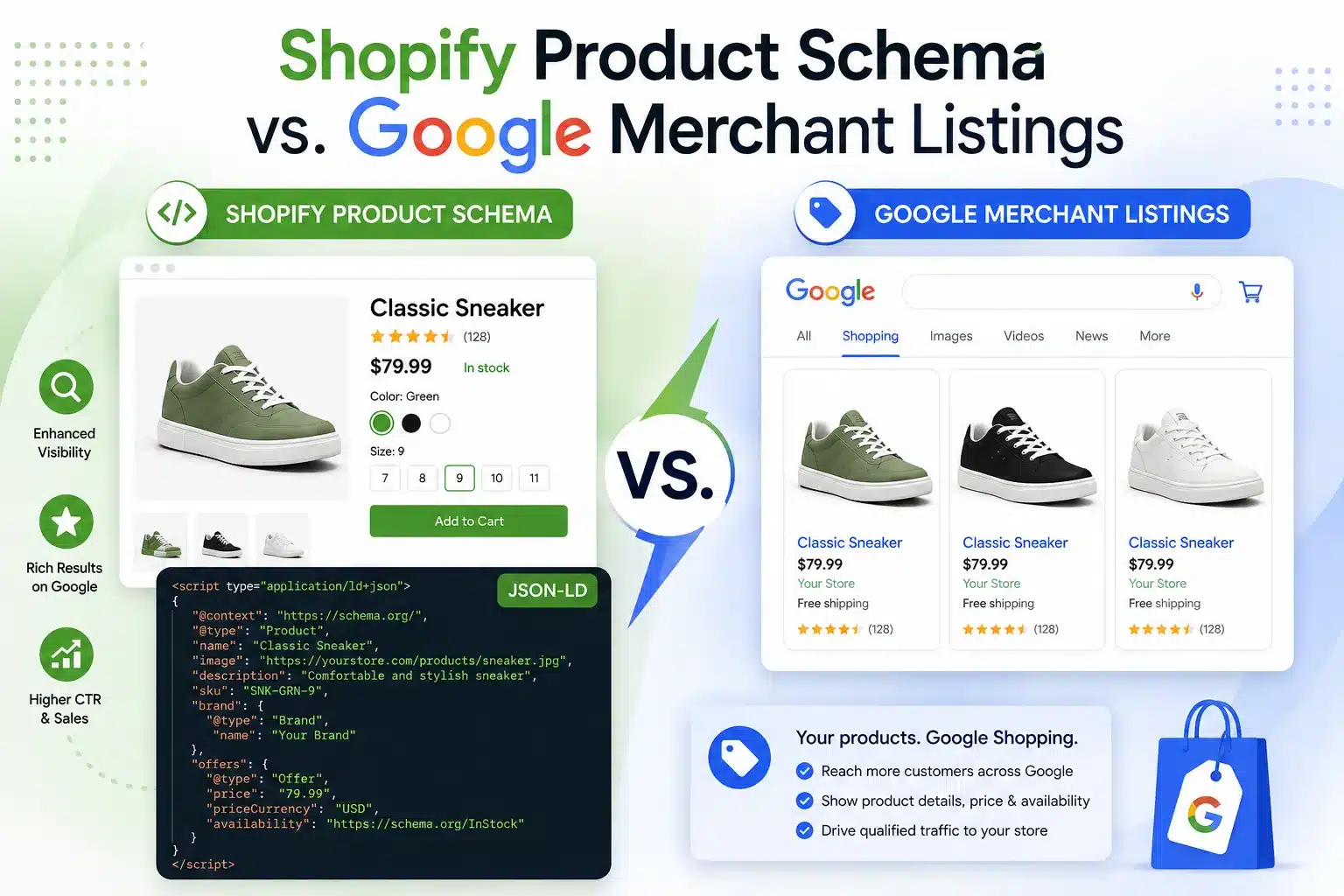
What Is Shopify Product Schema?
Product schema is a JSON-LD block on a product page that describes the product in Schema.org terms. Your theme or an app generates it from Shopify data, and shoppers never see it. Search engines read it to understand the page. It is a foundational piece of any Shopify SEO services plan.
It can describe:
- Product name, images, and description
- Brand, SKU, and GTIN
- Price and currency
- Availability and condition
- Reviews and ratings
Google's Product structured data documentation supports this markup for eligible search experiences, including merchant listing experiences. In practice, a typical block names the product, links its images, and nests an offer holding the price, currency, and availability, with identifiers and ratings added where accurate.
What Are Google Merchant Listings?
Merchant listings are product experiences in Google that present details about items sold by merchants. They can appear in places such as Google Search, Google Images, and shopping-related product experiences. For Shopify stores using Google Merchant Center, product information can be supplied and managed alongside other product data sources.
Google states that merchant listings can present information such as price, availability, shipping, and return details when the applicable requirements are met. That qualifier matters: a product with schema won't necessarily appear in every one of these surfaces.
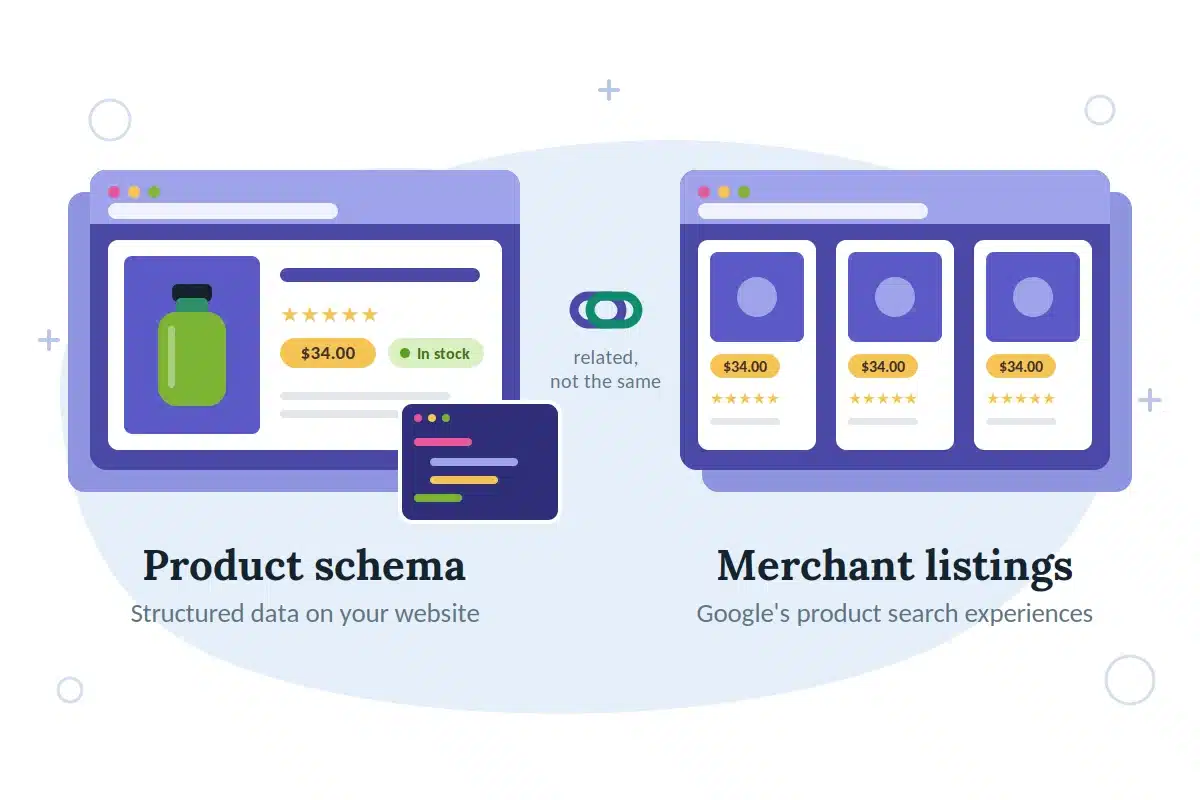
Shopify Product Schema vs. Google Merchant Listings
Here is how the two compare side by side. Understanding the split is the kind of groundwork our technical SEO services team starts with.
| Shopify Product schema | Google merchant listings |
|---|---|
| Structured data placed on the website | A Google search and product experience |
| Describes product information | Uses product data to power merchant experiences |
| Usually implemented with JSON-LD | Depends on Google's systems and Merchant Center or product data |
| Helps Google understand the product page | Can surface product information in Google |
| Lives on the Shopify site | Appears across Google surfaces |
| Can support Merchant Center data verification | Has its own eligibility and product-data requirements |
There's also a practical link between the two. Google explains that structured data on a website can be used by Merchant Center to retrieve product data, support automatic item updates, and even create a product data source through website crawl.
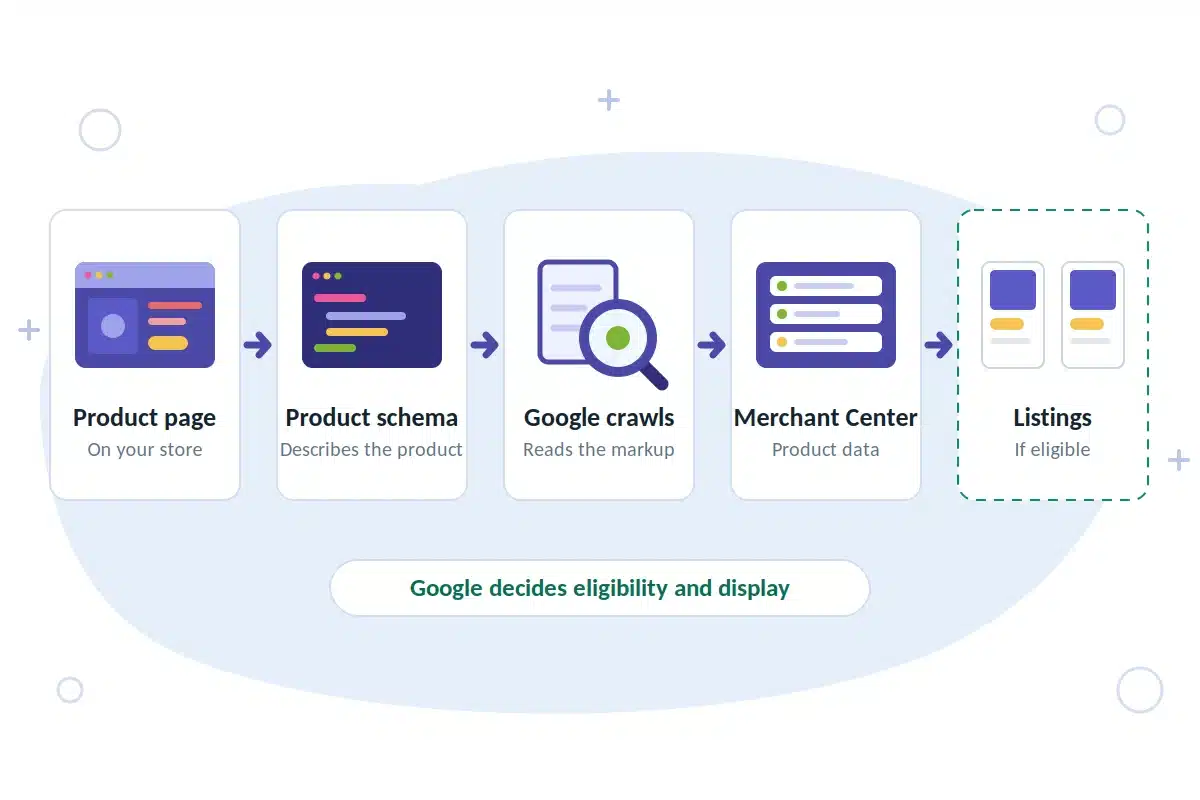
How Product Schema and Merchant Listings Work Together
The flow runs in one direction. When it works well, it feeds the same product data into paid campaigns, which is where ecommerce PPC services come in.
- Shopify product page: Shows the product to shoppers.
- Product JSON-LD: Describes the same product in structured form.
- Google crawls the page: And reads the markup.
- Product data is understood: Google can interpret the product's details.
- Merchant Center and Google systems: Can use that information alongside other product data.
- Potential eligible product experiences: The product may qualify for merchant listings.
Structured data can help Google retrieve up-to-date product information directly from your site. Google also says automatic item updates can use website structured data to help reduce price and availability mismatches. These updates do not replace regular Merchant Center product-data updates, which is an important practical distinction.
What Product Data Should Match?
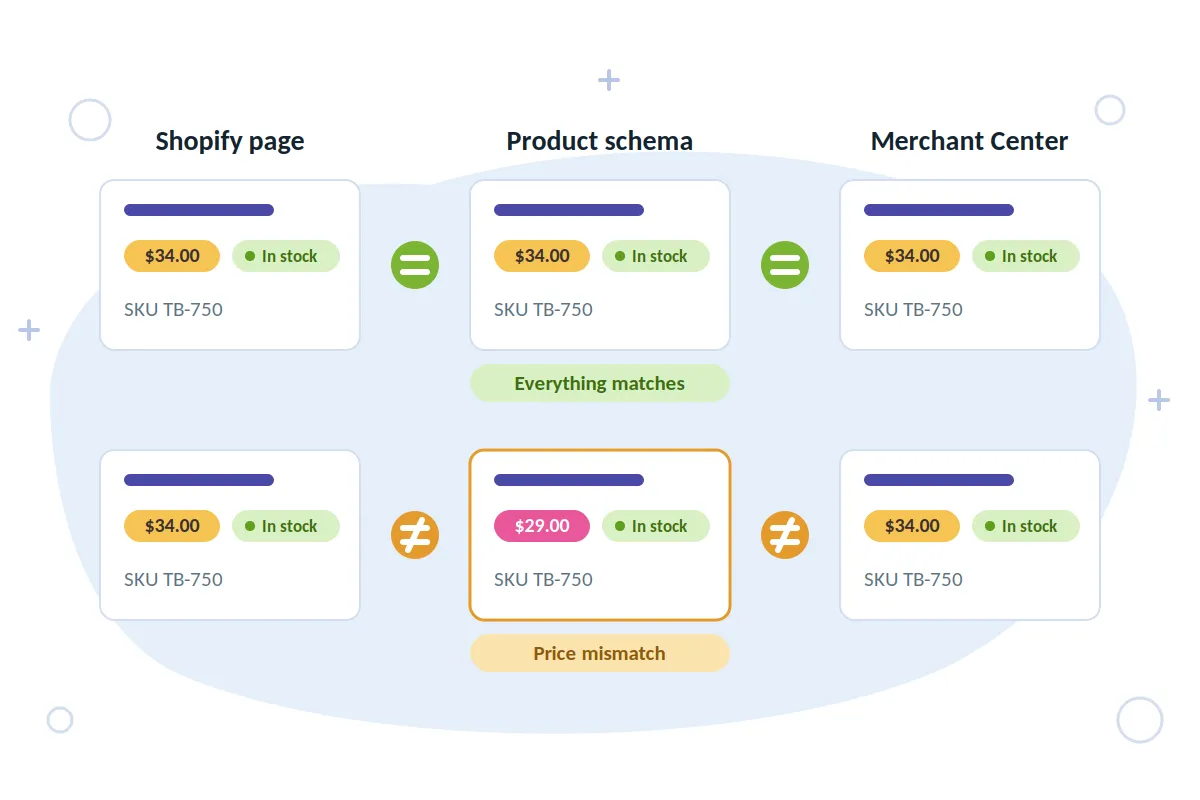
Three sources of product information should stay consistent: your Shopify product page, your JSON-LD, and your Merchant Center product data. Keeping them aligned is a core goal of ecommerce optimization services.
Check these fields especially:
- Product title
- Price and sale price
- Currency
- Availability
- Condition
- SKU and GTIN
- Product variants
- Shipping and returns, where applicable
Google requires structured data to match the values shown to customers, and it warns against incorrect data on product landing pages. Mismatches are the single most common source of warnings.
Product Schema and Merchant Listings: What Does Google Actually Need?
There are two separate sets of requirements. If your account ever runs into policy trouble, our Merchant Center reinstatement services can help you recover.
1. Product schema requirements: The structured data must use appropriate Schema.org types and the required properties for the Google feature you're targeting.
2. Merchant Center requirements: Merchant Center has its own product-data specification and account and product requirements, which apply regardless of what your markup says.
The key takeaway: valid Product schema does not equal automatic Merchant Center approval. Passing a structured data test says your markup is well-formed. It says nothing about whether your Merchant Center account and product data meet Google's rules.
Shopify Variants: Where Things Get Complicated
Variants multiply the data you have to keep consistent. Each size or color can have its own SKU, GTIN, price, and availability, while the product page may show only the selected one. A well-built storefront from ecommerce web design services makes variant selectors and data line up more cleanly.
Watch for:
- Size and color variants that don't match the selector on the page
- Variant-specific SKUs and GTINs, which should belong to the right variant
- Price differences between variants
- Availability differences, such as one size sold out while others are in stock
Google notes that when multiple offers appear on a landing page, matching can depend on identifiers such as SKU or GTIN. Accurate, unique identifiers per variant make that matching far more reliable.
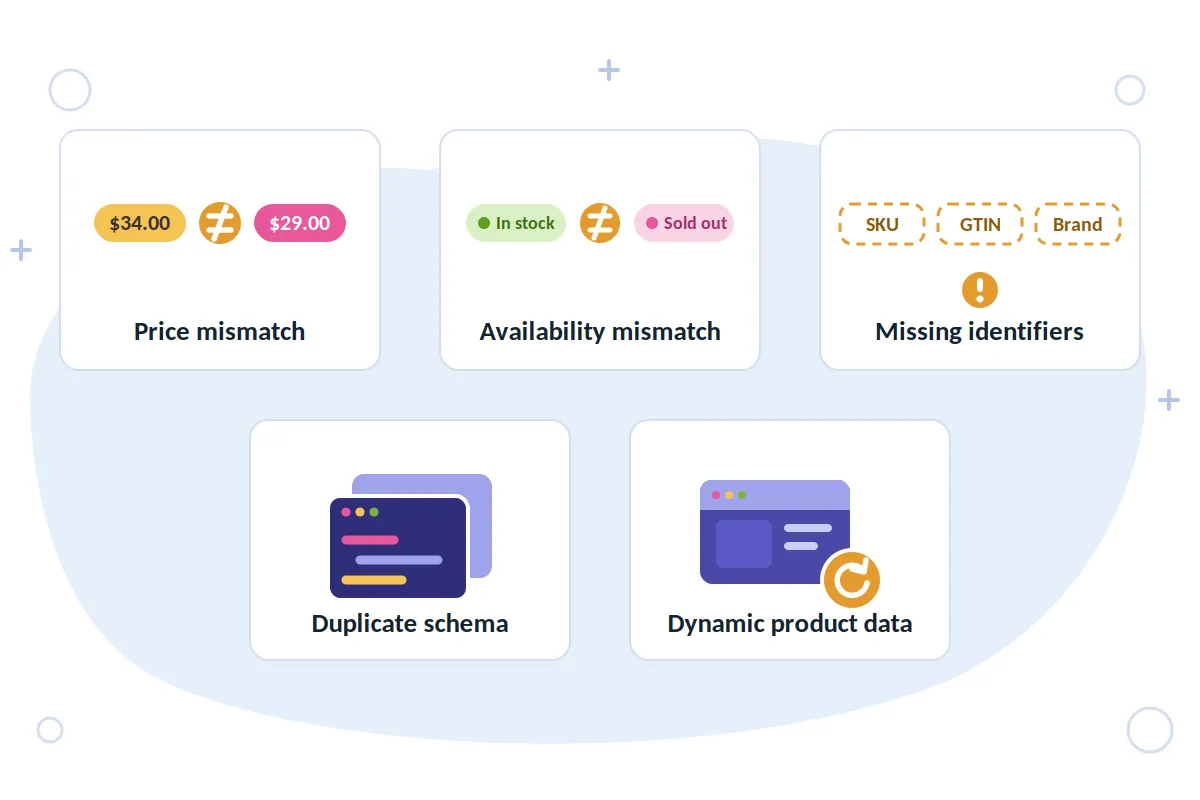
Common Shopify Product Schema and Merchant Listing Problems
Most of these problems appear gradually as products, apps, and themes change, which is why regular website maintenance services help keep data clean.
- Price mismatch: The page, the structured data, and Merchant Center show different prices. A sale price that appears on the page but not in one of the other sources is a typical cause.
- Availability mismatch: Shopify says a product is in stock while another data source is outdated, or the markup still says in stock after a variant sells out.
- Missing product identifiers: SKU or GTIN information is missing, or doesn't match across sources, which makes it harder for Google to match offers.
- Duplicate Product schema: Two apps, or an app plus the theme, generate overlapping Product markup.
- Dynamic product data: Google recommends that product information be available in the HTML response. Content that changes per customer, or that loads only after the page renders, can create matching problems because what Google sees may differ from what a shopper sees.
How to Check Your Shopify Product Data
Run through these four checks in order. For a deeper, store-wide review, our SEO audit services cover structured data and product feeds together.
- Inspect the Shopify page. View the page source and search for
application/ld+jsonto see what Product markup exists. - Validate the structured data. Test the URL in Google's Rich Results Test.
- Check Search Console. Look at the structured data reports and indexing information.
- Check Merchant Center. Compare product data, price, availability, and diagnostics against the page.
Google recommends Search Console and the Rich Results Test for troubleshooting structured data issues. For a fuller testing guide, see How to Validate Shopify Structured Data .
Should You Use Product Schema, Merchant Center, or Both?
Neither replaces the other. If you also run Shopping ads, Google Ads management services can help you get more from the same product data.
- Product schema communicates structured product information directly from your website.
- Merchant Center manages product data for Google's merchant experiences and Shopping ecosystem.
- Both: If you use Merchant Center, keeping accurate website structured data alongside your Merchant Center product data can help Google verify and synchronize information.
How JSON-LD for SEO Helps Shopify Stores
JSON-LD for SEO by DiscoverMyBusiness automates structured data across Shopify, so your markup follows your live catalog instead of drifting out of date. It covers product schema and variants, reviews, business information, articles, breadcrumbs, pages, videos, FAQs, and Merchant-related product fields.
It works with Google Merchant Center, Google Search Console, Shopify Markets and international domains, Judge.me, and 20+ review apps. Since review markup should always reflect real, visible reviews, pairing it with online reputation management keeps your ratings honest and strong.
The aim is keeping your Shopify product schema and product data consistent. It doesn't promise rankings or merchant listing placement, because Google decides those.
Install JSON-LD for SEO by DiscoverMyBusiness →
Frequently Asked Questions
1. Is Shopify Product schema the same as Google merchant listings?
No. Product schema is structured data on your site. Merchant listings are Google's product-search experiences, which can use that data and other sources.
2. Does Product schema automatically create a Merchant Center listing?
No. Merchant Center has its own account and product-data requirements, and Google determines eligibility.
3. Do I need Product schema if I use Google Merchant Center?
It's worth having. Accurate website structured data alongside Merchant Center data can help Google verify and synchronize product information.
4. Does Google Merchant Center use Shopify JSON-LD?
Google says Merchant Center can use website structured data to retrieve product data and support automatic item updates, but that doesn't replace regular product-data updates.
5. Why is my Shopify product showing a price mismatch in Google?
The page, your structured data, and Merchant Center are likely out of sync, often because of a sale price, a variant, or an outdated source. Compare all three. If the cause isn't obvious, our ecommerce SEO services team can trace it for you.
6. Does Product schema guarantee Google merchant listings?
No. It can support eligibility, but Google decides what appears.
Ready to Optimize Your Product Schema?
Product schema describes the product on your Shopify website. Merchant Center manages product data for Google's merchant ecosystem. Merchant listings are Google's product-search experiences.
The three are related but serve different purposes. The practical priority is keeping your Shopify page, structured data, and Merchant Center information accurate and consistent. Once your listings are earning more visibility, conversion rate optimization helps turn those clicks into orders.
Key Takeaways
- Related, but not the same: Product schema lives on your website, while merchant listings are Google's product-search experiences
- Schema does not equal a listing: Valid Product schema does not automatically create a Merchant Center listing or guarantee any Google appearance
- Match all three sources: Your product page, JSON-LD, and Merchant Center data should agree on title, price, availability, identifiers, and variants
- Two sets of requirements: Passing a structured data test says nothing about whether your Merchant Center account and product data meet Google's rules
- Use both together: Accurate website markup alongside Merchant Center data helps Google verify and synchronize your product information
(877) 522-7738
Blogs
Enterprise SEO: How Large Websites Can Scale Rankings Effectively
Large websites don’t win by fixing pages one at a time. Learn how enterprise SEO scales rankings through crawl control, template fixes, safe content scaling and AI search readiness.
How to Customize Sales Popups on Shopify to Match Your Brand
Learn how to customize sales popups on Shopify to match your brand, from colors, fonts, and position to message text, timing, and mobile testing.
How Shopify Sales Notifications Help Build Social Proof and Increase Sales
Learn how Shopify sales notifications build social proof, reduce shopper hesitation, and support sales, plus best practices and how to add them to your store.
Franchise SEO Challenges and How Multi-Location Brands Can Overcome Them
Franchise SEO is mostly a coordination problem. See the 10 challenges multi-location brands face, from duplicate location pages and listing drift to profile ownership and AI search, and how to fix each one at scale.
Google Ads Benchmarks 2026: What the Numbers Actually Mean for Your Account
Google Ads Search averages for 2026 are a 6.64% CTR, $5.42 CPC, 8.18% conversion rate and $66.69 cost per lead. Learn how to find your break-even CPL and which metric is holding your account back.
Best Shopify Sales Popup Apps to Boost Customer Trust and Conversions
Compare seven Shopify sales popup apps on features, customization, pricing, and ease of use, and learn how to pick one that builds trust without guesswork.
Franchise vs Enterprise Digital Marketing: Key Differences & Best Practices
Franchise and enterprise marketing both manage many locations under one brand, but they run on different rules. See who controls the budget, brand and data in each model, and the best practices that work for both.
How to Add a Shopify Sales Popup: Step-by-Step Guide
Learn how to add a Shopify sales popup in seven steps. Pick an app, set display rules, test on mobile, and track whether it works, with no coding needed.
Google Partner Rewards Store Not Working? We Hit a Redirect Loop, and Here’s What to Do
Stuck in a Google Partner Rewards Store redirect loop? Discover the exact causes behind the login bug and practical troubleshooting steps to redeem your partner points.
GloriaFood Is Shutting Down: Your 7-Step Plan and a Replacement to Try
With Oracle discontinuing GloriaFood, restaurants must plan ahead: explore a 7-step migration blueprint, data export tips, and top online ordering replacements.
Best Shopify Image Optimization Apps: How to Choose the Right Tool for Your Store
Learn what to look for in a Shopify image optimization app, the main types of tools, how to compare apps fairly, and the mistakes to avoid when choosing the right one.
Shopify Image Optimization Checklist: What to Do Before and After Uploading Product Photos
Use this Shopify image optimization checklist to prepare product photos before you upload, finish the job after, avoid common mistakes, and handle large catalogs in bulk.
Beehiiv Newsletter Platform: Pricing, Features, and Monetization Tools
Explore the beehiiv newsletter platform to streamline your communication and engage with your audience effectively.
Shopify Core Web Vitals and Images: How to Find and Fix Image-Related Speed Issues
Learn how images affect Shopify Core Web Vitals, how to find image-related speed issues, the most common mistakes, and how to fix them, including for large product catalogs.
Shopify Fake Cart Bot Attack: What Stopped 500+ Fake Carts an Hour (and a Script We Can’t Rule Out)
A client’s Shopify store was hit with 500+ fake carts an hour, and captchas, rate limits and bot apps didn’t stop it. Here’s why the traffic bypassed our security, the one fix that worked, and a third-party script lead we’re still tracing.
Getting information about your case and your options is your FIRST move. Get a FREE case evaluation now…
Find Yourself a Marketing Expert Near You!
(877) 522-7738