
TextExpander: Pricing, Features, Snippets & Team Text Expansion
TL;DR:
- What it is: TextExpander is a text replacement and snippet app. It turns your most-typed content into shortcuts that expand on Mac, Windows, Chrome, iPhone, and iPad.
- What it does: With reusable Snippets, fill-ins, shared libraries, and AI Recommendations, TextExpander helps teams type less. As a result, people reply faster and keep every message consistent.
- What it costs: A Free plan is available forever with no credit card. Pro is $5 per user per month and Business is $10 when billed annually. Enterprise, however, is custom priced.
- Who it’s for: Customer support, sales, recruiting, healthcare, and operations teams. Individuals, writers, and developers who type the same text every day will also benefit.
TextExpander is a text replacement and keyboard shortcut app that helps individuals and teams save time. It turns frequently typed text into reusable Snippets. From email replies to full paragraphs, you can insert saved content with a short abbreviation or quick search. Also, one account covers Mac, Windows, Chrome, iPhone, and iPad.
Because of its customizable fill-in fields, dynamic date calculations, and conditional content, each expansion stays accurate. Shared team libraries and AI-powered Snippet recommendations also keep communication consistent.
Overall, TextExpander suits businesses that want to improve productivity and standardize messaging. It is especially useful for teams managing high-volume outreach through an effective email marketing program.
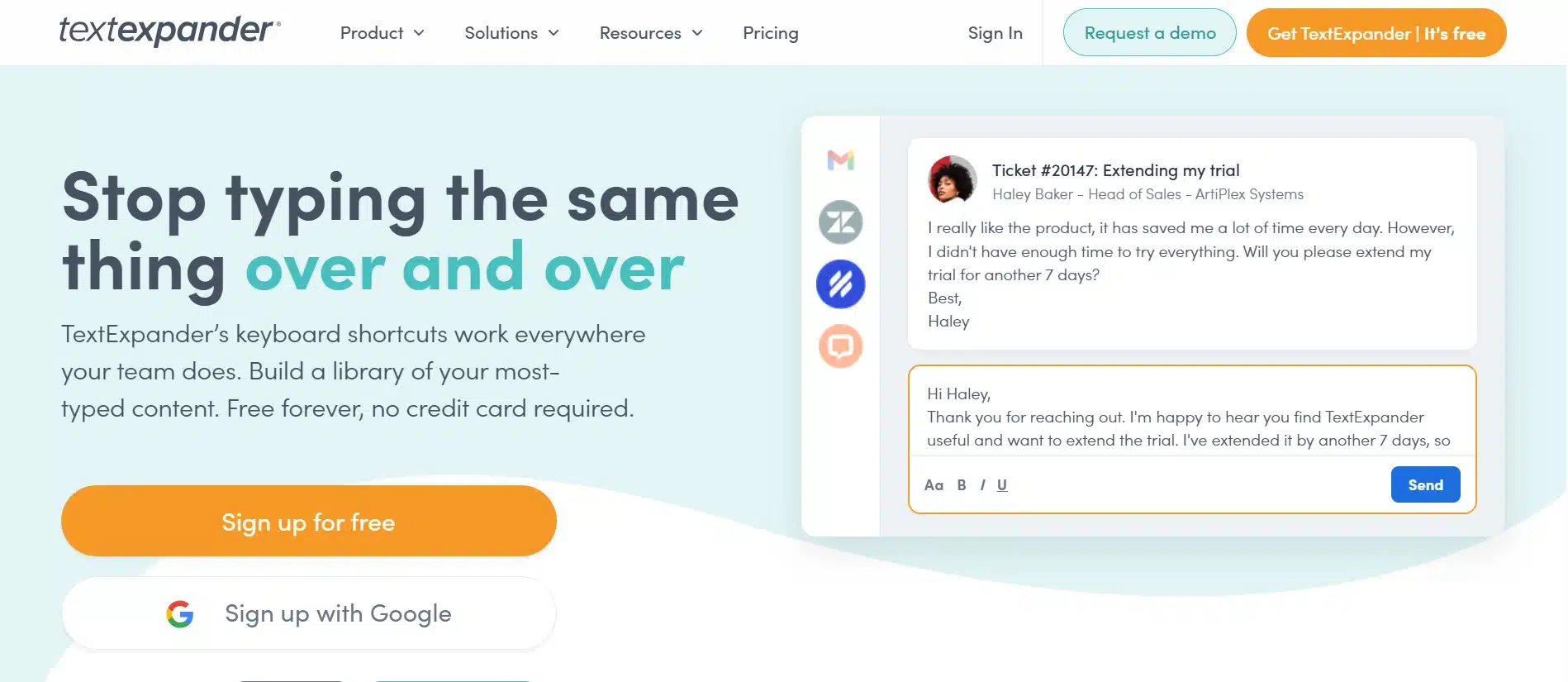
What Is TextExpander and What Does It Do?
TextExpander is a snippet and text expansion platform that lets individuals and teams store reusable text and insert it anywhere they type. It’s widely used by support agents, recruiters, sales teams, healthcare professionals, developers, and operations teams. These teams answer the same questions and write the same messages again and again, so reusable text helps them most.
Here’s what TextExpander does:
- Turns repeated text into Snippets: Emails, phrases, URLs, paragraphs, and notes are saved once, then reused with a short abbreviation
- Expands anywhere you type: One account covers Mac, Windows, Chrome, iPhone, and iPad, so Snippets sync everywhere
- Personalizes each expansion: Fill-in-the-blank fields, dropdowns, and date pickers let you adjust a Snippet before it lands in the message
- Shares a team library: Teams keep one up-to-date set of approved messaging, so everyone sends the same, current content
- Tracks usage and time saved: Statistics show which Snippets you expand most, so you can see how much time you save
- Suggests the right Snippet with AI: AI Recommendations in Chrome surface relevant Snippets when you work on a reply
- Protects content with admin controls: Roles and sharing limits let larger organizations decide who can edit, while single sign-on adds security
In short, TextExpander gives teams one place to store what they type most. It also provides one fast way to bring it back, replacing scattered documents, copy-and-paste routines, and inconsistent replies.
How TextExpander Helps Your Business: Consistent Messages Without the Retyping
Some days mean answering the fiftieth shipping question, sending recruiting outreach, or documenting a patient visit. TextExpander removes the repetitive typing from that work while keeping every message accurate. As a result, its mix of Snippets, shared libraries, and fill-in fields means faster replies without sounding robotic.
TextExpander for customer support: faster replies that still feel human
Support agents can save their most common answers as Snippets. Then they insert each one in the help desk or chat tool they use, adding a personal line first. TextExpander lists integrations with tools such as Zendesk and Help Scout. Customer reviews also describe using Snippets inside live chat and email all day.
TextExpander for sales and recruiting: consistent outreach at volume
Sales reps and recruiters send similar emails to many people, so consistency matters. Snippets with fill-in fields keep the wording uniform. Meanwhile, each message can still carry a name, role, or date. Businesses building outbound programs often combine this with dedicated lead generation services. As a result, the messaging and the pipeline grow together.
TextExpander for healthcare and legal teams: less documentation, more time with people
Healthcare professionals use Snippets much like dot phrases, so standard notes and patient communication text go in quickly. One pediatric nurse practitioner reported saving an average of 6 to 10 hours a week in a customer review. However, this is a personal result that will vary by role and workflow. TextExpander also lists Epic and Cerner among its integrations and has dedicated pages for legal and insurance work. Firms in these fields that also want to grow their client base can look at digital marketing for healthcare practices.
TextExpander for operations and enterprise teams: one source of truth
Operations leaders can centralize approved language in a shared library. They can also control who edits it and review how the team uses it. TextExpander Enterprise plans also add single sign-on for all providers with SCIM, customized reporting, and a custom security review.
TextExpander Features: Tools to Create, Share, and Control Snippets
TextExpander’s feature set runs from simple text shortcuts for individuals to administrative controls for large organizations.
Create and personalize Snippets
- Snippets on All Devices: Create reusable text once, then expand it on Mac, Windows, Chrome, iPhone, and iPad
- Unlimited Total Snippets: Store as many Snippets as you want, because every plan allows unlimited total Snippets, including Free
- Fill-Ins and Date Picker: Add fill-in-the-blank fields, dropdowns, dates, and times so each expansion feels personal
- Date Math and Nested Snippets: Calculate dates and times, and also build Snippets out of other Snippets on paid plans
- Conditional Sections: Show or hide parts of a Snippet depending on a fill-in answer, so each message only shows what applies
- Delay Macro: Add timed pauses so dropdowns, search results, and form fields have time to load
- JavaScript, AppleScript, and Shell Script Snippets: Run scripts as part of an expansion, while AppleScript and Shell Script work on macOS
Share and organize with teams
- Snippet Groups and Teams: Organize Snippets into groups, then share them with teams
- Private and Shared Snippets: Keep personal “Just Me” Snippets separate from team content, so nothing gets cluttered
- Snippet Requests: Let team members propose new or improved Snippets, which editors then review inside TextExpander
- External Sharing: Invite guests to a shared Snippet library when you are on Business and above
Measure, automate, and secure
- Statistics and Snippet Activity History: See time saved and usage trends, and also track, revert, or restore Snippet changes
- AI Recommended Snippets: Surface relevant Snippets automatically in the Chrome extension, so you stop searching
- Security and Admin Controls: Use single sign-on, roles, and security reviews so larger organizations stay in control
As a result, teams move from scattered, personal shortcuts to one governed library of language. Even so, they keep the speed that makes text expansion useful.
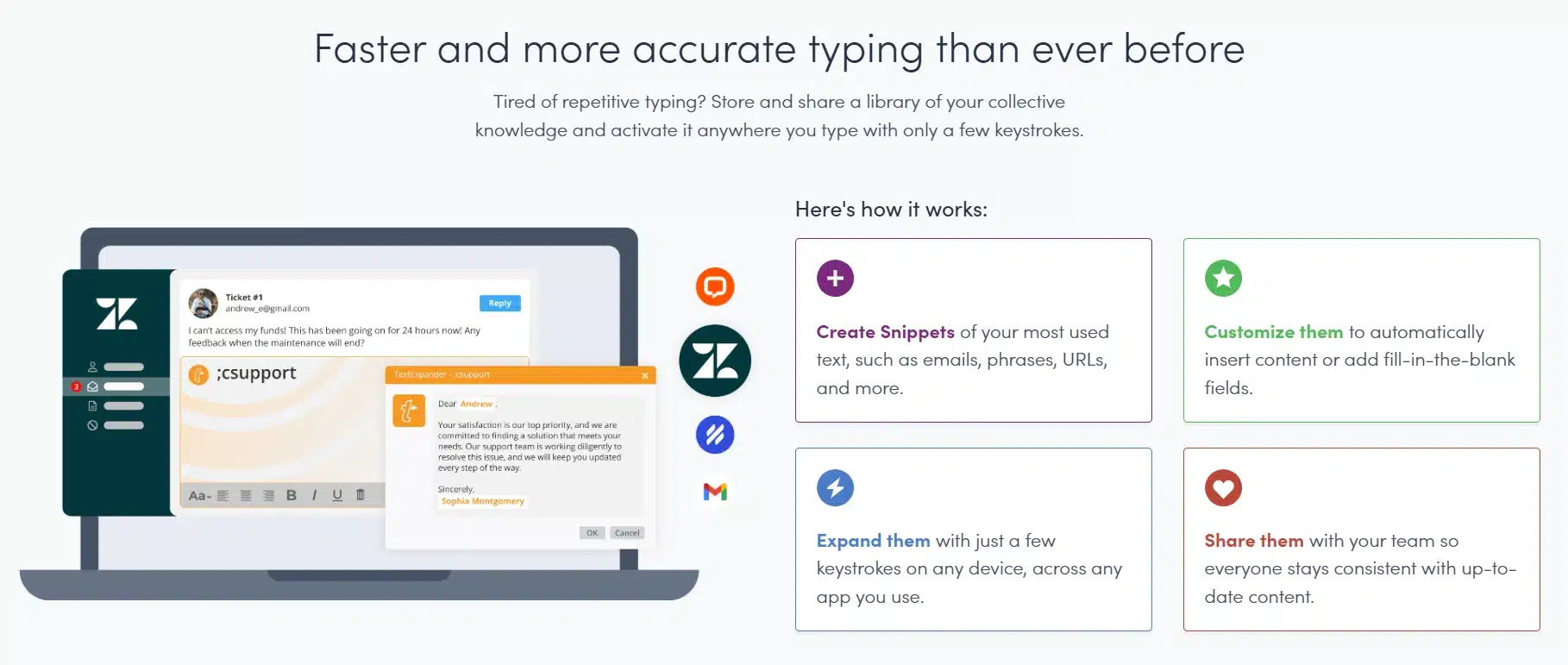
How to Use TextExpander: A Simple Guide to Getting Started
Getting started with TextExpander is designed to be quick. Since the Free plan needs no credit card, you can begin right away. New accounts also get a 30-day preview of advanced paid features.
- Sign up for free: Create an account by email or with Google, because no credit card is required
- Install it where you work: Download the Mac or Windows app, then add the Chrome extension or mobile app
- Create your first Snippets: Save the emails, phrases, links, and replies you type most, then give each a short abbreviation
- Add fill-in fields: Turn static text into flexible Snippets with fields, dropdowns, and dates, so each message feels personal
- Organize into groups: Sort Snippets by function, for example support replies, scheduling, and project updates
- Share with your team: Move shared content into a team library so everyone uses the same, current wording
- Review your statistics: Check how many Snippets you expanded, then see how much time you saved
- Decide on a plan after the preview: When it ends, your account moves to Free automatically. You can upgrade whenever you want more
By following these steps, teams can go from a first Snippet to a working shared library in one sitting. Then they can keep refining it as their messaging changes.
TextExpander Pricing: Plans From Free to Enterprise
TextExpander pricing plans offer a free plan, two paid self-serve plans priced per user, and a custom Enterprise plan. Annual billing also gives two months free.
Free and Pro plans
| Plan | Price | Built for | Key inclusions |
|---|---|---|---|
| Free | $0, free forever, no credit card required | Turning your most-typed content into Snippets and typing less today | Unlimited total Snippets, 5 active Snippets, 1 Snippet swap every 2 weeks, up to 5 team members and 3 teams, Snippets on all devices, basic fill-ins, dates and times, personal statistics, community support, standard email support |
| Pro | $5 per user per month, billed annually at $60 | Communicating faster with unlimited expansions to type less and improve accuracy | Everything in Free, plus unlimited active Snippets, unlimited Snippet swaps and teams, date math, nested Snippets, conditional sections, delay macro, JavaScript Snippets, AppleScript and Shell Script on macOS, organization statistics with export, 24 hours of Snippet activity history, priority email support |
Business and Enterprise plans
| Plan | Price | Built for | Key inclusions |
|---|---|---|---|
| Business (Most Popular) | $10 per user per month, billed annually at $120 | Collaborating and communicating consistently with a shared library for the whole team | Everything in Pro, plus unlimited team members, Snippet Requests, external sharing with guests, Google SSO, 7 days of Snippet activity history, onboarding assistance for eligible customers |
| Enterprise | Contact us, pricing based on your needs and usage | Teams needing advanced security and admin controls | Everything in Business, plus SSO for all providers with SCIM, granular control of Snippet sharing, Limited Role, customized reporting, unlimited Snippet activity history, annual invoiced billing, efficiency consulting, customized training, custom MSA, and custom security review |
See TextExpander Plans and Pricing →
TextExpander Dynamic Snippets: Smart Content That Adapts as You Type
Why dynamic content matters more than plain text shortcuts
A plain shortcut pastes the same words every time. That works until a message needs a name, a date, or a different ending. TextExpander’s dynamic Snippets are built so the shortcut stays fast while the message stays accurate.
Fill-ins that personalize every message
Fill-in-the-blank fields, dropdowns, and date pickers appear when a Snippet expands, so a single Snippet can serve many situations. For example, a recruiter can add a candidate’s name and role. Likewise, a support agent can pick a product from a list instead of retyping the reply.
Date math, conditional sections, and nested Snippets
Paid plans add date and time math. They also add conditional sections that show or hide text based on a fill-in answer. Nested Snippets then reuse smaller pieces across larger templates. As a result, these features turn a library of static replies into templates that adjust themselves.
Dynamic Snippets in action: error-prone tasks made reliable
One software developer described using fill-in fields in a customer review. Instead of error-prone copy, paste, and edit tasks, they built repeatable Snippets for emails, website updates, and terminal commands. The delay macro also helps with web forms by adding timed pauses. That way, dropdowns and search results can load before the next part of the Snippet expands. Writers and marketers who produce repeatable copy can pair this with professional SEO content writing services. That way, the pieces that need original thinking get proper attention.
TextExpander for Teams: Shared Libraries and Admin Control
Why a shared library matters more than a folder of templates
Many teams keep approved messaging in a shared document or a pinned chat message. However, it slowly goes out of date. TextExpander for teams moves that content into a library people can use while they type. Controls then keep it accurate.
One library, updated in one place
When an editor updates a shared Snippet, everyone with access gets the current version the next time they expand it. Personal “Just Me” Snippets stay separate from team content, so individuals keep their own shortcuts without cluttering the shared set.
Snippet Requests, roles, and activity history
On Business and above, team members can submit requests for new or improved Snippets. Editors then track and manage them inside TextExpander. Roles control who can add to the shared library. Meanwhile, Snippet Activity History lets admins track changes, revert a Snippet, and restore deleted ones. Also, the history window grows from 24 hours on Pro to 7 days on Business and unlimited on Enterprise.
Teams in action: consistent coaching and care communication
TextExpander’s case study with Virta Health reports that each care team member saved 24 days per year. In addition, a Virta care operations associate described a system for updating the messaging coaches use as a framework. These are company-reported results, so outcomes will depend on the team and the amount of repeated content. For security reviews, TextExpander says it is built with SOC 2, SOC 3, and HIPAA compliance. Enterprise plans also include a custom security review.
TextExpander AI Recommendations: The Right Snippet at the Right Moment
Why AI works best when you stay in control
Because teams build more Snippets over time, remembering the right one gets harder. TextExpander’s AI features help you find content you’ve already approved, rather than replace it with unreviewed text.
AI Recommended Snippets in Chrome
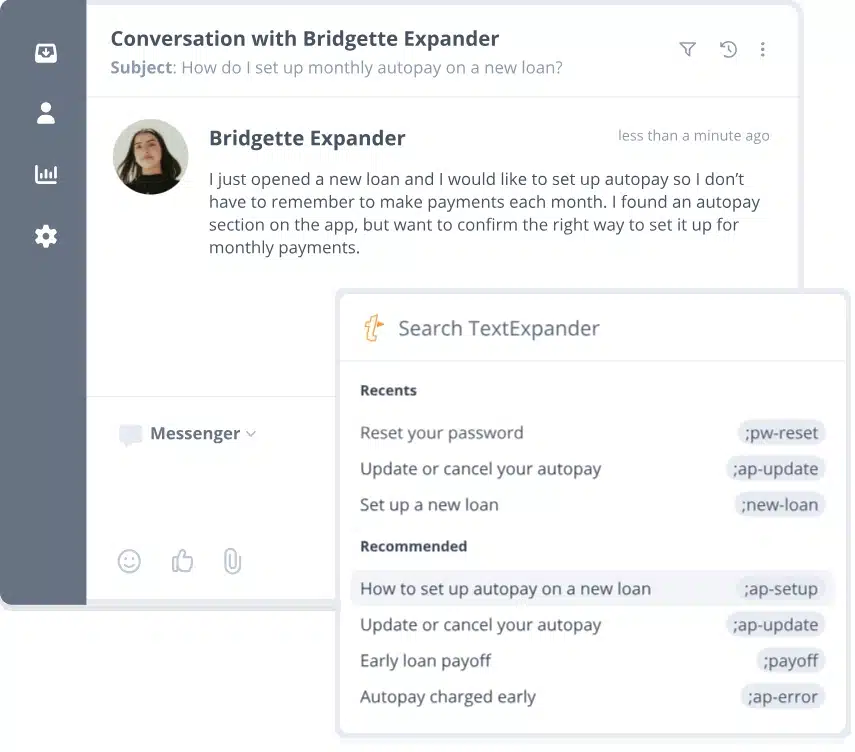
AI Recommendations in the TextExpander Chrome extension surface the most relevant Snippets from your library while you work. Instead of remembering an abbreviation, you see likely matches as you write a reply in a browser-based tool.
Your content, your library
TextExpander describes its approach as AI that keeps you in control. Recommendations also draw from Snippets your team has written and approved. That matters for regulated teams, because exact wording can matter as much as speed.
AI in action: connecting your library to AI agents
TextExpander’s plan comparison also lists MCP access for AI agents under its AI features. Therefore, this points toward using a Snippet library as a trusted source of language for AI-assisted workflows. Still, check the current plan details on the TextExpander site to see how this is offered. Meanwhile, teams planning a wider AI rollout can explore broader AI implementation support to decide where tools like this fit.
TextExpander Alternatives: Exploring Top Text Expansion Competitors
When exploring text replacement and snippet tools, it’s natural to compare TextExpander with other options. While each tool has its strengths, TextExpander stands out for combining cross-device Snippets, shared libraries, and enterprise controls.
| Competitor | Their strength | Where TextExpander differentiates |
|---|---|---|
| Text Blaze | A browser-based snippet tool popular with individuals who mainly work inside web apps | Works across desktop apps and browsers on Mac, Windows, Chrome, and mobile with a single account, plus a team library with roles, requests, and activity history |
| PhraseExpress | A long-established phrase manager with a deep set of desktop text expansion features | A more collaboration-focused approach, with shared Snippet groups, Snippet Requests, organization statistics, and SSO options built for teams |
| Keyboard Maestro | A powerful macOS automation tool that handles far more than text, including complex multi-step workflows | Purpose-built for text expansion, so a new user can create Snippets quickly, share them with a team, and use them on Windows, Chrome, and mobile as well as Mac |
| Alfred | A macOS launcher with snippets as one feature among search, workflows, and shortcuts | Focused on writing and communication, with fill-ins, a shared library, and team administration that a launcher’s snippet feature doesn’t aim to provide |
Is TextExpander Worth It? A Complete Look at Its Value for Teams and Individuals
Where TextExpander fits best
TextExpander’s text expansion platform is worth considering for anyone who types the same content repeatedly. It makes that typing faster, more accurate, and more consistent. It combines Snippets, fill-ins, a shared library, usage statistics, and AI Recommendations in one product. Also, it works across the devices and apps people already use.
Pricing and long-term value
TextExpander offers an accessible starting point with a Free plan that requires no credit card, while Pro costs $5 per user per month and Business costs $10 per user per month with annual billing. Teams can start small and upgrade as their needs grow, while outsourced CMO services can help align messaging and processes across a growing company. With several 2025 G2 recognitions, a directory listing over one million integrations, and feedback from support, recruiting, healthcare, and engineering professionals, TextExpander is worth considering for teams that want to standardize communication and reduce repetitive typing.
Key Takeaways
- Free forever to start: The Free plan includes unlimited total Snippets and 5 active Snippets with no credit card
- Affordable per-user pricing: Pro is $5 and Business is $10 per user per month on annual billing
- Built for consistency: Shared libraries, Snippet Requests, roles, and activity history keep team messaging accurate
- Works everywhere you type: One account covers Mac, Windows, Chrome, iPhone, and iPad
Frequently Asked Questions
1. What is TextExpander best used for?
TextExpander is a text replacement and snippet app. It lets individuals and teams save their most-typed content, then insert it anywhere with a short abbreviation or quick search.
2. Is TextExpander free?
Yes, the TextExpander Free plan is free forever with no credit card required. It includes unlimited total Snippets and 5 active Snippets. It also includes one Snippet swap every 2 weeks. Finally, you can share with up to 5 team members across 3 teams.
3. How much does TextExpander cost?
Pro is $5 per user per month and Business is $10 per user per month. Both are billed annually at $60 and $120 per user. Monthly billing is also available, and annual billing gives two months free. However, Enterprise pricing is custom.
4. What happens when the 30-day preview ends?
Your account then moves to the Free plan automatically. All Snippets are kept, with 5 staying active. Later, you can upgrade any time to make all of them active again.
5. What is a Snippet swap?
On the Free plan, 5 Snippets can be active at once. Every 2 weeks, you can swap one of them for a different Snippet. Paid plans have no active-Snippet limit, so swaps don’t apply.
6. Do I need Business, or is Pro enough for my team?
Pro gives up to 5 users unlimited Snippets, unlimited teams, and dynamic content like date math and JavaScript. Business, however, removes the 5-user limit and adds Snippet Requests, guest sharing, Google SSO, and a longer Snippet activity history.
7. Does TextExpander work on Mac, Windows, Chrome, and mobile?
Yes, one account works across Mac, Windows, iPhone and iPad, and the Chrome extension. Snippets also sync everywhere on every plan, including Free.
8. Can I share Snippets with my team?
Yes, Snippets can be shared through groups and teams. For example, Free supports up to 5 team members across 3 teams. Pro supports unlimited teams for up to 5 users, while Business supports unlimited team members.
9. Is TextExpander secure enough for regulated industries?
TextExpander states that it is built for enterprise teams with SOC 2, SOC 3, and HIPAA compliance. Enterprise plans also add SSO for all providers with SCIM, a custom security review, and customized reporting.
10. Does TextExpander include AI features?
Yes, AI Recommended Snippets in Chrome surface the most relevant Snippets from your library while you work. The plan comparison also lists MCP access for AI agents.
Ready to Stop Typing the Same Thing Over and Over?
Explore how TextExpander can help you and your team type less, reply faster, and keep every message consistent. You can start free, because no credit card is required.
(877) 522-7738
Blogs
Enterprise SEO: How Large Websites Can Scale Rankings Effectively
Large websites don’t win by fixing pages one at a time. Learn how enterprise SEO scales rankings through crawl control, template fixes, safe content scaling and AI search readiness.
How to Customize Sales Popups on Shopify to Match Your Brand
Learn how to customize sales popups on Shopify to match your brand, from colors, fonts, and position to message text, timing, and mobile testing.
How Shopify Sales Notifications Help Build Social Proof and Increase Sales
Learn how Shopify sales notifications build social proof, reduce shopper hesitation, and support sales, plus best practices and how to add them to your store.
Franchise SEO Challenges and How Multi-Location Brands Can Overcome Them
Franchise SEO is mostly a coordination problem. See the 10 challenges multi-location brands face, from duplicate location pages and listing drift to profile ownership and AI search, and how to fix each one at scale.
Google Ads Benchmarks 2026: What the Numbers Actually Mean for Your Account
Google Ads Search averages for 2026 are a 6.64% CTR, $5.42 CPC, 8.18% conversion rate and $66.69 cost per lead. Learn how to find your break-even CPL and which metric is holding your account back.
Best Shopify Sales Popup Apps to Boost Customer Trust and Conversions
Compare seven Shopify sales popup apps on features, customization, pricing, and ease of use, and learn how to pick one that builds trust without guesswork.
Franchise vs Enterprise Digital Marketing: Key Differences & Best Practices
Franchise and enterprise marketing both manage many locations under one brand, but they run on different rules. See who controls the budget, brand and data in each model, and the best practices that work for both.
How to Add a Shopify Sales Popup: Step-by-Step Guide
Learn how to add a Shopify sales popup in seven steps. Pick an app, set display rules, test on mobile, and track whether it works, with no coding needed.
Google Partner Rewards Store Not Working? We Hit a Redirect Loop, and Here’s What to Do
Stuck in a Google Partner Rewards Store redirect loop? Discover the exact causes behind the login bug and practical troubleshooting steps to redeem your partner points.
GloriaFood Is Shutting Down: Your 7-Step Plan and a Replacement to Try
With Oracle discontinuing GloriaFood, restaurants must plan ahead: explore a 7-step migration blueprint, data export tips, and top online ordering replacements.
Best Shopify Image Optimization Apps: How to Choose the Right Tool for Your Store
Learn what to look for in a Shopify image optimization app, the main types of tools, how to compare apps fairly, and the mistakes to avoid when choosing the right one.
Shopify Image Optimization Checklist: What to Do Before and After Uploading Product Photos
Use this Shopify image optimization checklist to prepare product photos before you upload, finish the job after, avoid common mistakes, and handle large catalogs in bulk.
Beehiiv Newsletter Platform: Pricing, Features, and Monetization Tools
Explore the beehiiv newsletter platform to streamline your communication and engage with your audience effectively.
Shopify Core Web Vitals and Images: How to Find and Fix Image-Related Speed Issues
Learn how images affect Shopify Core Web Vitals, how to find image-related speed issues, the most common mistakes, and how to fix them, including for large product catalogs.
Shopify Fake Cart Bot Attack: What Stopped 500+ Fake Carts an Hour (and a Script We Can’t Rule Out)
A client’s Shopify store was hit with 500+ fake carts an hour, and captchas, rate limits and bot apps didn’t stop it. Here’s why the traffic bypassed our security, the one fix that worked, and a third-party script lead we’re still tracing.
Getting information about your case and your options is your FIRST move. Get a FREE case evaluation now…
Find Yourself a Marketing Expert Near You!
(877) 522-7738