
TrafficGuard | The All-in-One Shield Against Click Fraud & Wasted Ad Spend
TrafficGuard is a comprehensive ad fraud prevention and traffic verification platform designed to protect digital advertising spend and improve campaign performance. It helps businesses eliminate invalid traffic, prevent click fraud, and ensure that every marketing dollar reaches real users who can convert. By combining real-time detection, automated blocking, and detailed analytics into one system, TrafficGuard gives advertisers the clarity and control they need to optimize campaigns with confidence. Serving industries such as e-commerce, fintech, gaming, travel, and marketing agencies, TrafficGuard offers a reliable, accessible solution without the complexity of enterprise security tools. Its streamlined setup, transparent reporting, and powerful integrations make it especially valuable for marketing teams, paid media specialists, app growth managers, and performance-driven businesses that rely on accurate data to scale results effectively.

Table of Contents
- What Is TrafficGuard and What Does It Do
- How TrafficGuard Helps Your Business: Turning Wasted Ad Spend into Scalable Growth
- TrafficGuard Features: The Smart Tech Behind Fraud-Free Advertising
- How to Use TrafficGuard: From Setup to Fraud-Free Campaigns in Minutes
- TrafficGuard Pricing: What It Costs and What It Saves You
- TrafficGuard for Google Search: Real-Time Click Fraud Defense
- TrafficGuard for Mobile UA: Instant Protection Against Fake Installs
- TrafficGuard for Performance Max: Unified IVT Shield for Every Channel
- TrafficGuard for Social Ads: Clean, Verified Engagement on Meta
- TrafficGuard Alternatives: How It Stacks Up Against Other Ad-Fraud Solutions
- TrafficGuard: Is It Worth It? The Final Verdict for Modern Advertisers
- FAQs: TrafficGuard Explained
What Is TrafficGuard and What Does It Do
TrafficGuard is a digital advertising protection platform that helps businesses safeguard their campaigns, recover wasted ad spend, and grow with clean and reliable traffic data. It is widely used by marketers, agencies, and app developers who want a simple, effective way to block invalid traffic and improve the performance of their ads without complicated setups.
Here is what TrafficGuard does:
- Prevents Click Fraud and Invalid Traffic: TrafficGuard detects fake clicks, bots, click farms, and competitor sabotage across your advertising channels and blocks them in real time.
- Improves Campaign Performance: By removing invalid traffic, your campaigns receive high quality users that convert more and improve your return on ad spend.
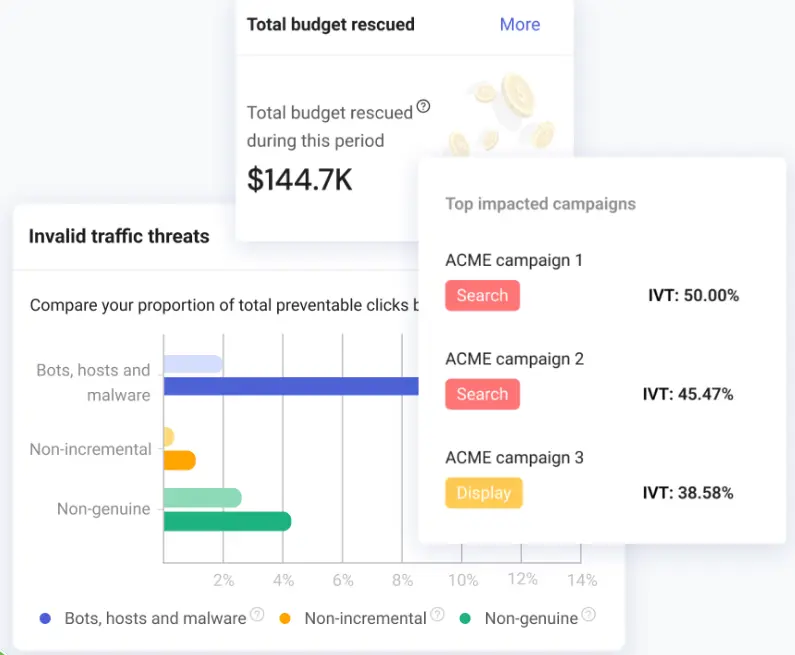
- Provides Real Time Monitoring: Live dashboards reveal where invalid traffic is coming from, which campaigns are affected, and how much budget is being saved.
- Protects Paid Search: Google Ads campaigns receive automatic click fraud protection to prevent budget drains and improve cost efficiency.
- Secures App Install Campaigns: TrafficGuard verifies app installs, blocks fraudulent attributions, and protects mobile user acquisition efforts.
- Strengthens Affiliate Programs: The system monitors partner traffic for fraud signals like spoofing and manipulation to ensure affiliates only get paid for real conversions.
- Integrates Across Platforms: TrafficGuard connects with Google Ads, Meta, programmatic platforms, app attribution tools, and analytics systems for seamless protection.
In short, TrafficGuard gives advertisers a full suite of tools to identify, block, and prevent fraud while improving the accuracy of marketing data and reducing wasted spend so they can focus on growth.
How TrafficGuard Helps Your Business: Turning Wasted Ad Spend into Scalable Growth
Whether you are a small business running search ads, a scaling app focused on user acquisition, or an agency managing performance for multiple clients, TrafficGuard is designed to support growth at any stage. Its combination of automated fraud prevention, real time insights, and clear reporting allows you to focus on optimizing your campaigns instead of fighting invalid traffic.
Here is how TrafficGuard delivers value across different business sizes and roles:
-
TrafficGuard for Small Businesses & Local Businesses: Protect Ad Spend Without Complexity. Small teams and local businesses get easy-to-use protection for Google Ads, Meta, and other channels. It automatically blocks fake clicks and invalid traffic, helping emerging businesses keep budgets safe and drive real leads.
-
TrafficGuard for Growing Marketing Teams & Agencies: Scale Campaigns With Confidence. As budgets expand, marketing teams and agencies managing multiple clients benefit from deeper analytics, traffic validation, and multi-channel monitoring. This helps optimize spend, increase ROAS, and reduce wasted impressions for faster, scalable growth.
-
TrafficGuard for App Developers, Info Products, & Shopify Stores: Stop Fraud Before It Drains Campaigns. Mobile user acquisition teams, online product businesses, and e-commerce stores benefit from install verification, anti-spoofing protection, and accurate attribution data that eliminate fraudulent installs and improve user quality.
-
TrafficGuard for Paid Media Managers & Consultants: Optimize With Clean Data. Marketing managers, freelance consultants, and advisors receive reliable traffic insights and precise invalid traffic reporting that help them understand which channels perform best and how to allocate budgets for maximum efficiency.
-
TrafficGuard for Affiliate Program Managers & Coaches: Ensure Real Conversions Only. TrafficGuard validates every affiliate action or coaching program signup to detect suspicious sources and fraudulent attribution practices, protecting payouts and maintaining integrity in partner programs.
-
TrafficGuard for Professional Services (Dentists, Attorneys, Contractors, Rehab Centers, and Advisors): Protect campaigns targeting clients, patients, or service inquiries. TrafficGuard ensures marketing dollars reach real prospects, improving lead quality and ROI while minimizing wasted spend.
-
TrafficGuard for Specialized Industries (Real Estate, Insurance, Trading, Education, Gym & Healthcare, Musicians, Photographers, and Website Owners): Run campaigns with confidence in niche or highly competitive markets. TrafficGuard verifies traffic quality, blocks fraudulent clicks, and ensures that every ad dollar contributes to real growth and engagement.
TrafficGuard Features: The Smart Tech Behind Fraud-Free Advertising
TrafficGuard offers a complete suite of protection and analytics features designed to eliminate invalid traffic and improve advertising performance.
These features include:
- Real Time Fraud Detection: Identifies suspicious clicks, bots, and invalid traffic signals immediately so campaigns stay protected at all times.
- Automated Blocking: Stops fraudulent interactions before they reach your campaigns, saving budget and improving data accuracy.
- Channel Wide Protection: Covers search ads, social campaigns, display ads, mobile user acquisition, and affiliate traffic in one platform.
- Transparent Reporting: Provides detailed insights into fraud patterns, traffic quality, and budget savings so marketers can make informed decisions.
- Attribution Verification: Confirms the legitimacy of app installs, conversions, and partner driven actions to prevent misattribution.
- Custom Rules and Controls: Allows teams to tailor blocking criteria to match their traffic behavior and risk tolerance.
- Easy Platform Integrations: Connects seamlessly with Google Ads, Meta, MMPs, analytics tools, and affiliate systems for unified protection.
These features empower advertisers to reduce waste, improve campaign performance, and maintain full visibility over the quality of their traffic.
How to Use TrafficGuard: From Setup to Fraud-Free Campaigns in Minutes
Using TrafficGuard is simple and intuitive, allowing advertisers to quickly set up protection and monitor campaign performance.
Here is a step by step overview:
- Create an Account: Sign up for TrafficGuard and choose the product that matches your advertising channels.
- Connect Your Marketing Platforms: Integrate Google Ads, Meta, or mobile attribution tools to begin monitoring traffic.
- Enable Protection: Activate real time fraud detection and automated blocking for your campaigns.
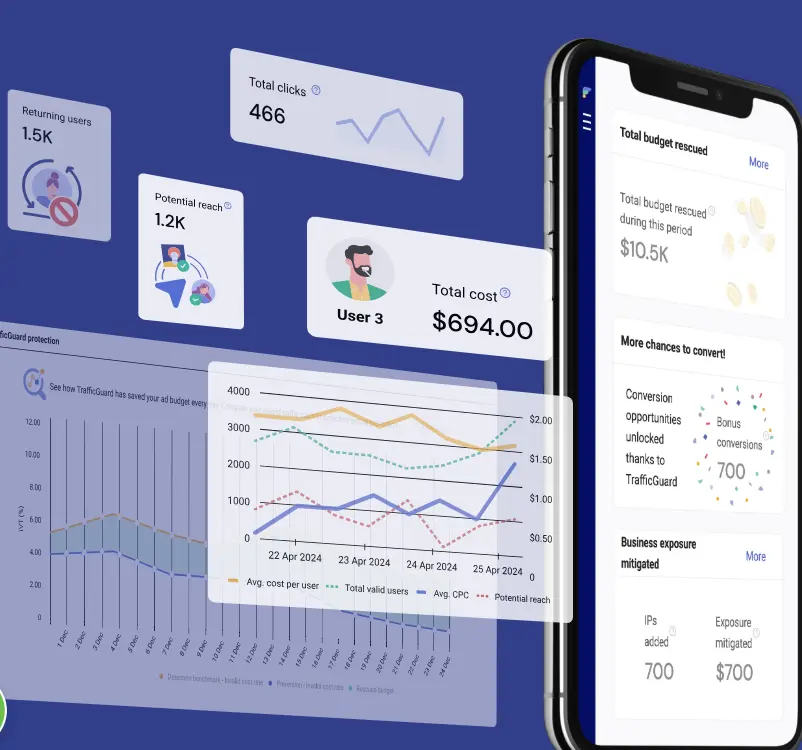
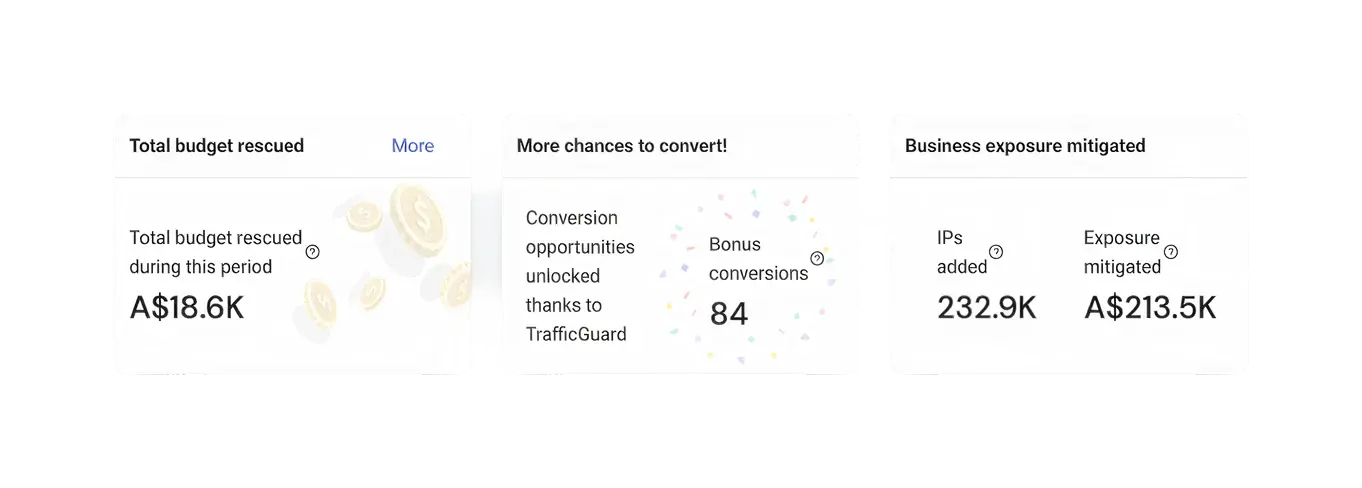
- Review Traffic Quality Reports: Use dashboards to see where invalid traffic is coming from and how much budget is being saved.
- Adjust Custom Rules: Set traffic thresholds, targeting preferences, and risk settings to match your goals.
- Monitor and Optimize: With clean traffic, use the insights to refine keyword strategies, audience targeting, and budget allocation.
- Track Savings and Performance Improvement: Compare pre and post protection metrics to measure ROI and overall campaign impact.
By following these steps, TrafficGuard helps advertisers maintain clean data, protect their budgets, and improve long term campaign results.
TrafficGuard Pricing: What It Costs and What It Saves You
TrafficGuard flexible pricing for both enterprise advertisers and smaller teams. Below is a simplified overview of all available plans.
Enterprise Plans
Google Search Enterprise Plan
From 2 percent of your Google Ad Spend
This plan includes unlimited ad spend, domains, clicks, users, and ad accounts. It provides an Enterprise dashboard, IP range exclusion capacity, CPC optimiser, PMAX protection, real time analytics, automated fraud prevention, and dedicated support.
Social Enterprise Plan
From 2 percent of your Social Ad Spend
Designed for advertisers running multiple accounts, this plan supports up to 25 ad accounts per portfolio. It includes an Enterprise dashboard, automatic audience exclusions, browser level click validation, automated fraud protection, and dedicated support.
Affiliate Enterprise Plan
Starting at 1500 USD per month
Includes conversion monitoring starting from 10000 conversions per month, customised AMP integration, instream prevention, user journey analysis, custom validation rules, misattribution prevention, real time analytics, automated fraud protection, and dedicated support.
Mobile Enterprise Plan
Starting at 2500 USD per month
Covers impressions, clicks, installs, and events starting from 50 million units. It includes customised MMP integration, impression and click protection, event verification, partner access, unlimited partner integrations, misattribution prevention, real time analytics, automated fraud protection, and dedicated support.
Plans for Smaller Teams
Google Search Detection Plan
Free
Includes real time analytics, unlimited clicks, up to 10 users, one ad account, one domain, and up to 2500 USD in monthly ad spend. Automated fraud prevention and chat support are included. Enterprise features are not activated on this plan.
Google Search Protection Plan
2 percent of your Google Ad Spend
Offers full protection with real time analytics, unlimited clicks, up to 10 users, one ad account, unlimited ad spend, and five domains. Includes automated fraud prevention, chat support, an Enterprise dashboard, IP range exclusion, CPC optimiser, and PMAX protection.
TrafficGuard for Google Search: Real-Time Click Fraud Defense
Why Click Fraud Defense Matters for Google Ads
TrafficGuard Google Search campaigns protection is done by detecting and preventing invalid clicks that waste your advertising budget. By automatically filtering out bots, competitors, and fraudulent traffic, TrafficGuard ensures every click comes from a genuine potential customer. The result is improved ROI, cleaner data for campaign optimization, and more effective budget allocation.
Supported Tools & Integrations: Optimizing Every Campaign
TrafficGuard integrates seamlessly with Google Ads and associated tracking platforms, providing automated click monitoring, fraud alerts, and real-time blocking. Marketers gain precise insights into which campaigns are under attack, enabling quick corrective action and sustained campaign performance.
Real-Time Analytics & Reporting: Data You Can Trust
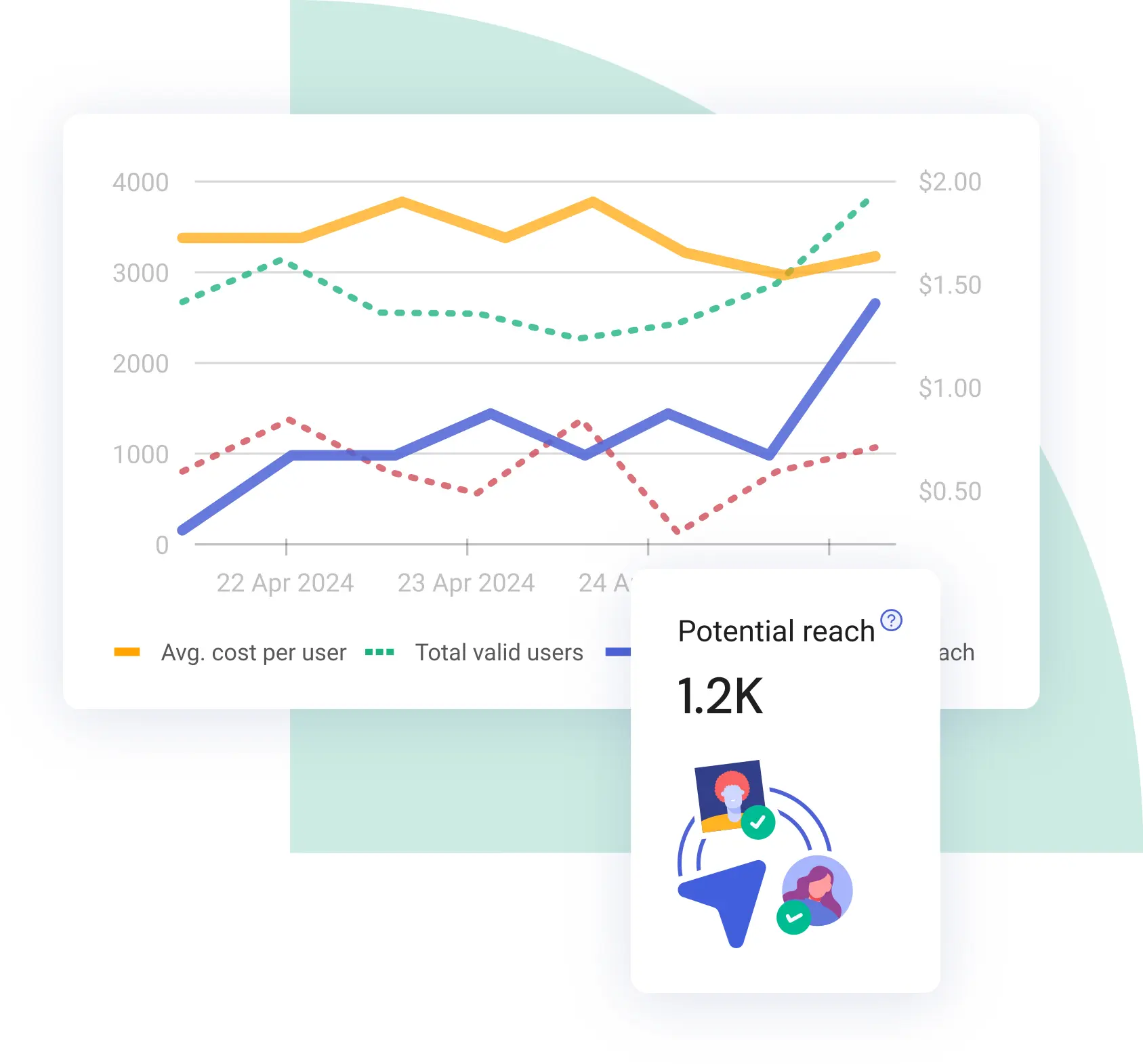
All click activity is tracked in real time, with analytics dashboards showing traffic quality, blocked fraud, and cost savings. Campaigns benefit from accurate data that allows smarter bid strategies and better performance optimization without wasted spend.
Google Search in Action: From SMBs to Enterprise
Whether it’s a small local business running search ads or a global enterprise managing multiple accounts, TrafficGuard ensures every click is verified, every ad dollar is protected, and campaigns deliver measurable results.
TrafficGuard for Mobile UA: Instant Protection Against Fake Installs
Why Mobile Fraud Protection Matters for App Growth
Fake installs and misattributed conversions can inflate costs and degrade campaign performance. TrafficGuard protects mobile UA campaigns by verifying installs, detecting fraudulent activity, and ensuring that every user is genuine. The result is lower cost per acquisition and higher quality user growth.
Supported Platforms & Integrations: Safeguarding UA Campaigns
TrafficGuard works with leading mobile measurement partners (MMPs) and attribution tools to provide install validation, event-level verification, and real-time fraud prevention. This allows app marketers to maintain clean and trustworthy data across all campaigns.
Real-Time Analytics & Insights: Know What’s Real
TrafficGuard dashboards offer live monitoring of installs, clicks, and events, highlighting suspicious behavior and providing actionable insights. App marketers can optimize campaigns with confidence, knowing data reflects genuine engagement.
Mobile UA in Action: Scaling Apps Safely
From indie apps launching small campaigns to large-scale app growth teams running millions of installs, TrafficGuard protects budgets and improves marketing efficiency, ensuring growth is driven by real users.
TrafficGuard for Performance Max: Unified IVT Shield for Every Channel
Why IVT Protection Matters for PMax Campaigns
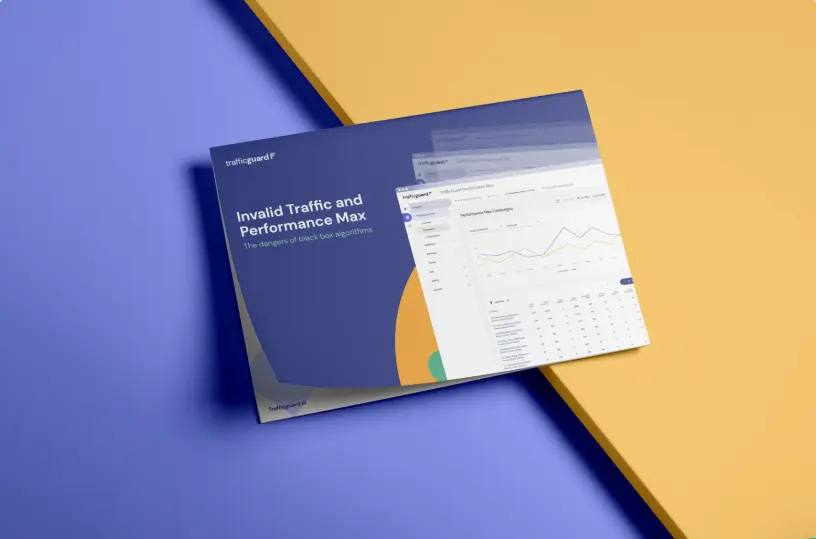
Performance Max campaigns often span multiple channels, making invalid traffic hard to detect. TrafficGuard unified invalid traffic protection feature provides protection across all PMax placements, ensuring campaigns reach real audiences and conversion data is accurate.
Cross-Channel Coverage: Protect Every Placement
TrafficGuard monitors clicks, conversions, and impressions across search, display, YouTube, and discovery campaigns. It provides automated blocking and traffic validation, allowing marketers to maintain control over performance even in complex, multi-channel campaigns.
Analytics & Insights: Full Visibility Across Channels
Real-time dashboards report invalid traffic metrics, campaign performance impact, and fraud prevention outcomes. Marketers can identify underperforming segments caused by bots and adjust budgets accordingly.
Performance Max in Action: From Single Brands to Large Portfolios
Businesses of all sizes benefit from cleaner, verified traffic across every channel, ensuring PMax campaigns reach real users, maximize conversions, and deliver accurate reporting for better decision-making.
TrafficGuard for Social Ads: Clean, Verified Engagement on Meta
Why Social Ad Fraud Matters
Fraudulent clicks, fake engagements, and bot activity can compromise Facebook and Instagram campaigns, wasting ad spend and misleading performance metrics. TrafficGuard ensures every social interaction is genuine, so advertisers pay only for real engagement.
Supported Platforms & Integrations: Protecting Meta Campaigns
TrafficGuard integrates with Meta Ads Manager to monitor campaigns in real time, providing robust Meta ad fraud protection. This allows marketers to maintain trust in their campaign data and confidently optimize social advertising efforts.
Real-Time Analytics & Reporting: Campaign Performance You Can Trust
TrafficGuard provides dashboards showing blocked fraud, engagement quality, and ROI impact. This allows marketers to quickly identify trends, adjust strategies, and improve overall campaign efficiency.
Social Ads in Action: Small Businesses to Global Brands
From local businesses running a single ad set to international brands managing multiple campaigns, TrafficGuard ensures social campaigns are fraud-free, engagement is authentic, and advertising budgets are used effectively.
TrafficGuard Alternatives: How It Stacks Up Against Other Ad-Fraud Solutions
When exploring ad fraud prevention and traffic verification platforms, it’s natural to compare TrafficGuard with other popular solutions. While each tool has its strengths, TrafficGuard stands out for its real-time fraud detection, automated blocking, and cross-channel protection. Here’s how TrafficGuard stacks up against the competition and why it might be the better choice for your business.
- TrafficGuard vs Cheq: Cheq focuses on preventing bot traffic, invalid clicks, and brand safety issues. It’s praised for its AI-driven fraud detection and large-scale media coverage protection. Many users select Cheq for enterprise-level ad campaigns with high impressions and complex programmatic setups.
- TrafficGuard vs ClickCease: ClickCease specializes in protecting Google Ads and Microsoft Ads campaigns from click fraud. It’s appreciated for its simple setup, user-friendly dashboard, and competitive pricing, making it suitable for small to mid-size businesses running search campaigns.
- TrafficGuard vs Fraudlogix: Fraudlogix delivers comprehensive bot and traffic validation, including programmatic, mobile, and social channels. Enterprises choose Fraudlogix for deep analytics, real-time reporting, and integration with high-volume advertising networks.
- TrafficGuard vs Forensiq: Forensiq is an automated fraud prevention solution for mobile, social, and web campaigns. It’s valued for its robust detection rules, real-time blocking, and post-bid verification, particularly for advertisers managing multiple networks or affiliates.
- TrafficGuard vs PPC Protect: PPC Protect specializes in real-time click fraud prevention for PPC campaigns. It is known for its automated traffic filtering and easy-to-use dashboards, helping advertisers protect ad spend efficiently.
- TrafficGuard vs Clixtell: Clixtell focuses on monitoring and preventing fraudulent clicks across Google Ads and other platforms, offering detailed analytics and alerts for suspicious traffic.
- TrafficGuard vs ClickGuard: ClickGuard provides click fraud detection and prevention for paid search campaigns, emphasizing automation, real-time alerts, and actionable reporting to save advertisers money.
TrafficGuard: Is It Worth It? The Final Verdict for Modern Advertisers
TrafficGuard is certainly worth considering for businesses looking to protect their advertising spend and optimize campaign performance. It offers a comprehensive range of features including real-time click fraud detection, cross-channel invalid traffic protection, automated blocking, and detailed analytics, all designed to ensure that marketing budgets are spent efficiently. Its intuitive dashboards and reporting tools allow marketers to identify fraud patterns, optimize campaigns, and focus on genuine conversions. TrafficGuard’s ad fraud protection solutions cater to a variety of business sizes, from small advertisers running Google Search campaigns to large agencies managing multi-channel campaigns. By providing accurate, fraud-free data and easy platform integrations, TrafficGuard helps businesses make informed marketing decisions and maximize ROI. Overall, its functionality, versatility, and competitive approach make TrafficGuard a strong choice for advertisers seeking reliable ad fraud protection.
FAQs: TrafficGuard Explained
1. What is TrafficGuard best used for?
TrafficGuard is an all-in-one ad fraud prevention and traffic verification platform. It helps businesses of all sizes protect their digital advertising spend, eliminate invalid traffic, and optimize campaign performance across Google Search, Social, Mobile User Acquisition, Performance Max, and affiliate channels.
2. Does TrafficGuard offer a free trial?
Yes, TrafficGuard free Detection Plan for Google Search. This plan allows small teams to monitor clicks, track ad spend up to $2,500/month, and test the platform without providing a credit card.
3. How much does TrafficGuard cost?
Pricing varies by plan and channel:
- Google Search Enterprise: From 2% of your ad spend
- Social Enterprise: From 2% of your social ad spend
- Affiliate Plan: Starting at $1,500/month
- Mobile Plan: Starting at $2,500/month
- Smaller Teams / Detection Plan: Free for limited users and ad spend
4. Can I switch plans later?
Yes, you can upgrade or downgrade your plan at any time. Your settings and data remain intact when switching plans.
5. Does TrafficGuard integrate with my existing ad platforms?
Yes, TrafficGuard works seamlessly with:
- Google Ads
- Meta Ads (Facebook & Instagram)
- Mobile measurement partners (MMPs)
- Affiliate networks and programmatic platforms
These integrations allow real-time traffic monitoring and fraud prevention across multiple channels.
6. Is TrafficGuard suitable for small businesses or startups?
Absolutely. The Detection Plan and entry-level Google Search Protection Plan are ideal for small teams or startups wanting to test the platform, prevent click fraud, and protect ad spend without complex setups.
7. How does TrafficGuard protect my campaigns?
TrafficGuard provides:
- Real-time fraud detection and automated blocking
- Invalid traffic (IVT) prevention across search, social, mobile, and PMax campaigns
- Click and install verification for mobile campaigns
- Affiliate and partner traffic validation
8. Does TrafficGuard require long-term contracts?
No, plans are flexible. You can choose monthly billing or enterprise-level custom contracts depending on your needs.
9. How secure is my data with TrafficGuard?
TrafficGuard ensures your data is safe using:
- Encryption protocols
- Regular backups
- Strict privacy and security standards
10. Does TrafficGuard support niche industries like CBD, cannabis, or farming?
Yes. TrafficGuard is designed to protect ad campaigns across a wide range of industries, including specialized niches such as:
-
CBD & Cannabis: Prevent click fraud and ensure your ad spend reaches real users in highly regulated markets.
-
Hemp & Honey Farms: Verify traffic quality for e-commerce, local sales, or product awareness campaigns.
-
Farmers & Agricultural Businesses: Protect online ads targeting buyers, suppliers, or service clients from invalid clicks.
This ensures that even highly specialized businesses can run campaigns confidently, with real traffic and accurate performance data.
Ready to protect your ad spend and maximize campaign performance? Try TrafficGuard today and ensure every click, install, and conversion counts, giving your marketing the clean data it needs to grow efficiently.
Disclosure: We are independent Affiliates, not employees. We receive referral payments from this company. The opinions expressed here are our own and are not official statements of the company.
(877) 522-7738
Blogs
How Enterprise Brands Manage Social Media at Scale
At enterprise scale, social media is an operations problem. Learn how large brands choose an operating model, secure accounts, match approvals to risk, scale customer care and measure results across every team.
Agency Referral Program: How to Earn Recurring Commission for Referring Clients to a Marketing Agency
An agency referral program pays you when a business you introduce becomes a client. See how these programs work, what fair recurring commission looks like, who earns the most and what a referral is worth, with real math.
Retiring Your Google LSA Management Retainer: How AI Agents Replace Agencies
For new clients, we’re retiring the monthly Google LSA retainer. A one-time $750 setup builds an AI agent that rates every charged lead, matches spend to capacity and reports weekly.
Franchise Social Media Marketing: How to Stay Consistent Across Locations
Franchise brands don’t need every location to post the same thing. Learn how to keep social media consistent across locations with clear account ownership, simple guidelines, content kits, compliance rules and per-location reporting.
Franchise PPC Marketing: How to Manage Ads Across Multiple Locations
Franchise PPC fails when locations compete with each other and nobody can see results per location. Learn how to set territories, budgets, brand-term rules, automation guardrails and call tracking across every location.
Recent Sales Notifications for Shopify: How to Show Customer Purchase Activity
Learn how to show recent sales notifications on Shopify. See what they are, why they build trust, how to set them up step by step, and best practices.
How to Claim Your Business on ChatGPT: Step-by-Step Guide
Learn how to claim your business on ChatGPT with this step-by-step guide to Business Hub, verification, Shopify setup, Business Agents, and insights.
Enterprise SEO: How Large Websites Can Scale Rankings Effectively
Large websites don’t win by fixing pages one at a time. Learn how enterprise SEO scales rankings through crawl control, template fixes, safe content scaling and AI search readiness.
How to Customize Sales Popups on Shopify to Match Your Brand
Learn how to customize sales popups on Shopify to match your brand, from colors, fonts, and position to message text, timing, and mobile testing.
How Shopify Sales Notifications Help Build Social Proof and Increase Sales
Learn how Shopify sales notifications build social proof, reduce shopper hesitation, and support sales, plus best practices and how to add them to your store.
Franchise SEO Challenges and How Multi-Location Brands Can Overcome Them
Franchise SEO is mostly a coordination problem. See the 10 challenges multi-location brands face, from duplicate location pages and listing drift to profile ownership and AI search, and how to fix each one at scale.
Google Ads Benchmarks 2026: What the Numbers Actually Mean for Your Account
Google Ads Search averages for 2026 are a 6.64% CTR, $5.42 CPC, 8.18% conversion rate and $66.69 cost per lead. Learn how to find your break-even CPL and which metric is holding your account back.
Best Shopify Sales Popup Apps to Boost Customer Trust and Conversions
Compare seven Shopify sales popup apps on features, customization, pricing, and ease of use, and learn how to pick one that builds trust without guesswork.
Franchise vs Enterprise Digital Marketing: Key Differences & Best Practices
Franchise and enterprise marketing both manage many locations under one brand, but they run on different rules. See who controls the budget, brand and data in each model, and the best practices that work for both.
How to Add a Shopify Sales Popup: Step-by-Step Guide
Learn how to add a Shopify sales popup in seven steps. Pick an app, set display rules, test on mobile, and track whether it works, with no coding needed.
Getting information about your case and your options is your FIRST move. Get a FREE case evaluation now…
Find Yourself a Marketing Expert Near You!
(877) 522-7738