
Home Care SEO: How to Get More Clients From Google
TL;DR:
- Who is searching: Most searches for home care are made by adult children and spouses who need help for someone else, often in a hurry.
- What wins: A complete Google Business Profile, one clear page per service and city, steady reviews, and a site that makes calling or booking a visit easy.
- A home care catch: Searches for home care also attract caregivers looking for jobs. In two of our accounts they made up most inquiries, so it helps to filter them out.
- What to avoid: Generic pages, unclear service areas, inconsistent listings, and chasing broad keywords you can’t win.
- No guarantees: Rankings can never be promised, so focus on the basics and measure the results.
Home care SEO, sometimes called SEO for home care agencies, means making your agency easy to find, easy to trust and easy to contact when a family searches for help in your area. In practice that comes down to four things: a strong Google Business Profile, local service pages, genuine reviews, and a website that turns a worried visitor into a phone call.
This guide explains how each piece works, what families actually search for, and the common mistakes to avoid. If you want the wider picture first, it helps to see how home care agencies get clients online, from Google Ads and Facebook ads to the intake process behind them.
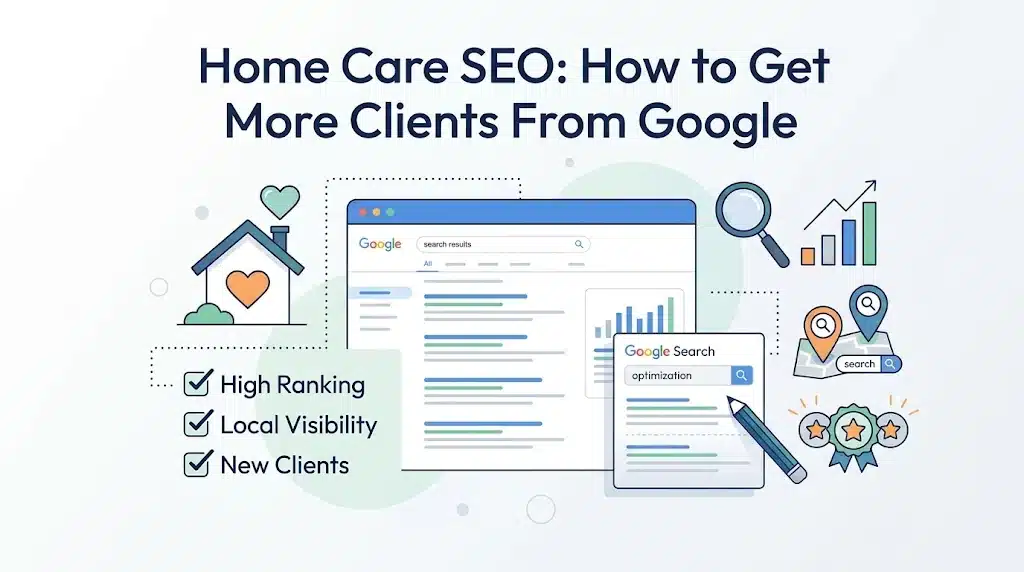
Who Searches for Home Care? The Worried Family Behind the Click
The person typing the search is often not the person who needs care. The 2025 Caregiving in the U.S. report from AARP and the National Alliance for Caregiving found that about 63 million Americans, nearly one in four adults, now act as family caregivers, up 45 percent over the past decade. Many of them are looking for outside help.
The people they are caring for usually want to stay put. In AARP’s 2024 Home and Community Preferences Survey, 75 percent of adults 50 and older said they want to remain in their current homes as they age. Home care is the service that makes that possible, and families look for it online.
This shapes how you should write your website. Your reader is often stressed, short on time, and comparing two or three agencies in one sitting. They want to know quickly: do you serve my area, do you provide the help we need, can I trust you, and how do I reach someone today?
Home Care Keywords: What Families Actually Type Into Google
You don’t need a long keyword list to start. Most useful searches fall into a few groups:
- Service plus place: “home care in [city]”, “in-home senior care near me”, “personal care aide in [county]”.
- Specific needs: “dementia care at home”, “overnight home care”, “respite care for family caregivers”, “post-surgery home care”.
- Questions: “how much does home care cost”, “how to find a caregiver for my mother”, “what is the difference between home care and home health”.
- Comparisons: “home care vs assisted living”, “best home care agency in [city]”.
Pick the specialties you really want more of, such as dementia, hospice support or live-in care, and build pages around them. Narrow, specific pages give families a clearer answer than one broad page.
Google Business Profile for Home Care: Your Fastest Local Win
For local searches, your Google Business Profile is often the first thing a family sees, before they ever reach your website. A complete profile is one of the most useful things you can do, and it is free. Setting this up well is easier with Google Business Profile management behind it.
- Choose accurate categories. Pick the primary category that best matches the service you really provide, and add secondary ones where they fit. Google changes its category list, so check what is currently available.
- Set your service area honestly. List the cities and counties you actually serve. Use your real business address rules, and don’t list places you can’t staff.
- Write a clear description. Say what you offer, who you serve and what makes your care different, in plain words.
- List your services. Add personal care, companionship, dementia care, respite care and any other services you provide.
- Keep hours and phone numbers current. If you take calls after hours, say so.
- Post and add photos. Use real photos of your team and office where appropriate, and avoid anything that shows a client’s identity without written permission.
Service and City Pages That Help Home Care Agencies Rank
A simple structure is to give each important service and each important city its own page.
Service Pages: One Page for Every Type of Care
Create one page for each major service, for example personal care, dementia care, respite care and overnight care. Each page should explain who it helps, what a typical visit includes, how it is arranged, how families can pay, and how to get started.
City Pages: Show Families You Serve Their Town
If you serve several towns, a page for each one helps families see that you work in their community. Make each page genuinely useful: the neighborhoods you serve, local details, and the services you offer there. Pages that only swap the city name add little value.
Cost and “How to Choose” Pages: Answer Questions Before They Call
Families research cost and quality before they call. A clear page on how pricing works, what affects it, and how to compare agencies answers questions families are already asking.
Make sure your business name, address and phone number are the same on your site and on every directory. Fixing inconsistent listings is a core part of local SEO for home care agencies, and it is a common problem for agencies that have moved or changed numbers.
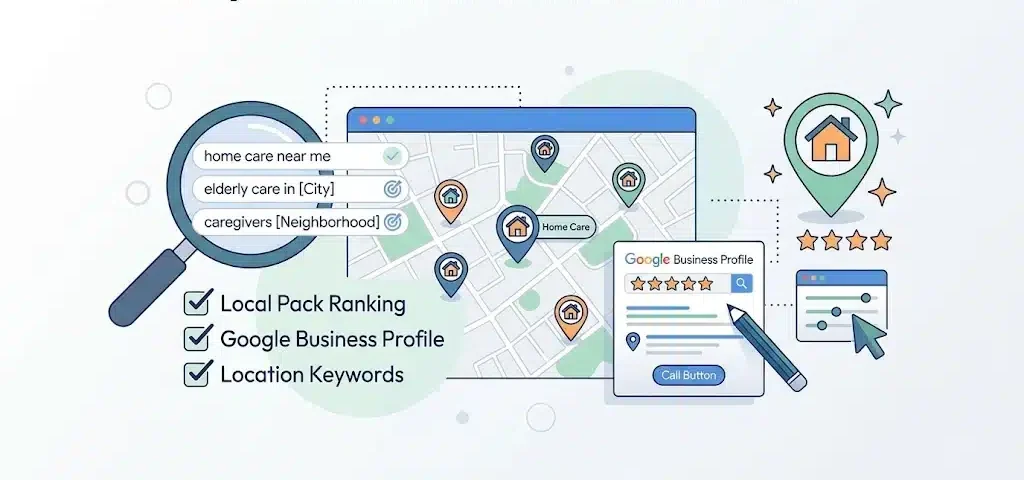
Reviews and Trust: Why Families Choose One Agency Over Another
Choosing a caregiver means letting someone into your home, so trust matters more here than in most industries. Reviews are one part of that trust.
- Ask every happy family. Make it a normal step after a good milestone, such as 30 days of service, and send a direct link to your Google review page.
- Follow Google’s review guidelines. Check them before you start asking for reviews.
- Reply to every review. Thank people, and answer criticism calmly without sharing private client details.
- Show proof on your site. Display your state license or registration if you have one, how you screen and train caregivers, and any real certifications or memberships. Only state what is true and current.
- Manage reviews consistently. If asking for and answering reviews is hard to keep up, online reputation management can take that work off your plate.
Turn Visitors Into Calls: Website Tips for Home Care Agencies
Ranking is only useful if visitors act. Families usually call or ask for a visit, so make that effortless.
- Put a tappable phone number at the top of every page, especially on mobile.
- Keep the contact form short: name, phone, and what kind of help is needed.
- Say what happens next: who will call, and how soon.
- Answer the usual worries on the page: how you match caregivers, backup if a caregiver is sick, and what a free assessment includes.
- Make sure the site loads quickly and reads well on a phone, which good responsive web design makes routine.
- Test small changes to your calls to action over time. That steady testing is the core of conversion rate optimization.
Don’t ask visitors to put sensitive health details into a website form. Collect those during a private conversation.
On-Page SEO for Home Care Websites: 6 Basics to Get Right
Good local SEO also depends on how each page on your site is built. These basics apply to every service and city page:
- Use clear titles and headings. Put the service and the place in the page title and main heading in natural wording, such as “Dementia Care in [City]”.
- Cover one topic per page. Use subheadings that match the questions families ask, such as cost, how to start and what a visit includes.
- Link related pages together. Link city pages to the services offered there, and link cost and “how to choose” pages from your service pages.
- Use real photos with descriptive alt text. Describe what the image shows in plain words, and never identify a client without written permission.
- Add structured data. Local business markup helps search engines read your name, address, phone number, hours and service area. Keep it identical to your Google Business Profile.
- Fix technical problems. Slow pages, broken links and pages that won’t load on a phone hold rankings back. Fixing them is the job of technical SEO, the foundation everything else rests on.
Why Home Care Searches Attract Job Seekers (and How to Filter Them Out)
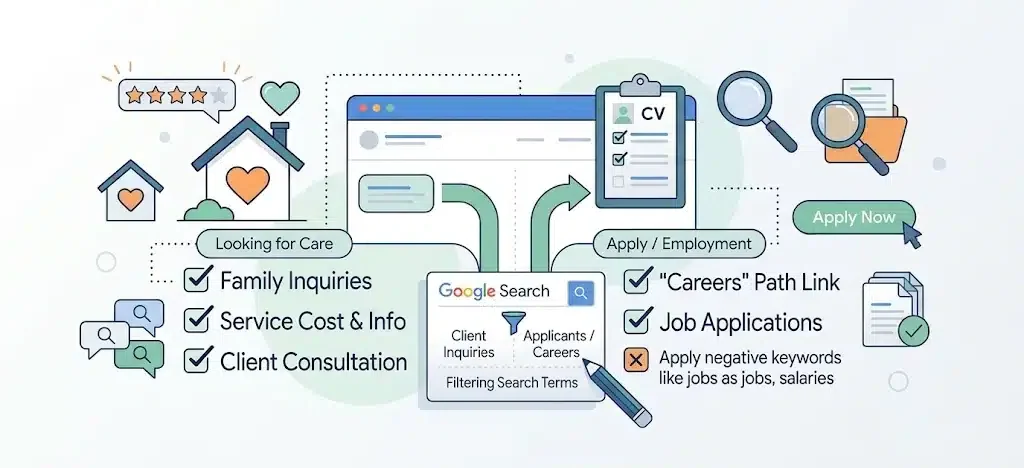
This is the part most home care marketing guides leave out. Many people who search for terms like “home care agency” or “caregiver services” are caregivers looking for work, not families looking for care. If you don’t plan for that, your inquiries can look healthy while few of them become clients.
We saw this in two of our own New York home care accounts, where caregivers made up most of the inquiries. The numbers are in our case studies below, and agency owners describe the same problem in what home care agencies told us about getting clients online.
The lesson is not that lead counts are useless. It is that for home care, the number of inquiries tells you little until you know who is calling. Here is how to deal with it:
- Give job seekers their own path. Put a clear “Careers” link in your main navigation so caregivers can apply without using your client inquiry form or phone line.
- Write for families. Pages that talk about care needs, cost and how to choose an agency attract families. Pages that read like job ads attract applicants.
- Filter paid search. If you run Google Ads, add negative keywords for jobs, hiring, salary, certification and training searches, and review the search terms regularly.
- Classify every call. Mark whether each call was a family, a caregiver or something else, so you measure the cost of a real client inquiry, not just a call.
Home Care Lead Tracking: Measure the Calls That Become Clients
For home care, the lead is often a phone call, so tracking only form fills can hide most of your results. A basic setup gives you a clear picture:
- Use call tracking numbers so you can see which pages, searches and profile clicks produce calls.
- Set up Google Analytics to record form submissions, calls and clicks on your phone number.
- Record the outcome of every inquiry: started service, not a fit, caregiver seeking work, or no answer. When outcomes are not reported back, ad and SEO decisions can only be optimized for inquiries, not for clients you actually signed.
- Review the numbers monthly and put more effort into what produces started clients, not just clicks.
Google Ads for Home Care: Get Calls While SEO Builds
SEO takes time. Google Ads management can put your agency in front of people searching today while your organic rankings build. The two work together: ad data shows which searches lead to real inquiries, and you can use that to decide which pages to build next. It helps to see how home care agencies get clients online, since Google Ads, Facebook ads and a solid intake process all need to fit together.
8 Home Care SEO Mistakes That Cost You Clients
- One page for everything. Separate pages make it easier for families to find the service they need.
- Chasing broad terms. Start with your city, your specialty and your service area.
- Unclear service areas. If families can’t tell whether you serve their town, they move on.
- Inconsistent listings. Different phone numbers or addresses across directories confuse families.
- Ignoring reviews. Unanswered reviews give families less reason to trust you.
- Tracking only forms. Missing phone calls means you can’t tell what is working.
- Counting job seekers as leads. Home care inquiries often include many caregivers looking for work. Separate them or your results will look better than they are.
- Unverified claims. Don’t promise outcomes or use credentials you can’t prove. Check your state’s rules on how home care can be advertised.
Not sure which of these apply to your site? An SEO audit shows what is holding your agency back.
Home Care SEO Checklist: 10 Steps to Get Found Locally
Use this list to see where your agency stands today:
- Claim and verify your Google Business Profile, and fill in every section.
- Choose accurate categories and list the services you really provide.
- Set a service area that matches where you can staff care.
- Build one page for each major service and each main city.
- Keep your name, address and phone number identical everywhere.
- Ask every happy family for a review, and reply to every review.
- Put a tappable phone number and a short contact form on every page.
- Give job seekers a separate Careers path.
- Track calls and record who called and what happened.
- Review results monthly and improve the pages that bring in clients.
Home Care Case Studies: Real Numbers From Real Agencies
Two of our home care accounts show what happens when you measure real inquiries, not just clicks. We publish only the figures the clients allowed. You can also see how we work with home care providers.
 Home Care · New York
Anchor Health Homecare: 1,322 leads and 201 clients
Anchor Health Homecare Services is a New York provider of in-home care for homebound and pediatric patients. From January to May 2020, we ran Google Ads, Facebook and Instagram ads and landing pages, and tracked every form and call through intake. On $21,733 in spend, that worked out to about $16.44 per lead and about $108 per client.
 Home Health · Google Ads
Ideal Home Health: one year of Google Ads
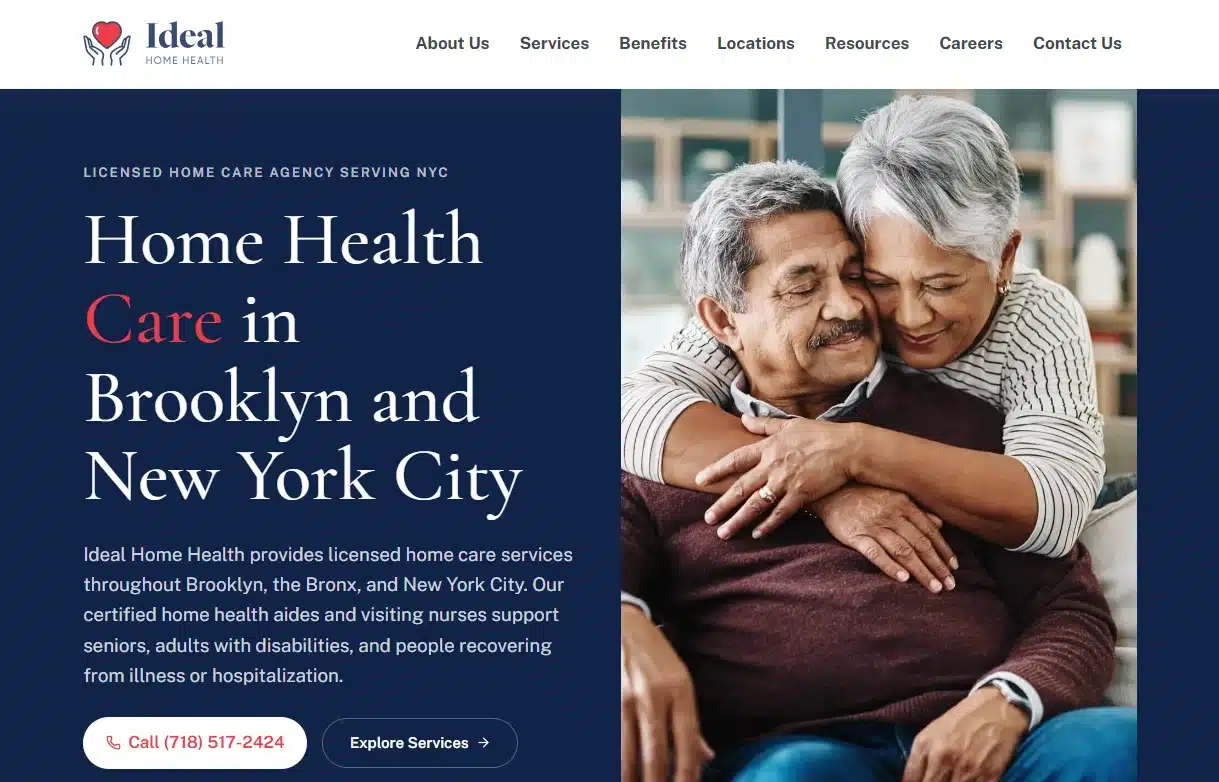
Over a year on a $1,500 monthly budget, Google Ads produced about 400 leads at roughly $45 each. The client reported that about 80% were caregivers, a ratio of about 4 to 1. We added negative keywords for job, salary and training searches and limited targeting to areas the agency could staff.
Frequently Asked Questions
1. What is home care SEO, and does it work for agencies?
Home care SEO is the work of making your agency easy to find in search, especially local search. Families search for care in their own area, which suits local SEO. A complete Google Business Profile, local service pages, reviews and a site that makes contact easy are the basics. No agency can guarantee rankings.
2. How long does home care SEO take?
There is no fixed timeline. It depends on your market, your competition and the state of your current profile and website. Google Ads can run alongside SEO if you want inquiries while it builds.
3. What keywords should a home care agency target?
Start with your service plus your city, such as “home care in [city]”, then add your specialties, like dementia or respite care, and common questions about cost and choosing an agency.
4. How important are reviews for home care?
Families are choosing someone to enter their home, so reviews are an important trust signal. Ask your clients for reviews, reply to every review, and follow Google’s review guidelines.
5. Should I create a page for every city I serve?
Create pages for the main areas where you really provide care, and make each one genuinely useful rather than a copy with a new city name. Pages that repeat the same text add little value.
6. Why do so many of my inquiries come from caregivers looking for work?
Broad home care searches attract job seekers as well as families. In two of our New York home care accounts, caregivers made up most of the inquiries. Give them a Careers page, write your main pages for families, add negative keywords if you run ads, and classify every call so you know the real cost of a client inquiry.
7. Do I need Google Ads as well as SEO?
Not always. Ads can bring inquiries while SEO is still building, and the data from ads shows which searches lead to real inquiries, which can guide your SEO.
8. What is home care SEO?
Home care SEO is the work of making your agency easier to find when families search for care in your area. It covers your Google Business Profile, service and city pages, reviews, consistent listings, and a website that makes calling easy.
9. How do I get my home care agency to show up on Google Maps?
Create and verify a Google Business Profile, then fill in every section with accurate categories, services, hours and a service area you can really cover. Keep your name, address and phone number the same everywhere, and ask clients for reviews. Google decides how listings rank, so no one can guarantee a position.
10. Should my website say “home care” or “home health”?
Use the term that matches what you provide. Home care usually means non-medical help with daily living, such as personal care, meals and companionship. Home health usually means skilled medical care, such as nursing or therapy, ordered by a doctor. Families search for both terms and licensing rules differ by state, so describe your services clearly.
Bring More Families to Your Agency: Where to Start
Families looking for home care want a local agency they can trust and reach quickly. SEO helps you show up in those moments, and clear content and honest reviews help you win the call. Start with your Google Business Profile, build clear service and city pages, collect reviews, and track calls so you know what works.
Key Takeaways
- Write for the family member: the searcher is usually an adult child or spouse who needs answers fast.
- Profile first: an accurate Google Business Profile is the quickest local win.
- One page per need: separate service and city pages rank better than one catch-all page.
- Trust decides: reviews, licensing and clear next steps matter more here than almost anywhere.
- Measure calls: track phone inquiries and outcomes, not just clicks.
(877) 522-7738
Blogs
How Enterprise Brands Manage Social Media at Scale
At enterprise scale, social media is an operations problem. Learn how large brands choose an operating model, secure accounts, match approvals to risk, scale customer care and measure results across every team.
Agency Referral Program: How to Earn Recurring Commission for Referring Clients to a Marketing Agency
An agency referral program pays you when a business you introduce becomes a client. See how these programs work, what fair recurring commission looks like, who earns the most and what a referral is worth, with real math.
Retiring Your Google LSA Management Retainer: How AI Agents Replace Agencies
For new clients, we’re retiring the monthly Google LSA retainer. A one-time $750 setup builds an AI agent that rates every charged lead, matches spend to capacity and reports weekly.
Franchise Social Media Marketing: How to Stay Consistent Across Locations
Franchise brands don’t need every location to post the same thing. Learn how to keep social media consistent across locations with clear account ownership, simple guidelines, content kits, compliance rules and per-location reporting.
Franchise PPC Marketing: How to Manage Ads Across Multiple Locations
Franchise PPC fails when locations compete with each other and nobody can see results per location. Learn how to set territories, budgets, brand-term rules, automation guardrails and call tracking across every location.
Recent Sales Notifications for Shopify: How to Show Customer Purchase Activity
Learn how to show recent sales notifications on Shopify. See what they are, why they build trust, how to set them up step by step, and best practices.
How to Claim Your Business on ChatGPT: Step-by-Step Guide
Learn how to claim your business on ChatGPT with this step-by-step guide to Business Hub, verification, Shopify setup, Business Agents, and insights.
Enterprise SEO: How Large Websites Can Scale Rankings Effectively
Large websites don’t win by fixing pages one at a time. Learn how enterprise SEO scales rankings through crawl control, template fixes, safe content scaling and AI search readiness.
How to Customize Sales Popups on Shopify to Match Your Brand
Learn how to customize sales popups on Shopify to match your brand, from colors, fonts, and position to message text, timing, and mobile testing.
How Shopify Sales Notifications Help Build Social Proof and Increase Sales
Learn how Shopify sales notifications build social proof, reduce shopper hesitation, and support sales, plus best practices and how to add them to your store.
Franchise SEO Challenges and How Multi-Location Brands Can Overcome Them
Franchise SEO is mostly a coordination problem. See the 10 challenges multi-location brands face, from duplicate location pages and listing drift to profile ownership and AI search, and how to fix each one at scale.
Google Ads Benchmarks 2026: What the Numbers Actually Mean for Your Account
Google Ads Search averages for 2026 are a 6.64% CTR, $5.42 CPC, 8.18% conversion rate and $66.69 cost per lead. Learn how to find your break-even CPL and which metric is holding your account back.
Best Shopify Sales Popup Apps to Boost Customer Trust and Conversions
Compare seven Shopify sales popup apps on features, customization, pricing, and ease of use, and learn how to pick one that builds trust without guesswork.
Franchise vs Enterprise Digital Marketing: Key Differences & Best Practices
Franchise and enterprise marketing both manage many locations under one brand, but they run on different rules. See who controls the budget, brand and data in each model, and the best practices that work for both.
How to Add a Shopify Sales Popup: Step-by-Step Guide
Learn how to add a Shopify sales popup in seven steps. Pick an app, set display rules, test on mobile, and track whether it works, with no coding needed.
Getting information about your case and your options is your FIRST move. Get a FREE case evaluation now…
Find Yourself a Marketing Expert Near You!
(877) 522-7738